



Business Process Steps – Efficient Operational Strategy
RJ0300056_11
- Last Update 05/03/2025
- File Size 4.1MB
- # of Slides 2
- File Format PPTX
- Slide Ratio 16:9
- Color
Keywords
- #Content-Based Slides
- #Design-Based Slides
- #Business Strategy
- #Operational Plan
- #Diagram
- #Step-by-Step Schedule Plan
- #Business Processes
- #Flow
- #Cluster
- #Linear Flow
- #Chain Diagram
- #16:9
- #process diagram PowerPoint
- #4-step linear flow slide
- #business process diagram
- #workflow PowerPoint template
- #operational steps slide
- #process flow presentation
About the Product
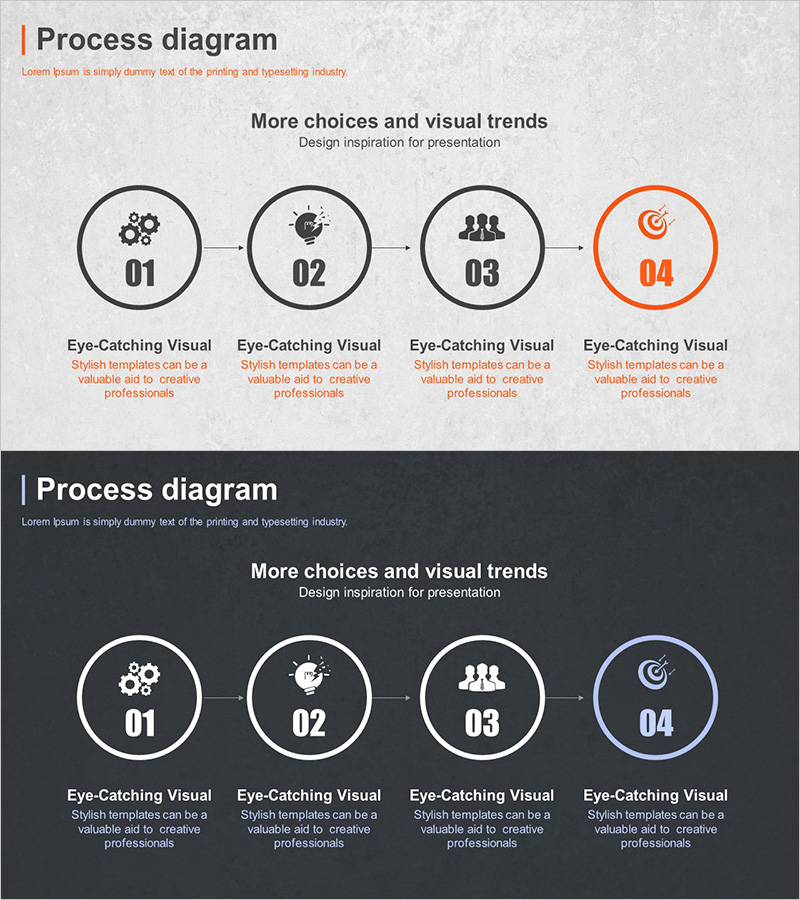
A PowerPoint slide template that visualizes business processes and operational workflows in a 4-step linear flow. Circular nodes numbered 01–04 are connected by arrows, with icons representing each stage. The design includes two versions: a light gray background with gray nodes and orange accent, and a dark background with white-bordered nodes and blue accent. Each step includes a text area below for detailed descriptions, making it ideal for strategy presentations, operational reports, and project timelines. The slide structure clearly communicates sequential processes, making it suitable for business plans, marketing strategies, and process improvement documentation.
Usage Points
-
Main Usage
Effectively communicate sequential business processes, operational workflows, and project stages. The 4-step circular node design with connecting arrows clearly shows progression and dependencies. Icons and numbering help audiences follow the process flow logically and retain information.
-
How to Use
Insert into business plans, marketing strategy documents, and operational reports to explain process flows and implementation steps. Customize node text and icons to match your content. Adjust colors to align with corporate branding. Choose between light or dark background versions depending on presentation environment and design preferences.
-
Recommended For
Strategy managers, operations teams, and project leads presenting process improvements, business initiatives, or organizational changes. Also effective for educational presentations explaining learning pathways, training programs, product development cycles, or service launch timelines.
-
Slide Structure
2-slide set. Slide 1: Light gray background with 4 circular nodes (01–04) arranged left-to-right, connected by 3 arrows. Final node highlighted in orange. Slide 2: Dark background with identical layout, white-bordered nodes, and blue accent on final node. Text description area below each node for customization.
Related Products
-

Procedures for Applying for a Move-in of a Silver Town – Step-by-Step Flow Description
#Business Strategy #Operational Plan #Diagram
-
Visualizing the IoT Service Process – Incorporating Business Strategy
#Business Strategy #Operational Plan #Diagram
-
Visualizing Daily Work Processes – Effective Operational Planning
#Business Strategy #Operational Plan #Diagram
-
Business Processes by Business Hours Slide – Efficient Operations Planning
#Business Strategy #Operational Plan #Diagram
