



4STEP Connection Diagram – Business Strategy Presentation
RJ0300050_14
- Last Update 05/01/2025
- File Size 1.4MB
- # of Slides 2
- File Format PPTX
- Slide Ratio 16:9
- Color
Keywords
- #Content-Based Slides
- #Design-Based Slides
- #Business Strategy
- #Operational Plan
- #Diagram
- #Step-by-Step Schedule Plan
- #Business Processes
- #Cluster
- #Chain Diagram
- #16:9
- #connection diagram PowerPoint
- #4-step diagram slide
- #business strategy presentation
- #circular flow diagram
- #process flow PowerPoint slide template
About the Product
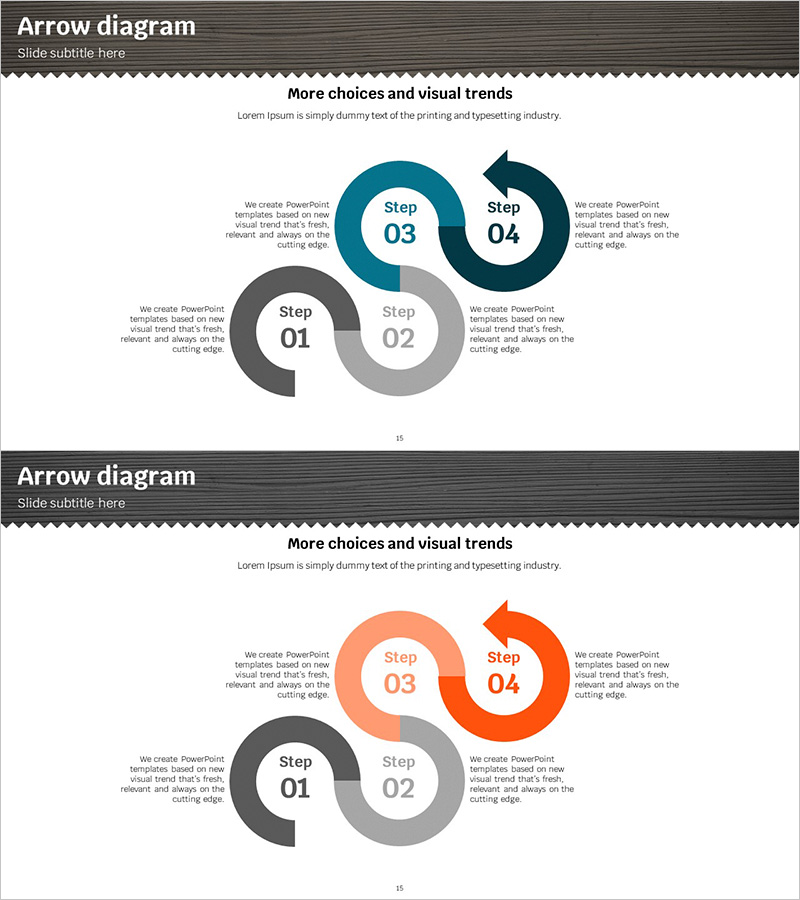
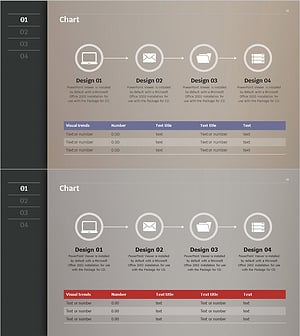
A circular connection diagram PowerPoint slide featuring four nodes linked by directional arrows. Presented in three color combinations: dark blue, gray, and orange. Each step includes dedicated text areas for detailed descriptions, making it ideal for business strategy presentations, operational plans, and process flows. The 2-slide set offers color variation options to match your presentation tone. Fully editable in 16:9 widescreen PPTX format for immediate customization.
Usage Points
-
Main Usage
Visualize business strategies, operational plans, process flows, and phased execution roadmaps across four distinct stages. Each node accommodates step titles while adjacent text areas provide space for detailed explanations, enabling hierarchical information delivery.
-
How to Use
Enter step titles (Step 01–04) in each circular node and add corresponding descriptions, objectives, or responsibility details in the adjacent text boxes. Choose between two color schemes (dark blue and gray, or orange and gray) to align with your presentation theme and corporate branding.
-
Recommended For
Business planning teams, strategy managers, project coordinators, operational planners, and consulting firms presenting business strategies, execution roadmaps, and process improvement initiatives.
-
Slide Structure
Four circular nodes connected in a circular flow pattern with directional arrows. Each node contains a step number and text input area, flanked by detailed explanation text boxes on both sides. The 2-slide set provides color variations: dark blue and gray combination, and orange and gray combination.
Related Products
-
Business Process Connection Diagram – Effective Workflow Management
#Business Strategy #Operational Plan #Diagram
-
Energy Business Process – Visualization of Strategic Operating Plan
#Business Strategy #Operational Plan #Diagram
-
Business Process Diagram Slide Template – Business Strategy
#Business Strategy #Operational Plan #Diagram
-
Business Process Diagram – Optimizing Workflow
#Business Strategy #Operational Plan #Diagram
