



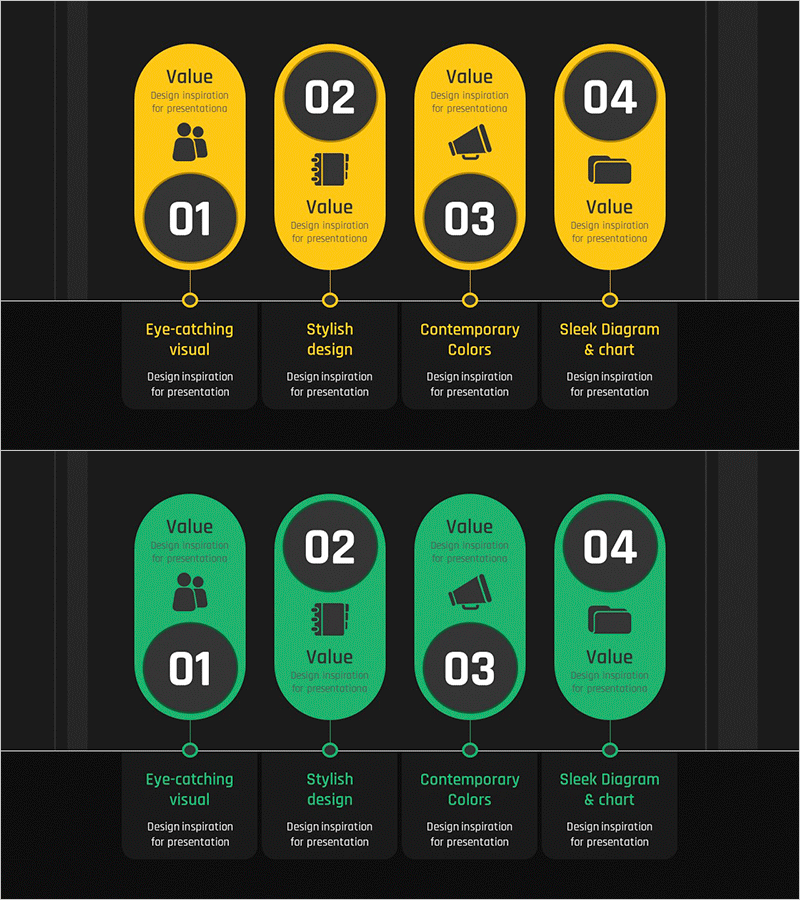
Business Process Diagram Slide Template – Business Strategy
RJ0300092_7
- Last Update 05/15/2025
- File Size 0.9MB
- # of Slides 2
- File Format PPTX
- Slide Ratio 16:9
- Color
Keywords
- #Content-Based Slides
- #Design-Based Slides
- #Business Strategy
- #Operational Plan
- #Diagram
- #Step-by-Step Schedule Plan
- #Business Processes
- #Cluster
- #Chain Diagram
- #16:9
- #connected diagram PowerPoint
- #4-step process slide
- #business workflow diagram
- #process flow PowerPoint template
- #phased timeline PPT slide
About the Product
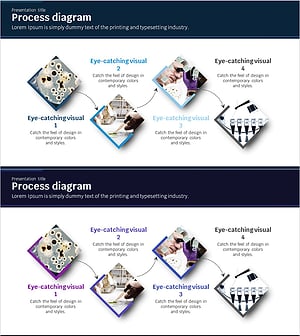
A 4-step connected diagram PowerPoint slide set designed to visualize business processes and strategic initiatives. This 2-slide template features yellow and green dual-tone color schemes with circular nodes linked by connection lines. Each step includes icons and text input areas for clear process flow representation. Ideal for operational plans, phased schedules, and cluster-based information architecture in business presentations and strategy documents. Ready to customize and deploy immediately in your PowerPoint deck.
Usage Points
-
Main Usage
Visualize business processes, strategic initiatives, operational plans, and phased timelines using a 4-step connected structure. Emphasizes relationships and sequence between stages to support decision-making and project execution presentations across organizational levels.
-
How to Use
Input stage names, owners, and timelines into each circular node. Customize icons to match your business context. Use the yellow slide for strategy and planning phases, and the green slide for execution and operational phases to create visual distinction through color contrast.
-
Recommended For
Recommended for business strategy presentations, operational planning, project management, organizational restructuring, and process improvement proposals. Ideal for executives, planning teams, operations teams, and project managers who need to explain phased workflows.
-
Slide Structure
2-slide set with 4 circular nodes per slide connected by lines. Each node contains a number, icon, and text input area. Yellow and green color variants provide visual differentiation between planning and execution phases.
Related Products
-
Business Process Diagram – Optimizing Workflow
#Business Strategy #Operational Plan #Diagram
-
Procedures for Applying for a Move-in of a Silver Town – Step-by-Step Flow Description
#Business Strategy #Operational Plan #Diagram
-
Business Connection 3D Diagram – Business Strategy
#Business Strategy #Operational Plan #Diagram
-
Science Experiment Schedule Connection Diagram
#Business Strategy #Operational Plan #Diagram
