



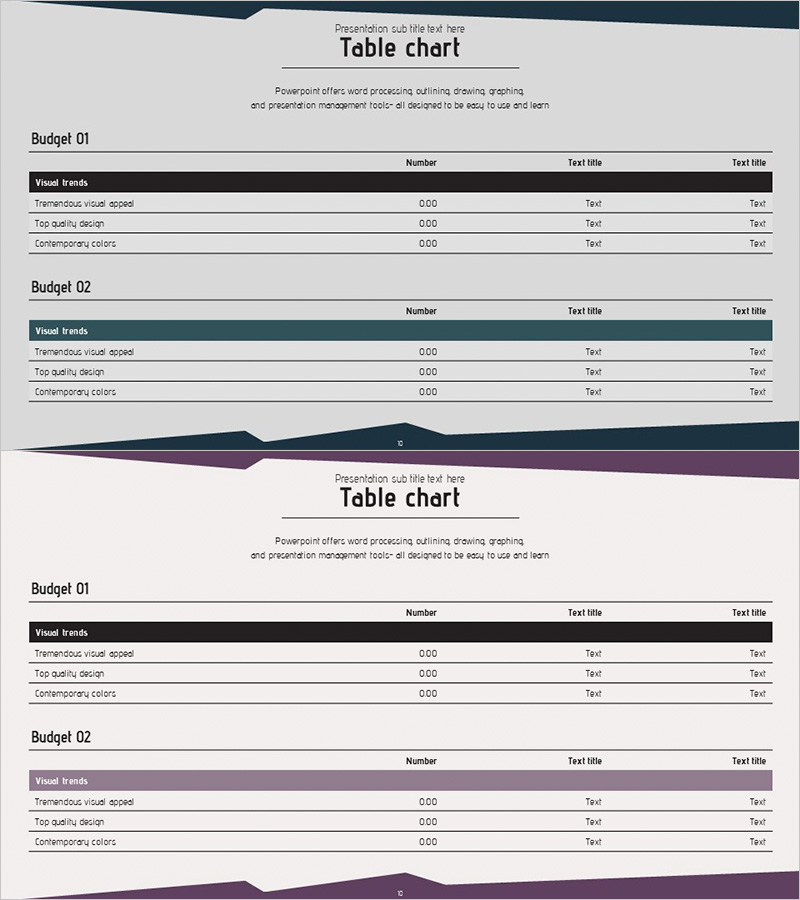
Key Financial Indicators Table – Trust and Professionalism
RJ0300031_10
- Last Update 04/26/2025
- File Size 0.7MB
- # of Slides 2
- File Format PPTX
- Slide Ratio 16:9
- Color
Keywords
- #Content-Based Slides
- #Design-Based Slides
- #Financial Plans and Performance
- #Diagram
- #Income Statement
- #Key Financial Indicators
- #Table
- #Standard Table
- #16:9
- #financial table PowerPoint
- #income statement presentation slide
- #budget comparison chart
- #financial metrics template
- #financial performance PPT slide
About the Product
A 2-slide table PowerPoint presentation designed to clearly organize financial data and budget comparisons. Featuring a dark navy header row and light gray background, the horizontal table layout arranges budget items, numerical values, and descriptions across three columns, making it ideal for income statements, financial metrics, and key performance indicator presentations. This PowerPoint slide template enables intuitive visualization of financial data and is ready to use in investor reports, executive briefings, and financial performance presentations. Available in 16:9 widescreen format, PPTX file type, fully editable in all PowerPoint versions.
Usage Points
-
Main Usage
Organize and visualize financial status, income statements, and key financial indicators in table format. Compare budget items by numerical values, display quarterly performance metrics, and present financial analysis results in a structured manner.
-
How to Use
Enter financial data in the 'Number' column of each table and add interpretation details in the 'Text title' columns. Use the slides sequentially in investor reports, executive meetings, and financial analysis presentations to explain financial status step by step.
-
Recommended For
CFOs, finance managers, executives, investor relations professionals, and accounting specialists presenting financial performance reports, budget status updates, and investment pitch presentations.
-
Slide Structure
2-slide deck. Each slide contains two sections ('Budget 01' and 'Budget 02'), with each section featuring a dark navy header row (Visual trends), 3 data rows (Tremendous visual appeal / Top quality design / Contemporary colors), and 3 columns (Number / Text title / Text title) in horizontal table layout.
Related Products
-
Paper Theme Key Financial Indicators Slide
#Financial Plans and Performance #Diagram #Income Statement
-
Key Financial Indicators Table – Essential Information Visualization
#Financial Plans and Performance #Diagram #Income Statement
-
Income Statement Table – Clearly Presenting Financial Plans and Performance
#Financial Plans and Performance #Diagram #Income Statement
-
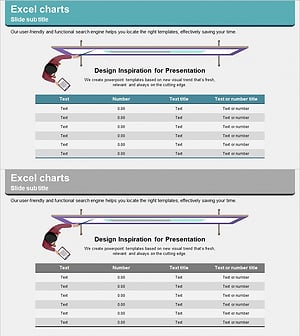
Illustration Theme Income Statement Table – Visualization of Financial Performance
#Financial Plans and Performance #Diagram #Income Statement
