



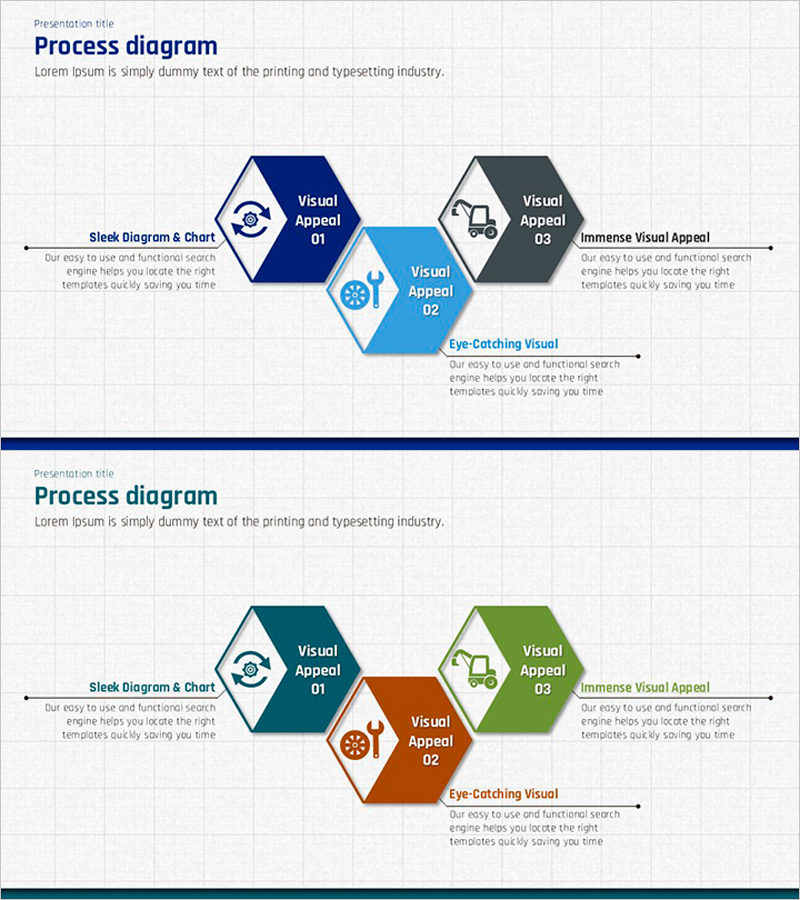
Construction Equipment Process Diagram – Enhancing Operational Efficiency
RJ0300012_9
- Last Update 04/21/2025
- File Size 0.9MB
- # of Slides 2
- File Format PPTX
- Slide Ratio 16:9
- Color
Keywords
About the Product
A PowerPoint slide template featuring a 3-step hexagon process diagram with a horizontal left-to-right flow structure. Each hexagon contains dedicated spaces for icons, titles, and descriptive text, making information input intuitive and organized. The first slide uses navy, light blue, and charcoal tones, while the second slide offers a terracotta, orange, and green color variation. Icon placeholders and text fields are clearly separated for easy customization. Ready to use in presentations and fully editable to match brand guidelines and color schemes.
Usage Points
-
Main Usage
Visualize service or product execution processes in three distinct stages to enhance audience understanding. The hexagon structure clearly presents each stage's key elements and descriptions, while icons reinforce visual recognition and information retention.
-
How to Use
Insert stage-specific icons into each hexagon's icon area, add stage names (e.g., Visual Appeal 01) in the title field, and input detailed descriptions in the text area. Use the left arrow and right text box to provide additional context and explain the overall process flow.
-
Recommended For
Ideal for technology, operations, and marketing departments explaining process workflows, product launch presentations, service improvement proposals, process optimization reports, and customer journey mapping. Suitable for any presentation document covering 3–5 linear process stages.
-
Slide Structure
Two-slide template with identical 3-step hexagon flow layouts. Each slide features a title area at the top, followed by a left arrow, three hexagons (each with icon, title, and description input areas), and a right text box. First slide uses navy, light blue, and charcoal; second slide features terracotta, orange, and green color scheme.
Related Products
-
Analyzing Molecular Relationships through Diagrams – Cluster and Connection
#Operational Plan #Technical Approach #Diagram
-
Car Wide Template Puzzle Diagram - Operations and Technology
#Operational Plan #Technical Approach #Diagram
-
Product Usage Process Diagram – Operations and Technical Aspect
#Operational Plan #Technical Approach #Diagram
-
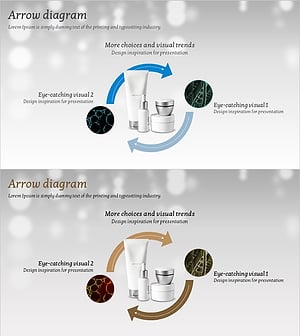
Cosmetics and Flow Circulation Diagram – Technology Development Strategy
#Operational Plan #Technical Approach #Diagram
