



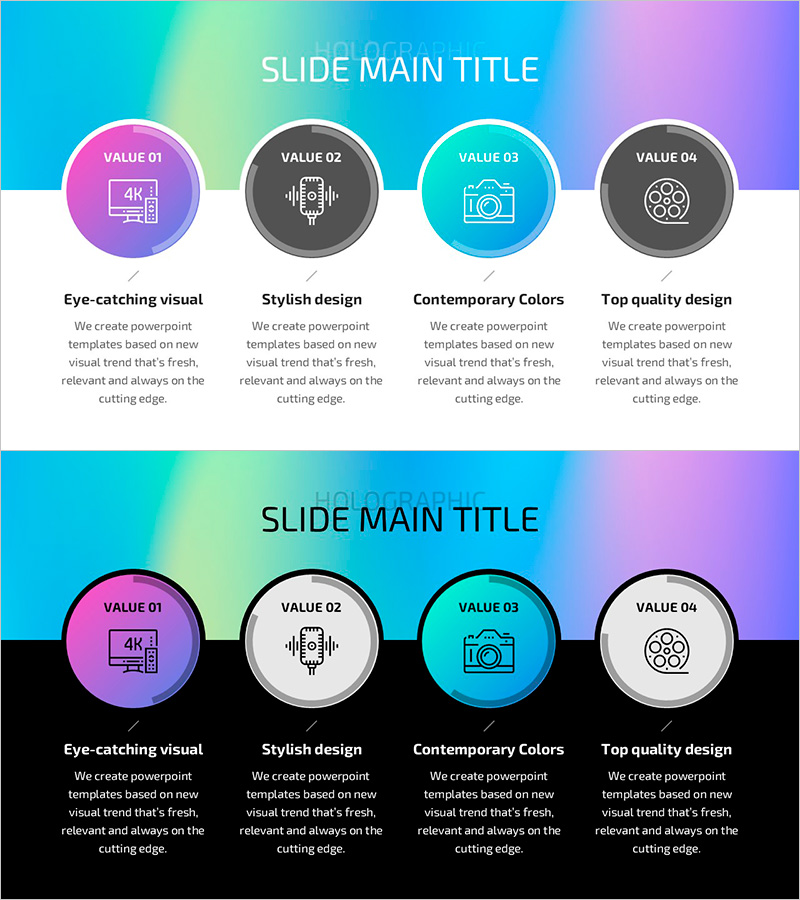
Hologram Wide PPT Diagram – Impactful Business Introduction
RJ0200053_22
- Last Update 04/13/2025
- File Size 0.5MB
- # of Slides 2
- File Format PPTX
- Slide Ratio 16:9
- Color
Keywords
- #Content-Based Slides
- #Design-Based Slides
- #Company Introduction
- #Business Introduction
- #Diagram
- #Business Areas
- #Business Areas
- #Cluster
- #Closed Cluster Diagram
- #16:9
- #closed cluster diagram PowerPoint
- #4-node diagram slide
- #circular diagram template
- #business introduction PPT slide
- #gradient background diagram PowerPoint
About the Product
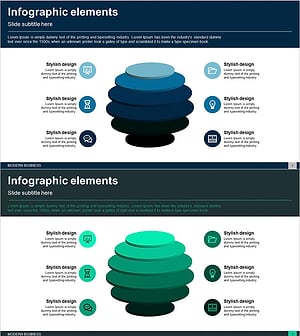
A closed-form cluster diagram PowerPoint slide featuring four circular nodes connected by lines. The design uses a gradient background transitioning from cyan through magenta to gray, with each node containing an icon and text area for customization. The 2-slide set includes a light background version and a dark background version in 16:9 widescreen PPTX format. Ideal for business introductions, value propositions, process explanations, and strategic presentations that require immediate editing and deployment.
Usage Points
-
Main Usage
Optimized for expressing four interconnected elements, values, or stages in a balanced, circular structure. Perfect for business introductions presenting core values, product features, or service areas with equal emphasis. Adaptable for organizational hierarchies, process cycles, and relational frameworks by replacing icons and text.
-
How to Use
Double-click each circular node icon to replace with your own image. Edit text fields for titles and descriptions. Adjust background gradient colors using theme color options. Use the light version for projector presentations and the dark version for online meetings or print materials.
-
Recommended For
Business strategists, marketing professionals, consultants, and educators presenting core concepts visually. Suitable for investor presentations, product launches, organizational overviews, and strategic planning meetings where interconnected relationships need clear visual representation.
-
Slide Structure
2-slide set: Slide 1 features light background (cyan-to-lime-to-white gradient) with four circular nodes arranged horizontally. Slide 2 uses dark background (cyan-to-purple-to-black gradient) with identical layout. Each node contains three sections: icon area (top), label area (center), and descriptive text area (bottom). Connecting lines between nodes emphasize the closed-loop relationship.
Related Products
-
Business Overview Square Diagram – Clear Business Introduction
#Company Introduction #Business Introduction #Diagram
-
Gaming Device Area Introduction – Business Fields and Design Clusters
#Company Introduction #Business Introduction #Diagram
-
Domain Structure Diagram – Clear Visualization for Business Introduction
#Company Introduction #Business Introduction #Diagram
-
Business Area Circular Diagram – Visualizing Cluster Information
#Company Introduction #Business Introduction #Diagram
