



Colors Theme Presentation Template Sequence Diagram – Ideal for Business Execution Strategy
RJ0200043_8
- Last Update 04/10/2025
- File Size 1.7MB
- # of Slides 2
- File Format PPTX
- Slide Ratio 16:9
- Color
Keywords
About the Product
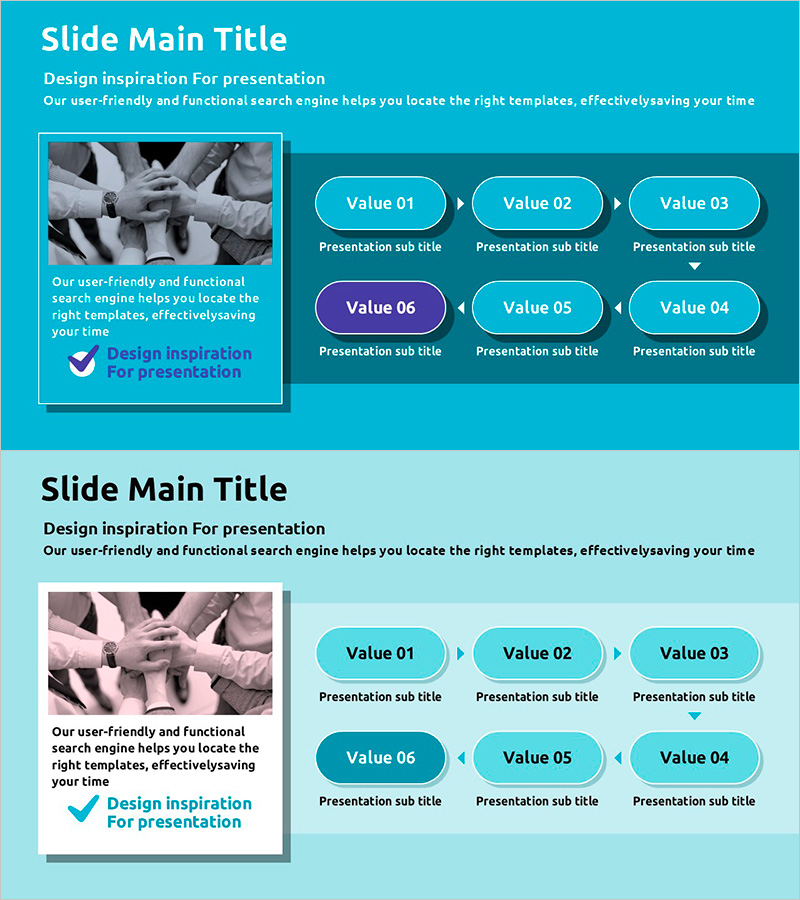
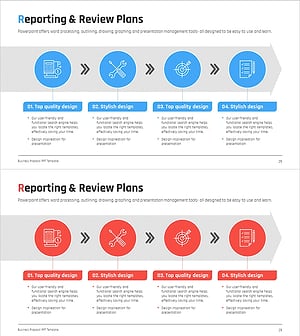
A 6-step linear sequence diagram PowerPoint slide designed to clearly present business execution strategies and process flows. The slide features a turquoise background with bright cyan oval nodes connected by directional arrows, allowing you to input title and description text for each stage. This diagram effectively communicates strategic phases, project timelines, workflow processes, and operational sequences in presentations and planning documents. The template consists of 2 slides optimized for 16:9 widescreen format and is ready for immediate editing.
Usage Points
-
Main Usage
Visualize sequential workflows such as business execution strategies, project timelines, operational processes, marketing campaign phases, and product development roadmaps across 6 distinct stages. The diagram enables stakeholders to understand stage relationships and progression order at a glance.
-
How to Use
Enter stage names in each oval node and add detailed descriptions or explanations in the text area below. Maintain the turquoise and cyan color scheme or customize colors to match your brand identity. The arrow direction and node layout are fixed to ensure consistent visual structure throughout your presentation.
-
Recommended For
Strategy planners, project managers, marketing professionals, operations teams, and educators explaining phase-based plans, schedules, and processes. Ideal for business plans, proposals, reports, training materials, and strategic presentations across various industries.
-
Slide Structure
2-slide template. Each slide displays 6 turquoise and cyan oval nodes arranged horizontally from left to right, connected by directional arrows in a linear flow. Title area at top, image placeholder on left, and 6 nodes with description text input areas below each node on the right side.
Related Products
-
Connecting Diagram for Weight-Loss Program Course Enhancement
#Business Strategy #Business Management #Diagram
-
Box Wide Template – Sequential Linked Diagram
#Business Strategy #Business Management #Operational Plan
-
Product Launch Roadmap PowerPoint – 4-Step Scale-up Timeline
#Business Strategy #Business Management #Operational Plan
-
Business Report Linear Diagram – Clear Execution Plan Delivery
#Business Management #Diagram #Execution Plan
