



BUSINESS PLAN Presentation Template STEP DIAGRAM – Business Implementation Strategy
RJ0200027_23
- Last Update 04/05/2025
- File Size 1.5MB
- # of Slides 2
- File Format PPTX
- Slide Ratio 16:9
- Color
Keywords
- #Content-Based Slides
- #Design-Based Slides
- #Business Strategy
- #Operational Plan
- #Diagram
- #Step-by-Step Schedule Plan
- #Project Implementation Schedule
- #Flow
- #Linear Flow
- #16:9
- #step diagram PowerPoint
- #4-step process diagram
- #business implementation strategy slide
- #linear process flow template
- #project phase diagram
About the Product
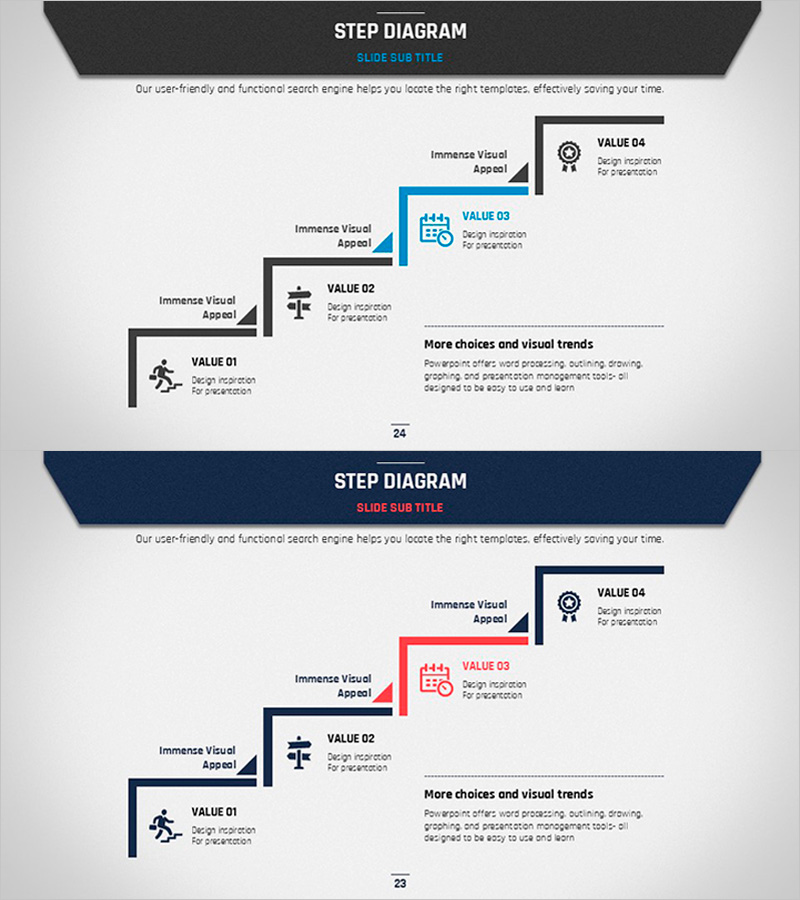
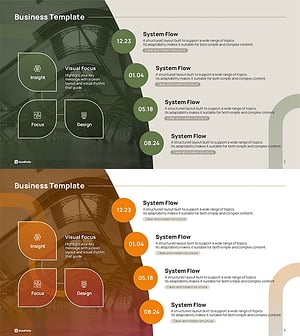
A 4-step linear process diagram PowerPoint slide that visualizes business implementation stages from left to right. Each step features an icon, title area, and description field to clearly communicate project phases, business strategies, and operational plans. The two-color design combines gray and navy blue for professional appearance, with editable text and icon areas in each node. Includes two slide variations with different header colors (gray and navy) to match your presentation style. Optimized for 16:9 widescreen format and ready for immediate use in business presentations.
Usage Points
-
Main Usage
Presents business implementation stages as a left-to-right linear flow. Each step accommodates icons, titles, and descriptions to effectively communicate project timelines, strategic phases, operational milestones, and sequential processes in business planning and execution.
-
How to Use
Enter step names, objectives, owners, and timelines in each step box. Replace icons to match your process characteristics and use the blue highlight to emphasize critical phases. Switch between gray and navy header variations to maintain consistent document styling throughout your presentation.
-
Recommended For
Ideal for business plans, strategy reports, project proposals, and operational planning presentations. Effective for executives, team leaders, and project managers explaining phased strategies. Also suitable for onboarding sessions, organizational restructuring announcements, and process improvement presentations.
-
Slide Structure
Four nodes arranged in linear sequence, each divided into left icon area, center title, and right description text. Arrows connect nodes to show progression. Header section (gray or navy) and page numbers at bottom complete the slide layout.
Related Products
-
Surgery Schedule by Body Part Diagram
#Business Strategy #Operational Plan #Diagram
-
STEP3 Linear Arrow Diagram – Business Strategy
#Business Strategy #Operational Plan #Diagram
-
Business Process STEP 5 Diagram – Efficient Operational Planning
#Business Strategy #Operational Plan #Diagram
-
Icon Box Roadmap Slide – Three-Stage Milestone PowerPoint
#Business Strategy #Business Management #Operational Plan
