




Surgery Schedule by Body Part Diagram
RJ0400045_18
- Last Update 05/29/2025
- File Size 3MB
- # of Slides 2
- File Format PPTX
- Slide Ratio 16:9
- Color
Keywords
- #Content-Based Slides
- #Design-Based Slides
- #Business Strategy
- #Operational Plan
- #Diagram
- #Step-by-Step Schedule Plan
- #Project Implementation Schedule
- #Flow
- #Linear Flow
- #16:9
- #surgery schedule diagram
- #hospital operation plan PowerPoint
- #medical process slide
- #step-by-step timeline presentation
- #linear diagram template download
About the Product
A linear diagram PowerPoint slide designed to visualize surgical scheduling and planning for hospitals and medical facilities. Three sequential arrow-shaped elements transition from light blue to dark blue, representing progressive stages in the surgical process. Each stage includes dedicated icon and text areas for clearly distinguishing information by body part, time slot, or responsible department. The wood-textured background and grid layout create a professional, easy-to-read composition. Two slides provide multiple color variations (blue, green, and navy) so you can select the version that matches your presentation topic and institutional branding. All elements are fully editable in PPTX format and ready for immediate use in medical reports, operational planning presentations, and patient communication materials.
Usage Points
-
Main Usage
This slide enables hospitals and medical facilities to clearly communicate surgical schedules, patient transfer processes, and operating room management plans in sequential stages. Each step accommodates body part information, estimated time, and assigned medical staff, making it effective for both staff coordination and patient communication.
-
How to Use
Double-click the text areas within each arrow shape to enter surgical site names, estimated duration, and assigned personnel. Icons can be customized to match specific surgical types, and colors can be switched to the green or navy versions on the second slide or modified freely. Insert into hospital reports, operational plans, and patient information materials.
-
Recommended For
Hospital administrators, operating room managers, medical administrative staff, and patient care coordinators benefit from this slide when explaining surgical schedules, reporting operational efficiency, and presenting medical process improvements. Ideal for institutional periodic reports, operational planning presentations, and patient education materials.
-
Slide Structure
Two-slide set. Each slide features a title area at the top, three left-aligned arrow shapes in the center (each containing an icon and text box), and descriptive text area at the bottom. The first slide uses blue gradient coloring, while the second provides green and navy color options for design flexibility.
Related Products
-
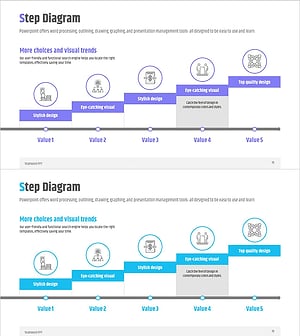
Business Process STEP 5 Diagram – Efficient Operational Planning
#Business Strategy #Operational Plan #Diagram
-
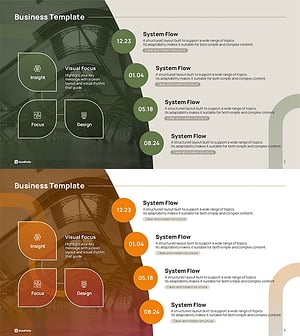
Icon Box Roadmap Slide – Three-Stage Milestone PowerPoint
#Business Strategy #Business Management #Operational Plan
-

STEP3 Linear Arrow Diagram – Business Strategy
#Business Strategy #Operational Plan #Diagram
-

BUSINESS PLAN Presentation Template STEP DIAGRAM – Business Implementation Strategy
#Business Strategy #Operational Plan #Diagram
