



Structure Presentation Template Diagram1 – Visualizing Operations and Workflow
RJ0200018_5
- Last Update 04/02/2025
- File Size 1.2MB
- # of Slides 2
- File Format PPTX
- Slide Ratio 16:9
- Color
Keywords
- #Content-Based Slides
- #Design-Based Slides
- #Business Management
- #Operational Plan
- #Diagram
- #Implementation Schedule
- #Business Processes
- #Flow
- #Linear Flow
- #16:9
- #linear diagram PowerPoint
- #4-step process flow slide
- #business workflow PowerPoint
- #operational plan diagram
- #process visualization PPT slide
About the Product
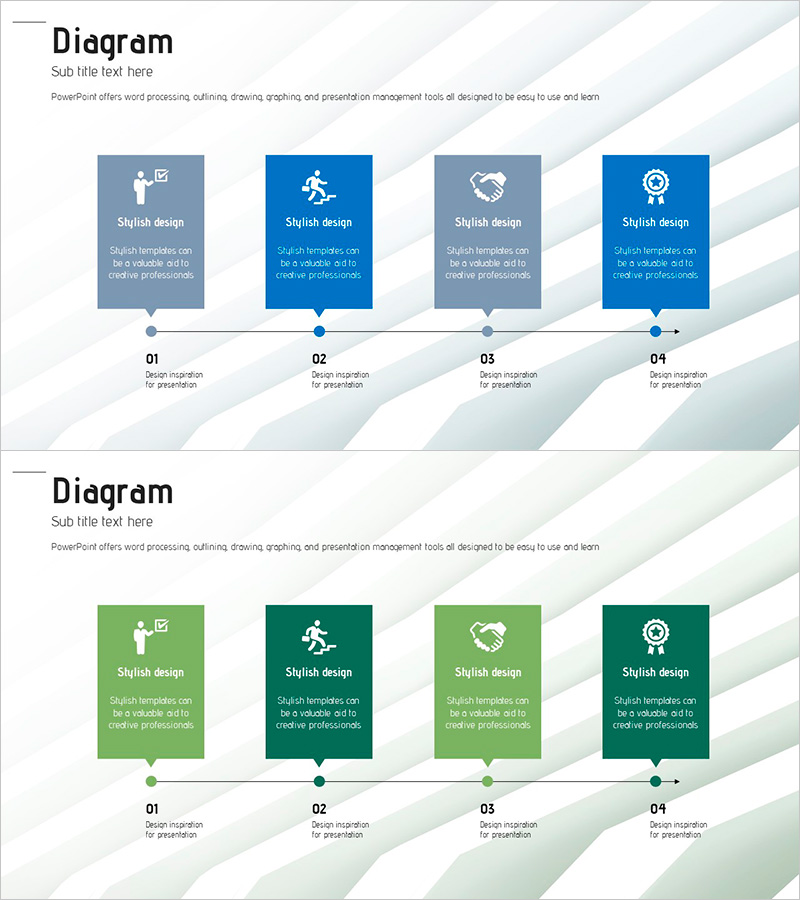
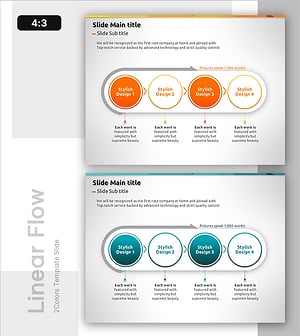
A 4-step linear flow diagram PowerPoint slide designed to visualize business processes and operational plans. The alternating blue and green color scheme clearly distinguishes each stage, while icons and text boxes enable intuitive information delivery. The 2-slide set provides the same diagram in both blue and green color palettes, allowing you to match your presentation theme and brand colors. Arrow connectors emphasize the relationship between stages, and strategically placed icons enhance readability. This PPT resource is ready to use for business management, operational planning, and process improvement presentations.
Usage Points
-
Main Usage
Clearly presents business processes, operational plans, and project stages in a 4-step linear sequence. Arrow connectors and icons emphasize sequential progression, enabling audiences to grasp the complete workflow at a glance.
-
How to Use
Select either the blue or green color variant that matches your presentation theme and brand identity. Customize each node by entering stage names and descriptions in the text boxes, and replace icons as needed to create a tailored presentation.
-
Recommended For
Business managers, operations teams, and project managers explaining process improvements, operational planning, and project phase progression. Ideal for internal training, external presentations, and formal reports.
-
Slide Structure
2-slide set with identical 4-node linear diagrams arranged horizontally. Each slide features a title area at the top, arrow connectors linking the nodes, and description text boxes below each stage. Icon insertion spaces are provided within each node for customization.
Related Products
-
Flow Diagram Template for Idea Generation
#Operational Plan #Technical Approach #Diagram
-
Real Estate Marketing System - Actionable Strategies and Flow
#Operational Plan #Marketing Plan and Strategy #Diagram
-
Directional Flow Diagram for Business Strategy PPT
#Business Strategy #Operational Plan #Diagram
-
Circular Strategy Process for Goal Achievement
#Operational Plan #Technical Approach #Diagram
