



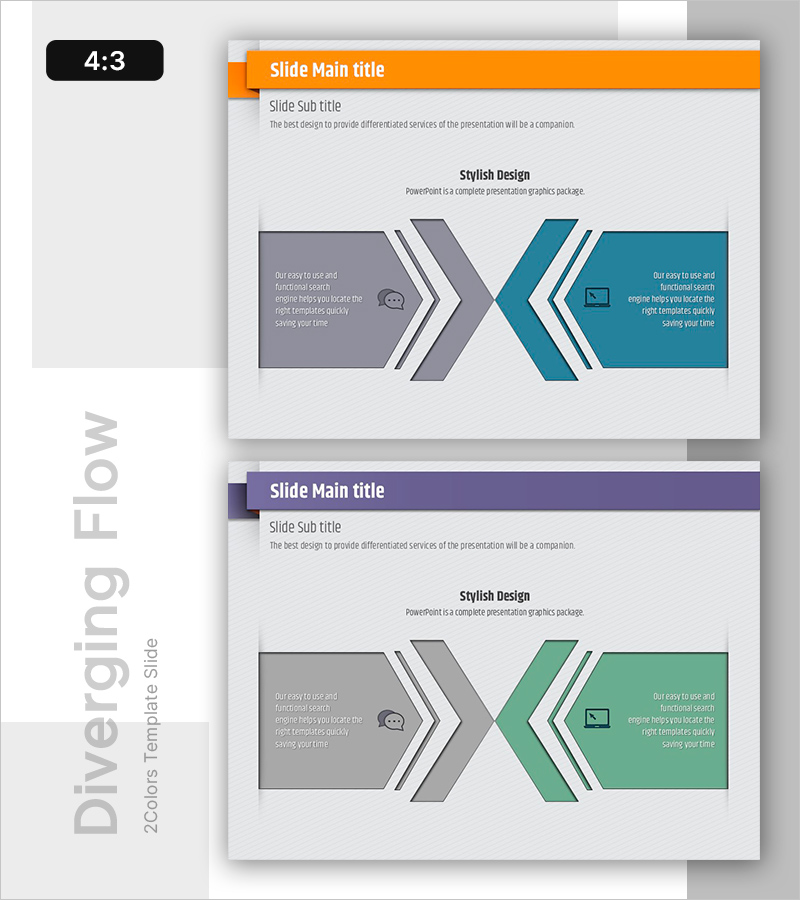
Diagram: Differentiate Your Service with Modern Graphic Design
RB0800028-1_26
- Last Update 03/23/2025
- File Size 0.2MB
- # of Slides 2
- File Format PPTX
- Slide Ratio 4:3
- Color
Keywords
About the Product
A symmetrical arrow diagram PowerPoint slide that visually compares two services, products, or concepts side by side. The design features hexagonal boxes in gray and teal colors, each with dedicated text and icon areas to highlight differentiated features. This 2-slide template in 4:3 aspect ratio is ready to use for service introductions, product comparisons, strategic alternatives, and competitive analysis presentations. The diverging-converging arrow structure creates a clear visual hierarchy that guides audience attention to key differentiators.
Usage Points
-
Main Usage
Clearly present two competing services, products, strategies, or concepts side by side to emphasize differentiation. The central arrow structure visually reinforces the relationship or contrast between options, making it ideal for business proposals, marketing plans, and product introduction decks.
-
How to Use
Enter the first concept's key features in the left hexagonal box and the second concept's features in the right box. Edit the icons and text within each box to reflect your specific content, and adjust colors to match your brand guidelines. Reuse the 2-slide template or modify color combinations to present multiple comparison scenarios.
-
Recommended For
Marketing teams conducting competitive analysis, sales teams explaining product differentiation, executives presenting strategic options, and consultants proposing solutions. Particularly effective for B2B presentations, investor pitches, and internal strategy meetings where two alternatives need clear visual contrast.
-
Slide Structure
2-slide set. Each slide features a central arrow flanked by a left gray hexagon (text + icon input area) and right teal hexagon (text + icon input area) in symmetrical layout. Title area at top, comparison diagram in center, and subtitle area at bottom in 4:3 aspect ratio.
Related Products
-
Business Investment Differentiation Strategy Slide – Effective Business Execution
#Product/Service Introduction #Business Strategy #Diagram
-
Presentation of Business Goals and Directions – Multidimensional Insights
#Business Vision and Strategy #Business Strategy #Diagram
-
Multi-Directional Strategy for Achieving Success – A Template for Business Future
#Product/Service Introduction #Business Vision and Strategy #Diagram
-
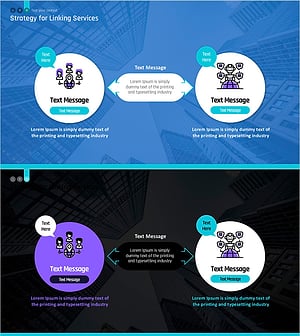
Presentation Slide Template for Linking Services Strategy
#Business Vision and Strategy #Operational Plan #Diagram
