



Presentation of Business Goals and Directions – Multidimensional Insights
RJ0300021_14
- Last Update 04/23/2025
- File Size 5.6MB
- # of Slides 2
- File Format PPTX
- Slide Ratio 16:9
- Color
Keywords
- #Content-Based Slides
- #Design-Based Slides
- #Business Vision and Strategy
- #Business Strategy
- #Diagram
- #Business Goals
- #Business Direction
- #Flow
- #Converging Flow Diverging Flow
- #16:9
- #bidirectional arrow diagram PowerPoint
- #divergence convergence diagram slide
- #comparison analysis presentation
- #two-way perspective slide
- #business direction arrow template
About the Product
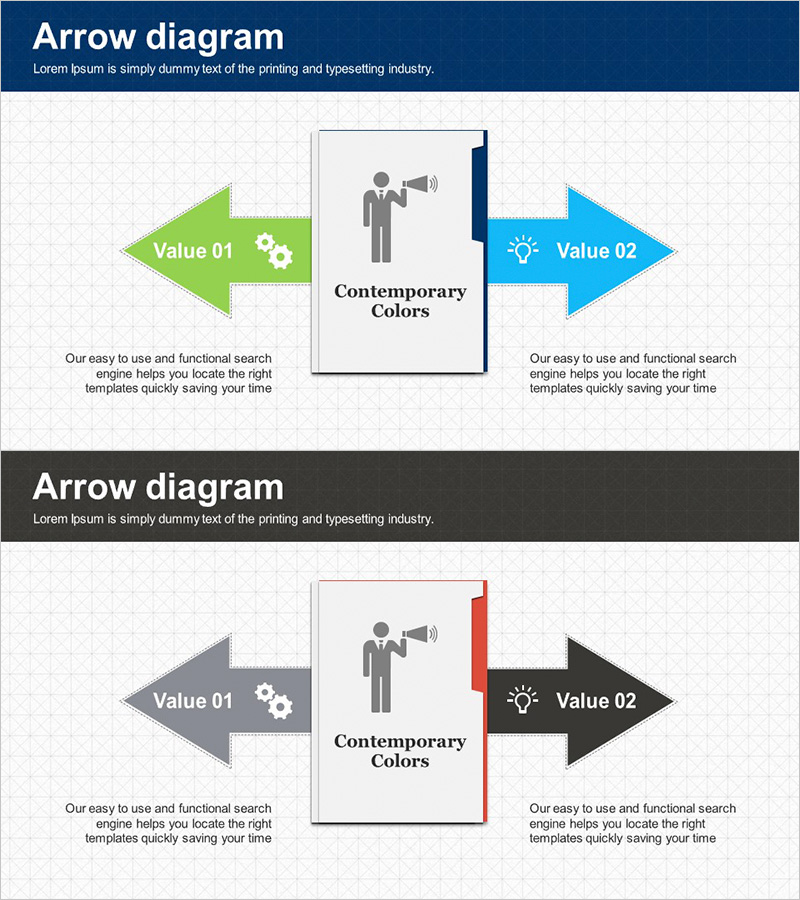
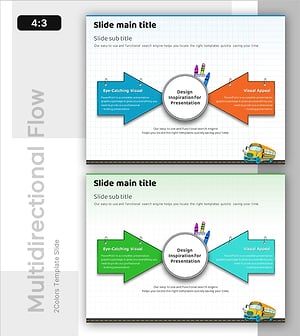
A divergence-convergence arrow diagram PowerPoint slide that contrasts two opposing perspectives using left and right directional arrows. Available in two color combinations—green and blue, gray and black—with icon and text placement within each arrow to clearly express contrasting values or strategies. A vertical dividing line in the center visually separates the two areas, with descriptive text zones on each side for detailed content. This presentation template is ready to use immediately for business direction statements, comparative analysis, dual-perspective explanations, and various presentation scenarios.
Usage Points
-
Main Usage
Optimized to express two contrasting values, strategies, or perspectives simultaneously using left-right directional arrows. The central vertical dividing line and icon placement maintain visual balance while emphasizing the core message of each direction.
-
How to Use
Enter the first perspective (e.g., existing strategy) in the left arrow and the second perspective (e.g., new strategy) in the right arrow. Modify icons and text in each area to clarify comparison subjects, and add detailed content descriptions in the lower text zone for each direction.
-
Recommended For
Ideal for executive reports, business strategy presentations, marketing planning decks, organizational restructuring explanations, old-versus-new comparisons, and meetings requiring dual-perspective statements. Effective for consulting reports, investor pitch decks, and proposals where contrastive analysis needs clear visual representation.
-
Slide Structure
Two-slide set with each slide featuring two bidirectional arrows, a central vertical dividing line, a center-top icon area, text input zones within each arrow, and a lower descriptive text section. First slide uses green and blue; second slide uses gray and black color schemes.
Related Products
-
Speech Connection Diagram – Vision and Strategy
#Business Vision and Strategy #Business Strategy #Diagram
-
Sea Wide Strategic Direction Diagram - Visualization of Business Strategy
#Business Vision and Strategy #Business Strategy #Diagram
-
Antique Template Goal Diagram – Business Strategy and Direction
#Business Vision and Strategy #Business Strategy #Diagram
-
Learning Tasks for Achieving Final Goals PowerPoint Template
#Business Vision and Strategy #Marketing Plan and Strategy #Diagram
