



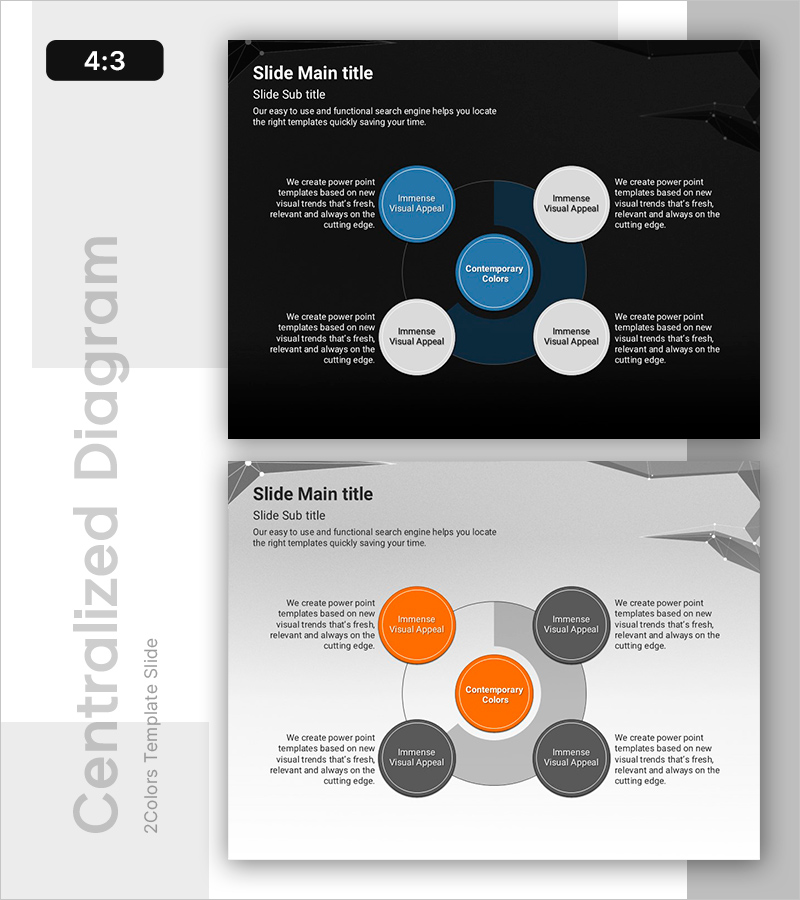
4 Strategic Keywords to Achieve Goals
RB0800019_18
- Last Update 03/21/2025
- File Size 2.5MB
- # of Slides 2
- File Format PPTX
- Slide Ratio 4:3
- Color
Keywords
- #Content-Based Slides
- #Design-Based Slides
- #Business Introduction
- #Diagram
- #Business Areas
- #Technological Status
- #Spread
- #Centralized Diagram
- #4:3
- #radial diagram PowerPoint
- #circular structure slide template
- #5-node diagram
- #goal achievement strategy PPT
- #center diagram PowerPoint slide
- #how to create radial diagram in PowerPoint
About the Product
A radial diagram PowerPoint slide designed to visualize strategic goals and their supporting elements. This presentation template features a central concept node surrounded by four related elements arranged in a circular pattern, with color differentiation using blue and white, or orange and gray nodes for visual emphasis. The slide deck includes 2 layouts with both dark and light background versions, allowing you to match your presentation environment and document style. Each node contains dedicated text areas for detailed descriptions, making it easy to input strategy keywords, action plans, performance metrics, and other relevant information. The template is fully editable and ready for immediate use in PowerPoint.
Usage Points
-
Main Usage
Positions an organization's core objective at the center and connects four strategic elements around it in a circular arrangement, clearly illustrating their interdependencies. Ideal for business strategy presentations, marketing plans, organizational structures, and process flows where center-to-periphery relationships need emphasis.
-
How to Use
Enter your central concept (goal, vision, or core value) in the middle node, then populate the four surrounding nodes with detailed strategies, implementation plans, performance indicators, or risk management items. Use the dark background version for projector presentations and the light version for printed documents or online sharing.
-
Recommended For
Executive reports, business plan presentations, strategic planning meetings, marketing proposals, organizational restructuring explanations, new business pitches, and training seminar materials. Applicable across all industries including consulting, IT, finance, manufacturing, and education for explaining relationships between core concepts and supporting elements.
-
Slide Structure
One central primary node (blue or orange) with four supporting nodes (white or gray) positioned at cardinal points, connected by lines to the center. Each node includes surrounding text areas accommodating up to 5 lines of detailed content. 4:3 aspect ratio, 2-slide composition.
Related Products
-
Key Chemical Composition Charts for Effective Data Visualization
#Business Introduction #Diagram #Business Areas
-
Transportation Diffusion Diagram
#Business Introduction #Diagram #Business Areas
-
Sewing Button Diagram – Business Area and Technical Status
#Business Introduction #Diagram #Business Areas
-
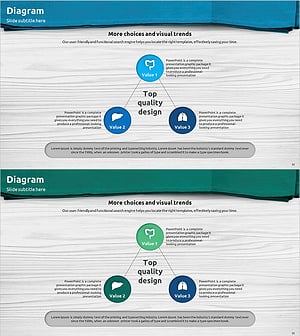
Medical Business Area Diffusion Diagram – Efficient Connections
#Company Introduction #Business Introduction #Diagram
