



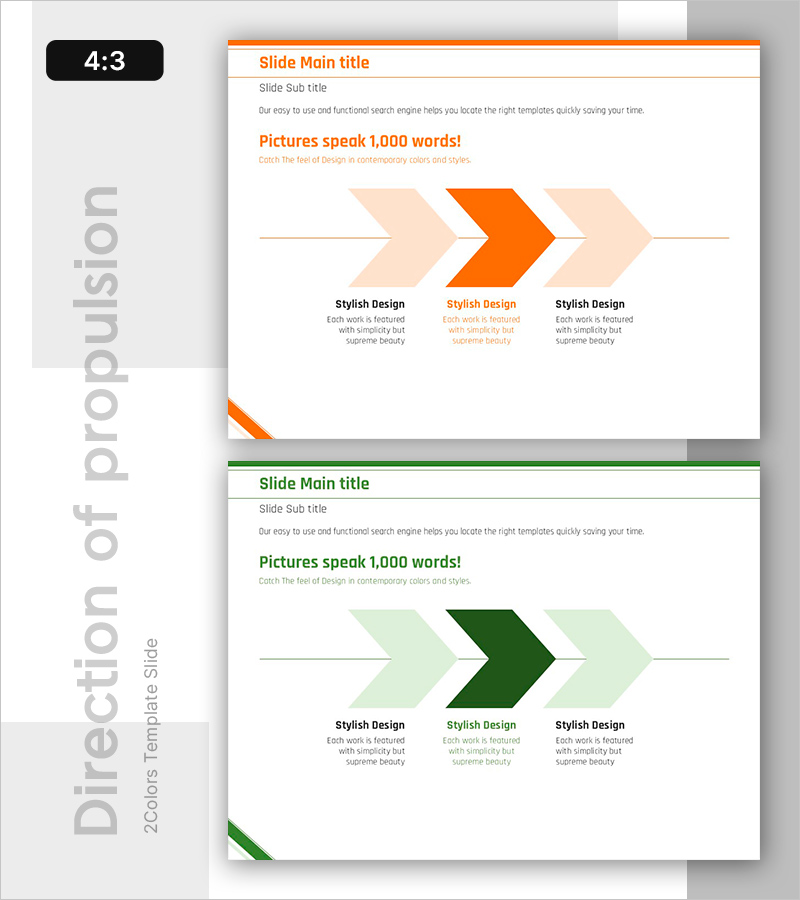
Process toward the Goal – Visualizing Business Direction
RB0800018_19
- Last Update 03/21/2025
- File Size 0.1MB
- # of Slides 2
- File Format PPTX
- Slide Ratio 4:3
- Color
Keywords
About the Product
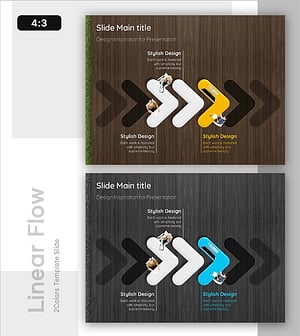
A 3-step circular arrow diagram PowerPoint slide that visualizes business direction and goal achievement process. Three left-pointing arrows in orange and green two-tone colors are arranged linearly to clearly express sequential process progression. Each arrow step includes a text area below for entering specific content such as strategy, execution, and evaluation. This 4:3 ratio, 2-slide template is ready to use for business progress reports, strategy presentations, and project status updates. Fully editable in PowerPoint to customize colors, text, and arrow count.
Usage Points
-
Main Usage
Clearly express business progress in stages and visually communicate the process flow toward goal achievement. Emphasize the cyclical structure of strategy, execution, and evaluation to convey commitment to continuous improvement.
-
How to Use
Enter strategy names, execution details, and performance metrics in the text areas below each arrow step to specify business direction. Place in mid-section of reports or strategy presentation slides to enhance audience comprehension.
-
Recommended For
Ideal for executives, business managers, and project leaders presenting business plans, progress updates, and performance reports. Effective in marketing plans, business proposals, quarterly management reports, and strategic documents.
-
Slide Structure
Three left-pointing arrows arranged linearly. Center arrow in orange, side arrows in green to emphasize key stages. Two-row layout with three text boxes below for step descriptions.
Related Products
-
Step-by-Step Plan for Business Execution – Effective Execution Diagram
#Business Strategy #Diagram #Business Direction
-
Witch and Stage Guide Flow – Business Strategy Diagram
#Business Strategy #Diagram #Text Box
-
Voice of Customer Reflected in Planning – Visualizing Business Strategy
#Business Strategy #Diagram #Business Direction
-
Strategic Directions for a Sustainable Business – Business Progress Flow
#Business Strategy #Diagram #Business Direction
