



Diagram Template Visualizing Contrasting Feedback
RB0800012_18
- Last Update 03/20/2025
- File Size 3.8MB
- # of Slides 2
- File Format PPTX
- Slide Ratio 4:3
- Color
Keywords
- #Content-Based Slides
- #Design-Based Slides
- #Market and Competitor Analysis
- #Customer Success Stories
- #Diagram
- #Customer Analysis
- #Customer Testimonials and Feedback
- #Flow
- #Cluster
- #Circular Flow
- #Combination Diagram
- #4:3
- #overlapping diagram PowerPoint
- #circular node slide template
- #feedback analysis diagram
- #comparison visualization PPT
- #customer opinion diagram slide
- #Venn diagram PowerPoint template
About the Product
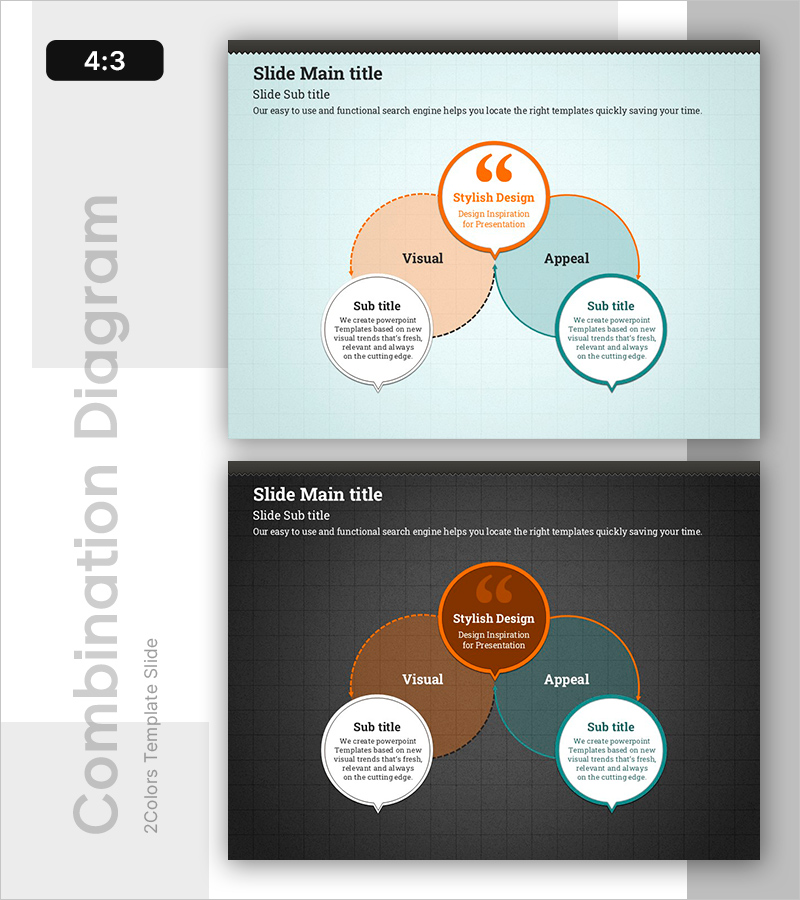
A PowerPoint slide featuring an overlapping circular diagram designed to visualize and compare contrasting feedback and perspectives. Three nodes in orange, beige, and teal colors intersect to represent Visual, Appeal, and Stylish Design elements. Each node connects to a speech bubble text box for detailed descriptions, enabling flexible content input. Presented in 4:3 aspect ratio with 2 slides: one with a light mint background and another with a dark gray background for versatile presentation contexts. Ideal for customer feedback analysis, opinion synthesis, and comparative viewpoint presentations.
Usage Points
-
Main Usage
Visually compare and analyze conflicting customer feedback, opinions, and perspectives while highlighting commonalities and differences. Effectively communicate multiple viewpoints simultaneously in customer success presentations, marketing analysis, and product improvement proposals.
-
How to Use
Enter category names (Visual, Appeal, Design, etc.) in each circular node and add detailed content in the connected speech bubble text boxes. Customize node colors to distinguish positive, negative, and neutral feedback, or adjust node sizes to represent importance levels.
-
Recommended For
Customer analysts, marketing strategists, product development teams, consultants, educators, and research presenters. Suitable for any presentation requiring simultaneous comparison of conflicting data, opinions, or perspectives.
-
Slide Structure
2-slide set. Slide 1: Light mint background with three overlapping circular nodes (orange, beige, teal) positioned with 'Stylish Design' in the top-center orange node featuring a quotation mark icon, 'Visual' in the left beige node, and 'Appeal' in the right teal node. Three speech bubble text boxes positioned below each node. Slide 2: Identical structure on dark gray background for enhanced contrast and alternative presentation context.
Related Products
-
Creative Idea Diagram – Technology Strategy and Service Operations
#Technical Approach #Diagram #Service Operation Plan
-
Business Partner Customer Reviews – Simple and Stylish Design
#Market and Competitor Analysis #Customer Success Stories #Diagram
-
Human Growth Process Diagram Slide – Smooth Flow and Connectivity
#Product/Service Introduction #Market and Competitor Analysis #Diagram
-
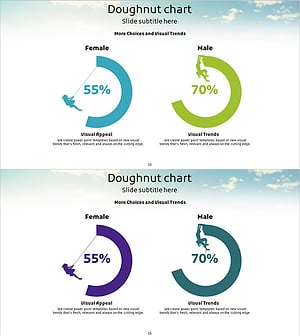
Mountain Climbing Customer Evaluation and Feedback Donut Chart
#Market and Competitor Analysis #Customer Success Stories #Graph
