



Key Features of the Children’s Learning Platform - Easily Communicated with Friendly Design
RB0700006_11
- Last Update 03/15/2025
- File Size 0.7MB
- # of Slides 2
- File Format PPTX
- Slide Ratio 4:3
- Color
Keywords
- #Content-Based Slides
- #Design-Based Slides
- #Product/Service Introduction
- #Diagram
- #Program Introduction
- #Benefits and Advantages
- #Cluster
- #Closed Cluster Diagram
- #4:3
- #closed-loop process diagram PowerPoint
- #4-step flow slide template
- #educational platform diagram
- #sequential process PPT
- #step-by-step process slide
About the Product
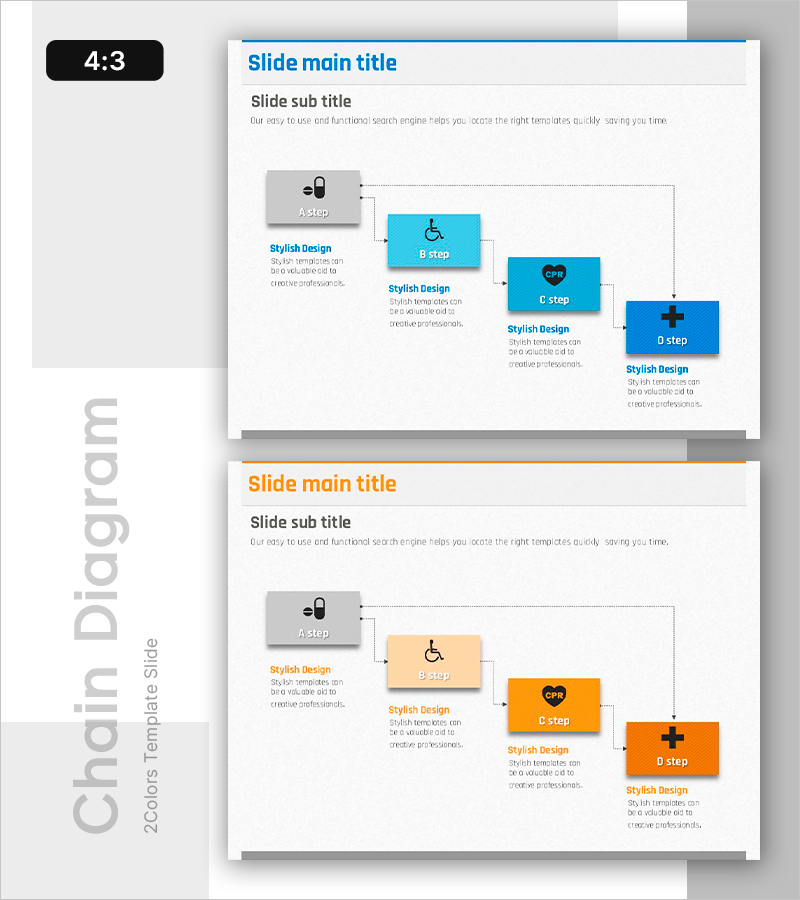
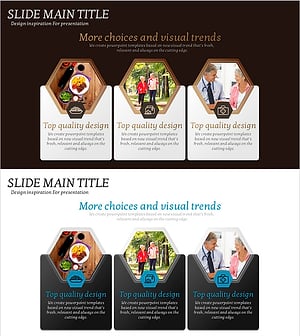
A PowerPoint slide featuring a 4-step closed-loop process diagram designed to visualize the key features of an educational platform. The diagram flows sequentially from initial stage to final outcome, with arrows and icons marking each step and descriptive text areas beneath. The two-color scheme (blue and orange) clearly distinguishes each stage, with both color versions included. Ideal for education presentations, program introductions, service flow explanations, and benefit overviews. Ready to customize and present immediately.
Usage Points
-
Main Usage
Designed to explain educational platforms, learning programs, and service workflows through a 4-step sequential process. Clearly communicates the progression from initial engagement to final outcome, emphasizing key features and benefits of each stage through text and visual icons.
-
How to Use
Replace the step labels with your program stage names and fill in the description areas with relevant content for each stage. Choose between the blue or orange color version to match your presentation theme and tone. Use in educational seminars, parent information sessions, investor pitches, and program structure presentations.
-
Recommended For
Education institution managers, EdTech startup founders, online learning platform operators, educational program planners, parent presentation facilitators, and investment pitch presenters. Suitable for any education-related presentation requiring clear explanation of program structure and sequential stages.
-
Slide Structure
2-slide set. Each slide displays 4 connected step boxes (A step → B step → C step → D step) arranged left to right, with descriptive text areas below each box. Arrows indicate stage progression, and icons (wheelchair, heart, plus sign, etc.) are placed at each step for visual distinction and enhanced clarity.
Related Products
-
Visualization of the Effectiveness of Exercise – Impact and Benefits
#Product/Service Introduction #Diagram #Program Introduction
-
Introducing the Hobby Life Support Program – Supporting Enjoyable Leisure
#Product/Service Introduction #Diagram #Program Introduction
-
Diagram Slide Highlighting Effects of Yoga Training
#Product/Service Introduction #Diagram #Program Introduction
-
Silver Town Care Service Introduction – Benefits and Program Overview
#Product/Service Introduction #Diagram #Program Introduction
