



Silver Town Care Service Introduction – Benefits and Program Overview
RJ0800012_22
- Last Update 08/03/2025
- File Size 9.6MB
- # of Slides 2
- File Format PPTX
- Slide Ratio 16:9
- Color
Keywords
- #Content-Based Slides
- #Design-Based Slides
- #Product/Service Introduction
- #Diagram
- #Program Introduction
- #Benefits and Advantages
- #Cluster
- #Closed Cluster Diagram
- #16:9
- #hexagon diagram PowerPoint
- #cluster diagram slide template
- #3-item comparison slide
- #service introduction PPT
- #three-column layout PowerPoint slide
About the Product
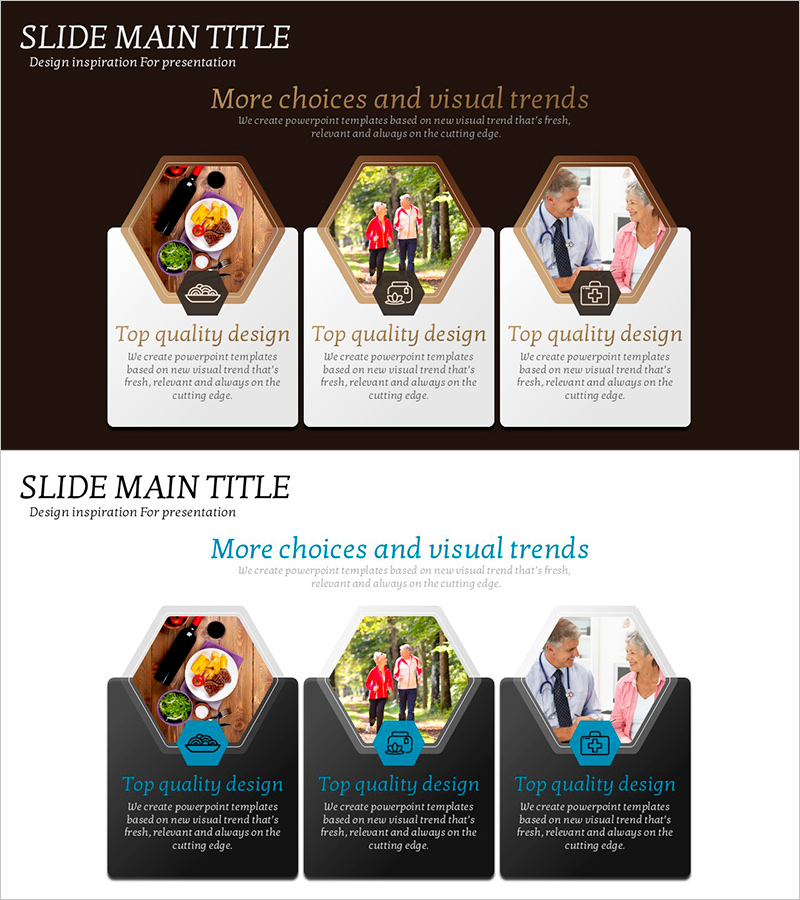
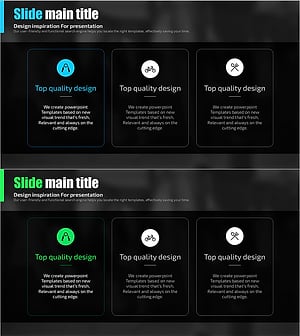
A hexagon cluster diagram PowerPoint slide optimized for service introductions and benefit presentations. Features a warm wood-tone brown background with white card layout, containing three hexagonal frames for image and text placement. Each hexagon includes an icon and descriptive text area to clearly communicate service benefits, programs, and key features. Composed of 2 slides in 16:9 widescreen format, fully editable PPTX file. Ideal for service introductions, product overviews, program announcements, and corporate presentations requiring three-way comparisons.
Usage Points
-
Main Usage
Visually present and compare three key features, benefits, or programs of a service or product. The hexagon frames highlight each item independently while maintaining overall visual cohesion, effectively directing audience attention across all three elements.
-
How to Use
Insert images into each hexagon frame and add item titles and descriptions in the text areas below. The brown background and white card layout automatically establish visual hierarchy, so simply replacing text and images creates a professional presentation.
-
Recommended For
Service introductions for care facilities, senior living communities, and healthcare providers; program announcements for medical and welfare organizations; product marketing presentations emphasizing three key functions or benefits; corporate proposals and company overviews highlighting core value propositions.
-
Slide Structure
2-slide set. Slide 1: Title area plus 3 hexagon cluster frames (each with image area and text box). Slide 2: Variant layout with adjusted background or text positioning. Each hexagon functions as an independent node with center-aligned arrangement for balanced composition.
Related Products
-
Visualization of the Effectiveness of Exercise – Impact and Benefits
#Product/Service Introduction #Diagram #Program Introduction
-
Elderly Policy Presentation Template – Solutions for an Aging Society
#Product/Service Introduction #Diagram #Program Introduction
-
Effectiveness of Planterior Design – Capturing Innovation in Spaces
#Product/Service Introduction #Diagram #Program Introduction
-
Health Care Services Introduction Diagram – Cluster Structure for Customer Health Benefits
#Product/Service Introduction #Diagram #Program Introduction
