



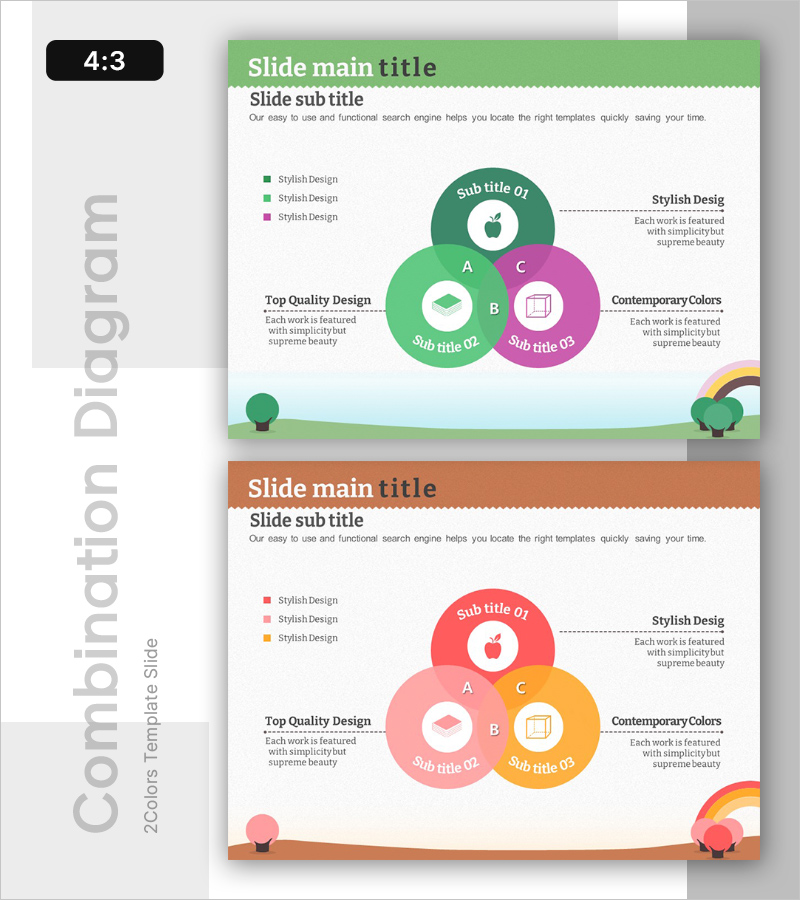
Overlapping Kids’ Learning Areas – Creative Educational Diagram
RB0300025_6
- Last Update 03/10/2025
- File Size 1.9MB
- # of Slides 2
- File Format PPTX
- Slide Ratio 4:3
- Color
Keywords
- #Content-Based Slides
- #Design-Based Slides
- #Product/Service Introduction
- #Business Vision and Strategy
- #Diagram
- #Product/Service Introduction
- #Business Vision
- #Cluster
- #Combination Diagram
- #4:3
- #overlapping circles diagram PowerPoint
- #educational learning areas slide
- #three-circle Venn diagram
- #kids education presentation template
- #overlapping diagram slide download
About the Product
A three-circle overlapping diagram PowerPoint slide designed for visualizing interconnected educational learning areas in children's programs. Features bright green, pink, and orange color tones ideal for young audiences, with icons and text labels positioned within each circle to clearly communicate core educational elements. Delivered in 4:3 aspect ratio with 2 slides ready for immediate presentation use.
Usage Points
-
Main Usage
Illustrates three interconnected educational learning domains and their relationships through overlapping circles, making it ideal for explaining program philosophy, learning objectives, and integrated curriculum structure in educational institutions, preschools, and training centers.
-
How to Use
Insert learning domain titles (e.g., creativity, language, social skills) into each circle, place the integrated learning goal in the central overlapping area, add category descriptions in the left legend, and expand explanations in the right text boxes to complete the diagram.
-
Recommended For
Early childhood educators, educational institution directors, curriculum designers, and education consultants presenting integrated learning frameworks. Suitable for parent information sessions, educational seminars, and program overview presentations.
-
Slide Structure
Three overlapping circles (nodes) with icons, titles, and subtitles positioned within each. Central intersection area represents integrated concepts, with legend on the left side and descriptive text boxes on the right in a symmetrical left-right layout.
Related Products
-
Meat-Based Cooking – Visualized with Bold Diagrams in Presentation
#Product/Service Introduction #Business Vision and Strategy #Diagram
-
Triangular Vision Diagram for Business Vision and Strategy
#Company Introduction #Business Vision and Strategy #Diagram
-
Global Business PowerPoint Template – Key Clusters for Project Progress
#Business Vision and Strategy #Business Strategy #Operational Plan
-
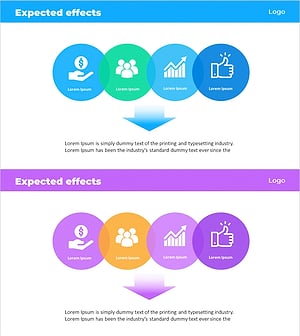
Expected Effect Overlay Diagram – Effective Business Strategy
#Business Vision and Strategy #Business Strategy #Diagram
