



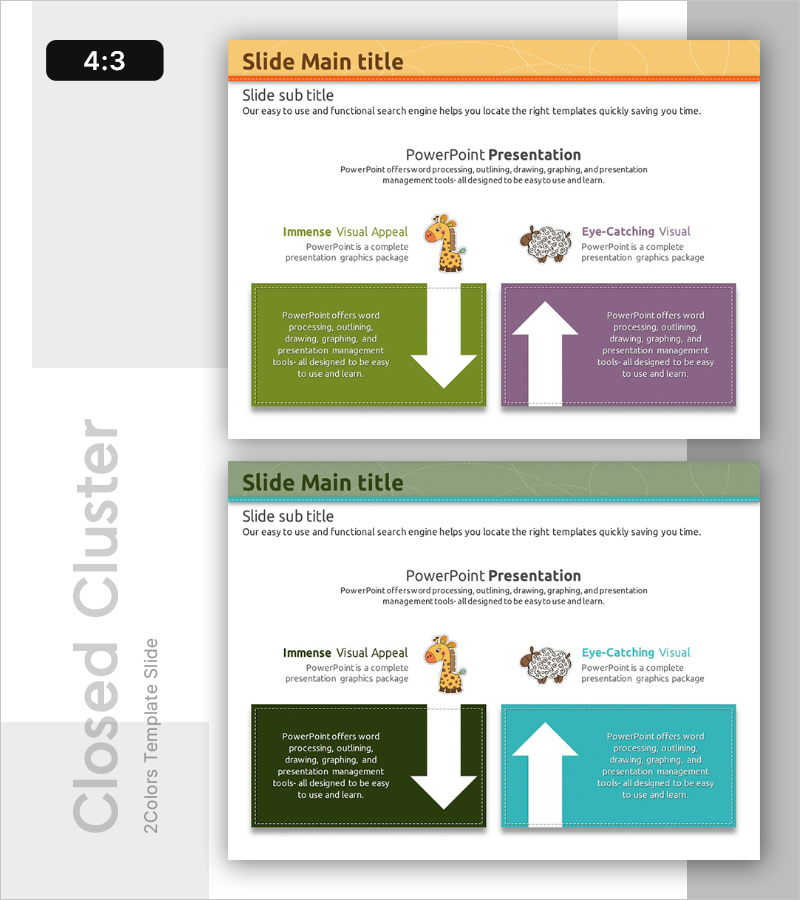
Comparing Animal Learning Programs Slide
RB0300019_5
- Last Update 03/10/2025
- File Size 0.7MB
- # of Slides 2
- File Format PPTX
- Slide Ratio 4:3
- Color
Keywords
- #Content-Based Slides
- #Design-Based Slides
- #Product/Service Introduction
- #Market and Competitor Analysis
- #Diagram
- #Program Introduction
- #Competitor Analysis
- #Cluster
- #Closed Cluster Diagram
- #4:3
- #bidirectional arrow diagram PowerPoint
- #comparison slide template
- #2-item contrast diagram
- #closed-form diagram slide
- #competitive analysis PPT slide
About the Product
A PowerPoint slide template featuring a bidirectional arrow diagram for visually contrasting two items side by side. The symmetrical layout uses green and purple backgrounds to clearly distinguish left and right concepts, with dedicated areas for text and icons in each section. This presentation slide is ideal for comparing learning programs, competitive analysis, product features, and other dual-element comparisons. Provided in 4:3 aspect ratio, PPTX format.
Usage Points
-
Main Usage
This slide is optimized for presentations that compare and contrast two subjects or concepts simultaneously. The bidirectional arrow structure visually represents mutual relationships or opposing positions, making it ideal for learning program comparisons, competitive analysis, and product differentiation explanations.
-
How to Use
Enter the name and description of each comparison subject in the left green box and right purple box respectively. The central bidirectional arrow represents mutual or transitional relationships. Customize the icons in each section to match your content and replace text as needed.
-
Recommended For
Marketing professionals, product managers, educators, and consultants will find this slide effective when presenting comparative analysis materials. It works well in business proposals, competitive analysis reports, and educational seminar materials where two options or approaches need to be contrasted.
-
Slide Structure
The 2-slide set features a yellow header with title area on the first slide, and a symmetrical green-and-purple background layout on the second. Each slide contains two side boxes with a central bidirectional arrow and icon area at the top, with clearly defined text input regions for easy customization.
Related Products
-
Slides Visualizing Business Goals with Pentagon Diagram
#Product/Service Introduction #Business Vision and Strategy #Diagram
-
Diagram Slide Visualizing Characteristics of the Fintech System
#Product/Service Introduction #Diagram #Features
-
IT Financial Services Overview – Innovative Diagrams
#Product/Service Introduction #Diagram #Program Introduction
-
Social Network Business Strategy Diagram – Innovative Business Vision
#Product/Service Introduction #Business Vision and Strategy #Diagram
