



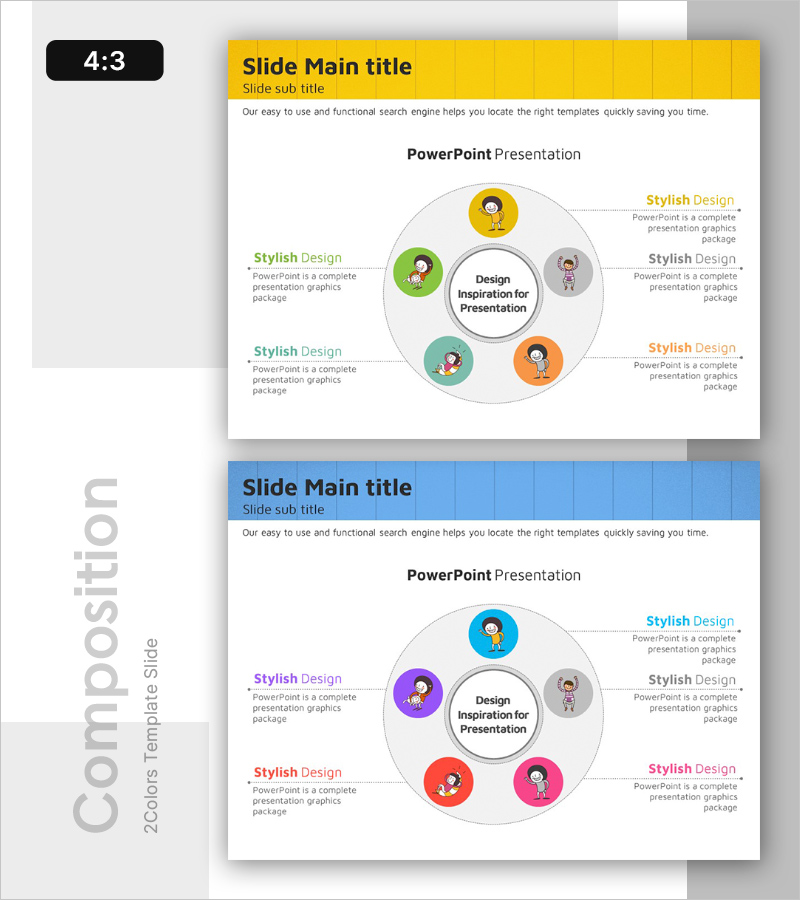
Diagram of Five Core Learning Elements – Visualization of Technical Aspects
RB0300016-1_5
- Last Update 03/10/2025
- File Size 4.9MB
- # of Slides 2
- File Format PPTX
- Slide Ratio 4:3
- Color
Keywords
- #Content-Based Slides
- #Design-Based Slides
- #Product/Service Introduction
- #Technical Approach
- #Diagram
- #Composition
- #Service Architecture Diagram
- #Cluster
- #Spread
- #Inclusive Cluster Diagram
- #Centralized Diagram
- #4:3
- #radial diagram PowerPoint slide
- #hub-and-spoke diagram template
- #5-element diagram PowerPoint
- #central concept visualization
- #circular icon diagram slide
About the Product
A radial diagram PowerPoint slide featuring a central concept connected to five surrounding elements via dotted lines. Each element is represented by a colorful circular icon in yellow, green, gray, teal, and orange, creating a hub-and-spoke visual hierarchy. This presentation slide effectively communicates how multiple components relate to a core idea, making it ideal for technical explanations, organizational structures, and strategic frameworks. The slide template is fully editable and ready for immediate use in business presentations.
Usage Points
-
Main Usage
Ideal for visualizing how multiple components, functions, or concepts radiate from a central idea or core value. This diagram structure helps audiences quickly grasp the relationship between a primary concept and its supporting elements.
-
How to Use
Replace the center text with your main topic and update the five surrounding element labels and icons to match your content. Colors can remain as-is or be customized to match your corporate branding. Additional elements can be added by duplicating existing nodes.
-
Recommended For
Perfect for technology presentations, organizational structure explanations, learning framework discussions, strategic planning sessions, product feature breakdowns, and process step descriptions. Suitable for executives, technical teams, educators, marketing professionals, and project managers.
-
Slide Structure
Two slides in 4:3 aspect ratio. First slide features a yellow header section with the radial diagram below. Second slide has a blue header with an identical diagram layout. Each slide contains one central circle connected to five surrounding nodes via dotted lines, totaling six interactive elements per slide.
Related Products
-
Dinosaur Feature Diagram
#Product/Service Introduction #Technical Approach #Diagram
-
Design Systems and Key Points Diagram – Technical Section and Product Introduction
#Product/Service Introduction #Technical Approach #Diagram
-
Service Overlay Diagram - Service Composition Overview
#Product/Service Introduction #Technical Approach #Diagram
-
Mobile Feature Nesting Diagram - Service Composition
#Product/Service Introduction #Technical Approach #Diagram
