



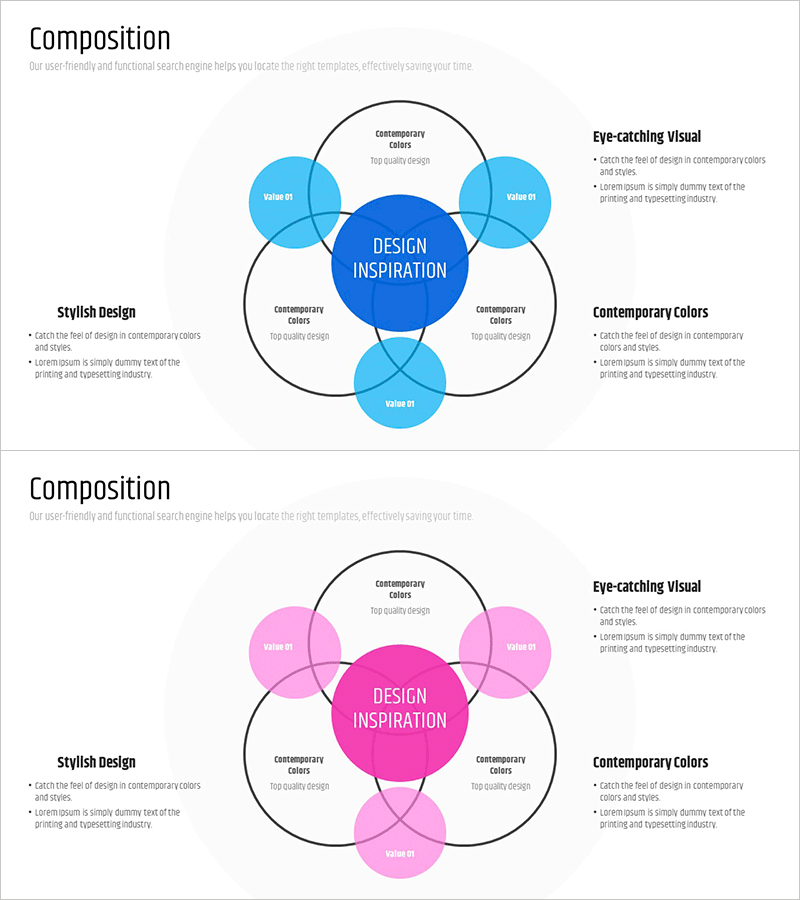
Service Overlay Diagram - Service Composition Overview
RM0100018_17
- Last Update 09/28/2025
- File Size 1MB
- # of Slides 2
- File Format PPTX
- Slide Ratio 16:9
- Color
Keywords
- #Content-Based Slides
- #Design-Based Slides
- #Product/Service Introduction
- #Technical Approach
- #Diagram
- #Composition
- #Service Architecture Diagram
- #Cluster
- #Spread
- #Combination Diagram
- #Centralized Diagram
- #16:9
- #overlay diagram PowerPoint
- #service composition diagram
- #cluster diagram slide
- #central node diagram
- #service relationship chart PPT
- #how to create overlay diagram in PowerPoint
About the Product
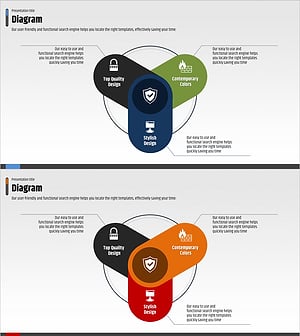
A cluster diagram PowerPoint slide featuring a central core concept surrounded by five overlapping circular nodes in blue and light blue tones. Each node represents a service component with dedicated text areas labeled 'Contemporary Colors' for clear explanation of service composition and relationships. The overlapping structure visually demonstrates how services interact and interconnect around a central hub. Designed in 16:9 widescreen format with 2 slides: the first displays the complete diagram, and the second provides a detailed explanation layout. Fully editable PPTX format ready for immediate customization.
Usage Points
-
Main Usage
Illustrate service portfolios, product ecosystems, inter-departmental collaboration structures, and business model components using a center-to-periphery relationship model. Effectively communicates how peripheral services, functions, or departments interact around a central strategy or core value proposition.
-
How to Use
Deploy in company profile presentations (service overview section), product planning pitches, business strategy presentations, and organizational structure explanations. Edit node text to reflect actual service names, features, or department titles. Adjust colors to emphasize priority levels and create visual hierarchy.
-
Recommended For
IT and software companies presenting product ecosystems, consulting firms showcasing service portfolios, startups pitching business models, and enterprises explaining cross-departmental collaboration. Ideal for marketing teams, strategy teams, and product teams delivering presentations.
-
Slide Structure
Central dark blue circular node (DESIGN INSPIRATION) surrounded by four light blue nodes positioned at top, left, right, and bottom. Each node is enclosed within a larger circle with black outline, creating an overlapping effect. Text input areas are positioned between nodes and outer circles. The 2-slide set includes the complete diagram on slide 1 and a detailed explanation layout on slide 2.
Related Products
-
Design Systems and Key Points Diagram – Technical Section and Product Introduction
#Product/Service Introduction #Technical Approach #Diagram
-
Dinosaur Feature Diagram
#Product/Service Introduction #Technical Approach #Diagram
-
Diagram of Five Core Learning Elements – Visualization of Technical Aspects
#Product/Service Introduction #Technical Approach #Diagram
-
Network Firewall Service Features and Configuration
#Product/Service Introduction #Diagram #Features
