



Introduction Slides with Icons and Keywords
RM0900015_3
- Last Update 03/05/2025
- File Size 0.5MB
- # of Slides 2
- File Format PPTX
- Slide Ratio 16:9
- Color
Keywords
- #Content-Based Slides
- #Design-Based Slides
- #Product/Service Introduction
- #Diagram
- #Program Introduction
- #Cluster
- #Closed Cluster Diagram
- #16:9
- #cluster diagram PowerPoint
- #icon diagram presentation
- #product introduction slide
- #6-item diagram template
- #keyword visualization PPT
- #circular icon slide design
About the Product
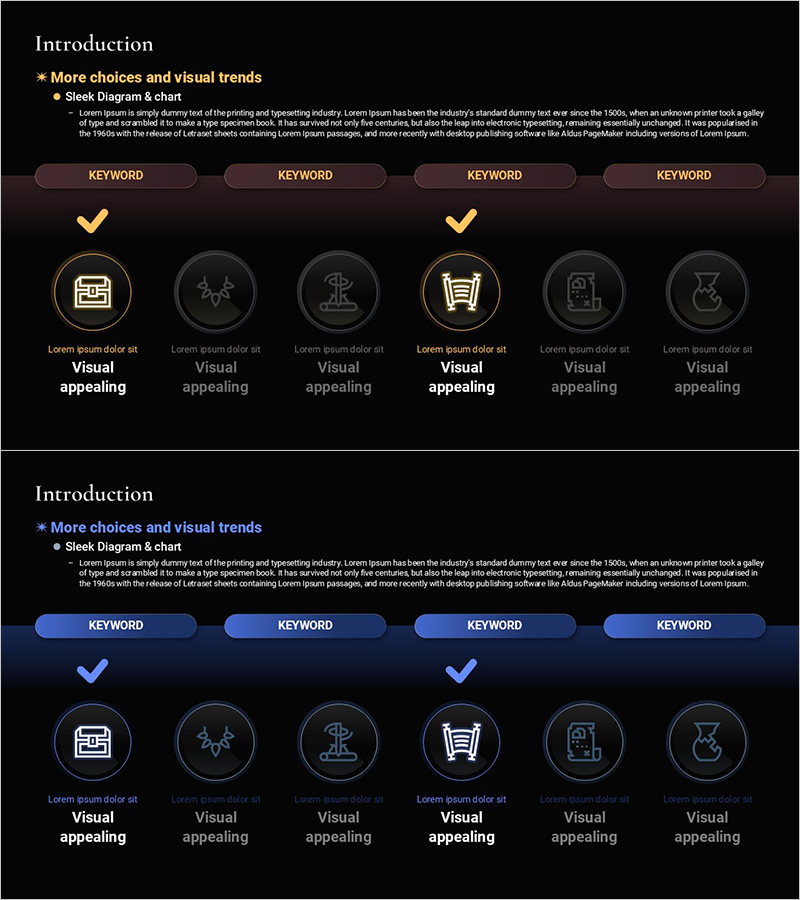
A cluster diagram PowerPoint slide that visualizes the core features of a product or service using 6 icons and keywords. The design features 6 circular icons with gold borders arranged on a black background, each with a keyword box positioned above. The top section includes a title and description text area for flexible content input. Two color variations (black and dark blue backgrounds) are included to match your presentation tone. This slide template is ready to use for product introductions, service feature highlights, business value propositions, and various presentation scenarios.
Usage Points
-
Main Usage
Present the core features, values, and functions of a product or service organized into 6 key items. The icon and keyword format enhances visual comprehension for your audience and effectively supports your verbal presentation.
-
How to Use
Enter your product name and introduction text in the top title and description area. Add feature names, functions, or values in each keyword box below the icons. Customize icons to match your product characteristics and select the color variation (black or dark blue) that aligns with your overall presentation design.
-
Recommended For
Ideal for product launch presentations, service marketing pitches, employee onboarding materials, customer briefings, investor presentations, and brand value communications. Particularly effective for tech companies, IT startups, consulting firms, and manufacturers presenting product features.
-
Slide Structure
2-slide set. Each slide features a title and description text area at the top, with 6 circular icons arranged in a cluster formation at the bottom. Keyword boxes are positioned above each icon. Two color variations (black and dark blue backgrounds) are provided for design flexibility.
Related Products
-
Medical Program Introduction Diagram – Understanding the Services
#Product/Service Introduction #Diagram #Program Introduction
-
Program Introduction Diagram – Clearly Conveying Business Goals
#Product/Service Introduction #Business Vision and Strategy #Diagram
-
Introduction to the Internet of Things Program – Innovation and Growth
#Product/Service Introduction #Business Introduction #Diagram
-
3D Printing Business Program Introduction Slide
#Product/Service Introduction #Business Vision and Strategy #Diagram
