



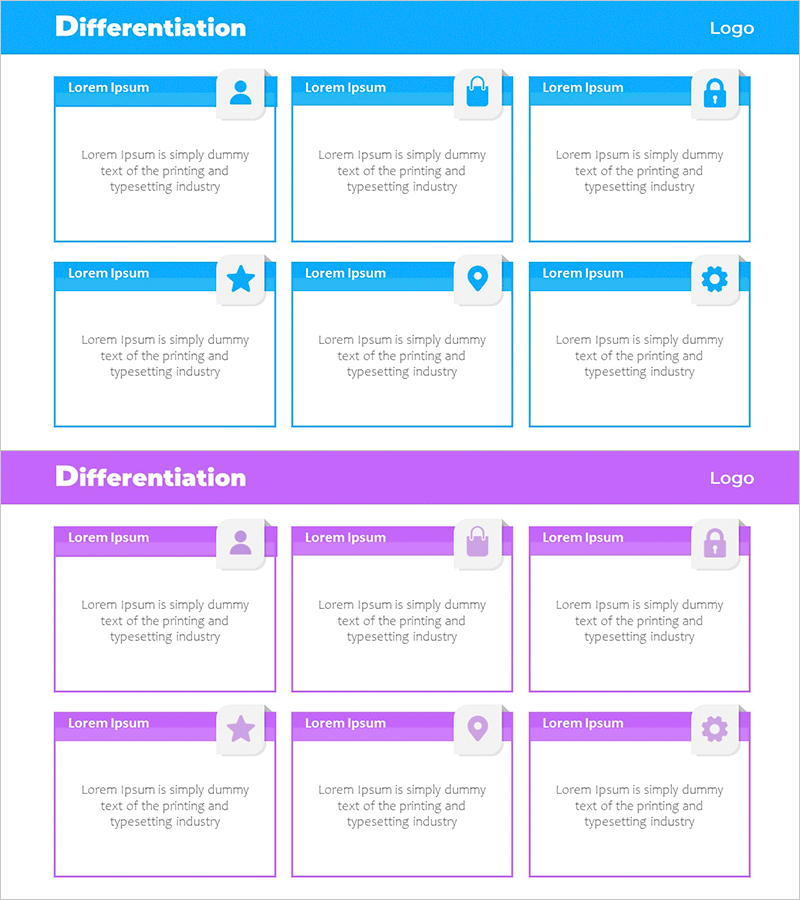
Mobile Service Segmentation Closure Diagram
RM0700001_10
- Last Update 02/25/2025
- File Size 1.8MB
- # of Slides 2
- File Format PPTX
- Slide Ratio 16:9
- Color
Keywords
- #Content-Based Slides
- #Design-Based Slides
- #Product/Service Introduction
- #Diagram
- #Program Introduction
- #Product and Service Overview
- #Cluster
- #Closed Cluster Diagram
- #16:9
- #closure diagram PowerPoint
- #6-item diagram slide
- #mobile service segmentation template
- #category classification diagram
- #how to create closure diagram in PowerPoint
About the Product
A 6-item closure diagram PowerPoint slide that visualizes mobile service segmentation and categorization. Each item is presented as an independent box with distinct icons for category differentiation. Available in two color schemes—blue and purple—allowing you to match your presentation style and brand identity. This 2-slide deck is ready to use for service classification, feature comparison, customer segment explanation, and other business presentation contexts.
Usage Points
-
Main Usage
Visualize and explain mobile service categories, product features, or business segments using six distinct items. Each box represents an independent element with its own icon, making it easy to differentiate characteristics and communicate complex information clearly to your audience.
-
How to Use
Use in product launch presentations to showcase service lineup, in marketing reports to segment customer groups, in business plans to define business areas, and in investor pitches to explain market positioning. Edit text and icons in each box to customize the slide for your specific content.
-
Recommended For
Mobile app and service companies presenting product portfolios, IT firms explaining business divisions, marketing teams analyzing customer segments, startups pitching to investors, and consulting firms delivering strategic proposals.
-
Slide Structure
Two-slide template with blue header and six item boxes on the first slide (featuring user, security, payment, location, star, and settings icons), and purple header with identical six-item box structure on the second slide for color variation options.
Related Products
-
Sleek Diagrams and Charts – Optimized Design for Business Presentations
#Product/Service Introduction #Diagram #Program Introduction
-

Introducing Mobile Business Services – Innovation and Convenience
#Product/Service Introduction #Diagram #Program Introduction
-

Aerospace Industry Introduction Diagram – Visualizing Cluster Information
#Product/Service Introduction #Diagram #Program Introduction
-
IT Financial Services Overview – Innovative Diagrams
#Product/Service Introduction #Diagram #Program Introduction
