



Visualizing Strategy with Promotional Square Diagram
RM0100016_29
- Last Update 01/30/2025
- File Size 0.3MB
- # of Slides 2
- File Format PPTX
- Slide Ratio 16:9
- Color
Keywords
- #Content-Based Slides
- #Design-Based Slides
- #Business Vision and Strategy
- #Marketing Plan and Strategy
- #Diagram
- #Business Goals
- #Promotion Strategy
- #Flow
- #Cluster
- #Circular Flow
- #Chain Diagram
- #16:9
- #4-direction diagram PowerPoint
- #connected diagram slide template
- #strategy visualization PPT
- #marketing plan presentation
- #cluster diagram PowerPoint template
About the Product
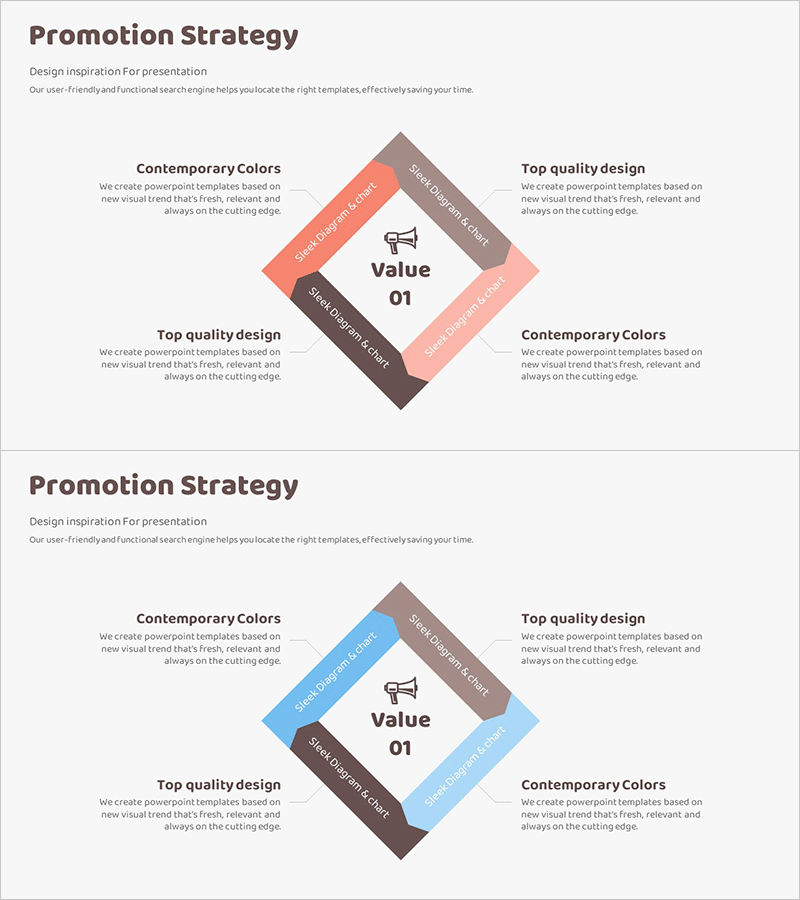
A PowerPoint slide featuring a 4-direction connected diagram to visualize promotional and business strategies. The design centers on a core value point with four surrounding areas connected in a rotational pattern, ideal for expressing marketing plans, business vision, and brand strategy in a hierarchical structure. The warm color palette of pink, brown, and gray conveys contemporary design sensibility, while text and icon placements enhance information delivery. Two slides are provided with color variations (pink and blue tones) allowing you to select the best fit for your presentation context. Fully editable PPTX format for immediate customization.
Usage Points
-
Main Usage
Effectively presents four key strategic elements in balanced proportion while clarifying their relationship to a central core value. Ideal for promotional strategy presentations, business planning sessions, brand positioning discussions, organizational role allocation, and business objective analysis across diverse corporate contexts.
-
How to Use
Enter your core message in the central 'Value 01' area, then populate the four surrounding sections with detailed strategies, implementation items, responsible departments, or performance metrics. Customize text and icons to match your organization's brand colors for immediate presentation use.
-
Recommended For
Marketing professionals, strategic planning teams, executive management, business development specialists, consultants, and educators presenting strategy frameworks, business plans, or organizational overviews. Particularly effective when emphasizing balance across four strategic axes or dimensions.
-
Slide Structure
Two-slide set with rotational 4-direction diagram layout. Each slide features a central focal point with four surrounding areas arranged in rotational pattern. First slide uses pink, brown, and gray tones; second slide features blue, brown, and gray variations. Each area includes designated text input boxes and icon placement zones for customization.
Related Products
-
Asset Management Promotion Diagram – Business Strategy and Marketing
#Business Vision and Strategy #Marketing Plan and Strategy #Diagram
-
Business Process Square Diagram - Clear Strategies and Flow
#Business Vision and Strategy #Operational Plan #Diagram
-
Business Objectives Layer Diagram – Visual Representation of Business and Marketing Strategies
#Business Vision and Strategy #Marketing Plan and Strategy #Diagram
-

Mosquito Description Diagram – Product/Service Overview
#Product/Service Introduction #Business Vision and Strategy #Diagram
