



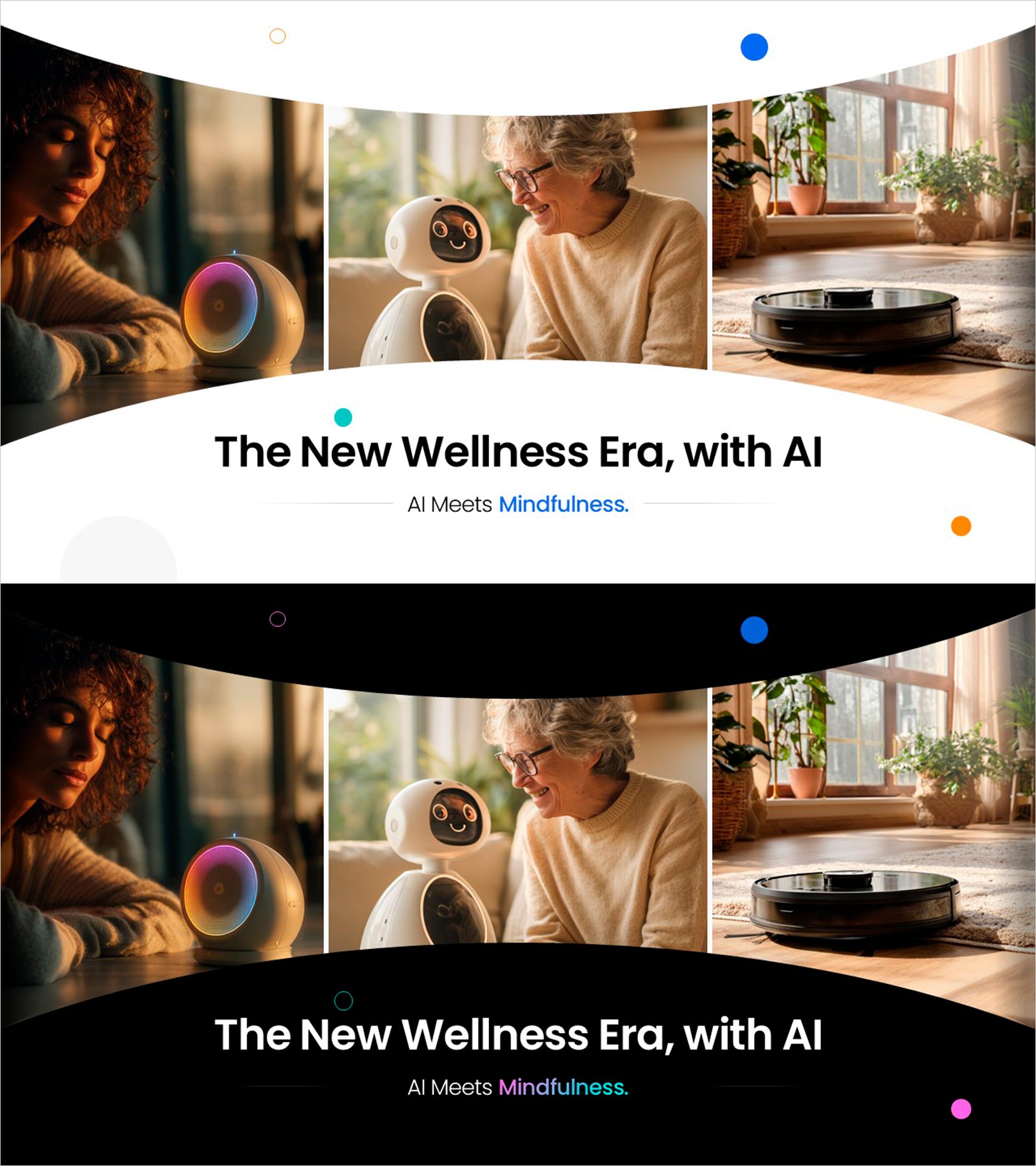
Well-Being Check-In Slide – Mental Health Tracker UI
RJ0700035_3
- Last Update 12/21/2025
- File Size 18.3MB
- # of Slides 2
- File Format PPTX
- Slide Ratio 16:9
- Color
Keywords
About the Product
A mental health tracker UI slide designed for AI-powered healthcare and wellness presentations. Featuring warm background tones with blue accent colors, this PowerPoint slide showcases an emotion scale input interface and user survey layout. The 2-slide PPTX deck is ready to use in app feature introductions, customer analysis, and user experience design sections, with icon design and modern layout emphasizing healthcare service credibility. Compatible with all presentation environments in 16:9 widescreen format.
Usage Points
-
Main Usage
Visually communicate user interface and functionality of AI-powered healthcare services, wellness apps, and mental health platforms. The emotion tracking, user survey, and personalized well-being check-in process are presented intuitively to convey service innovation and user-friendliness to investors, partners, and customers.
-
How to Use
Insert into healthcare startup pitch decks, wellness service proposals, and app development project presentations within the technology features section. Use the emotion scale UI when explaining user experience design stages and the survey layout when discussing data collection and personalization strategies. Add custom text and metrics to reflect your actual service flow.
-
Recommended For
Healthcare and wellness startup founders, app development product managers, medical technology company marketing professionals, investment pitch presenters, healthcare consultants, and UX designers explaining service features and user interfaces to stakeholders.
-
Slide Structure
Two-slide layout with the first slide displaying an emotion scale input UI featuring a 5-step emotion selection interface, and the second slide presenting user survey and personalization options. Each slide includes a title text area, UI element display section, and description text input space for easy feature explanation and data integration.
Related Products
-
Modern Wide Template Text for Business Vision and Strategy
#Business Vision and Strategy #Technical Approach #Business Vision
-
Tree Diagram of the Drug Development Plan – Visualizing Innovative Processes
#Technical Approach #Diagram #Research and Development
-
Cluster Diagram Slide Visualizing Relationships Between Connected Items
#Technical Approach #Diagram #Service Implementation Plan
-
Three Intra-Molecular Analytical Perspectives – Slides for Innovative R&D
#Technical Approach #Diagram #Research and Development
