



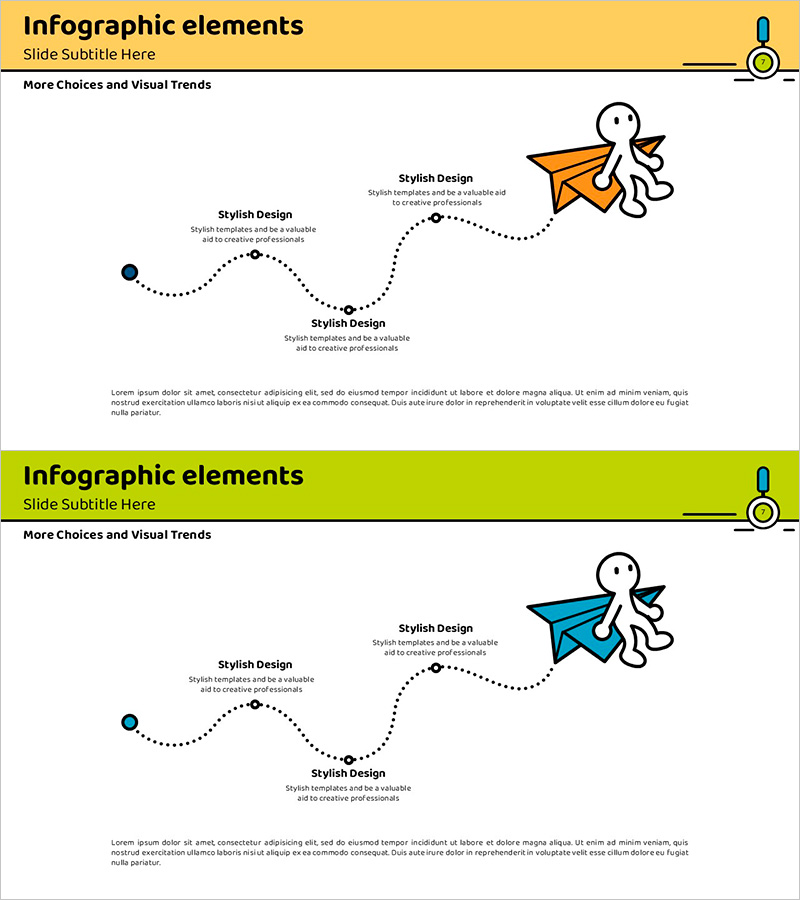
Paper Airplane Curve Flow Infographic - Operational Planning Tool
RJ0500012_6
- Last Update 08/27/2025
- File Size 0.4MB
- # of Slides 2
- File Format PPTX
- Slide Ratio 16:9
- Color
Keywords
About the Product
A 3-step linear flow diagram PowerPoint slide featuring a paper airplane illustration and dotted curved line connecting each stage. The design uses a yellow and lime-green header background contrasting with a white content area, with 'Stylish Design' text boxes positioned at each step to visualize operational planning, workflow processes, and strategic phases. The paper airplane icon follows an upward trajectory, intuitively conveying progression direction, while circular nodes and dotted connectors emphasize each stage. This 2-slide PPTX template (16:9 aspect ratio) is ready for immediate editing and customization.
Usage Points
-
Main Usage
Optimized for visualizing operational planning, workflow processes, and strategic phases in a 3-step linear flow format. The paper airplane icon's upward trajectory intuitively conveys progression direction and growth momentum, while text boxes at each stage allow you to input key content and create a clear information hierarchy.
-
How to Use
Enter operational objectives, implementation strategies, and expected outcomes in each stage's text box. The dotted curved line and circular nodes represent stage-to-stage connectivity, making this template ideal for sequential processes or cyclical structures. The yellow (activity and attention) and lime-green (growth and positivity) color scheme creates an energetic atmosphere suitable for dynamic presentations.
-
Recommended For
Recommended for operations managers, project leads, and marketing professionals presenting quarterly operational plans, new business initiative phases, or marketing campaign roadmaps. Ideal for startup pitches, internal meetings, and educational seminars where step-by-step strategy explanation is essential.
-
Slide Structure
2-slide layout with each slide divided into a colored header area (yellow or lime-green) for titles and a white content zone. The main visual element is a dotted curved line extending from a black circular node on the left to the paper airplane icon on the right, with 3 intermediate circular markers and 'Stylish Design' text boxes positioned along the path. The 16:9 widescreen format is optimized for modern projectors and online presentations.
Related Products
-
Energy Conservation Process – Flow to Save Our Planet
#Operational Plan #Corporate Social Responsibility #Diagram
-
The Process of Becoming a Successful Magician - Path to Success
#Business Strategy #Operational Plan #Diagram
-

Circle Process Infographic Slide – Operations Planning and Workflow
#Operational Plan #Diagram #Business Processes
-
Business Process Circular Diagram – Effective Service Operations
#Operational Plan #Technical Approach #Diagram
