



Organization and Facilities Status Table – Efficient Business Management
RJ0900018_24
- Last Update 08/21/2025
- File Size 6.6MB
- # of Slides 2
- File Format PPTX
- Slide Ratio 16:9
- Color
Keywords
- #Content-Based Slides
- #Design-Based Slides
- #Business Introduction
- #Business Management
- #Diagram
- #Facilities & Equipment
- #Project Organization and Roles and Responsibilities
- #Table
- #16:9
- #organization status table PowerPoint slide
- #facility inventory presentation template
- #business management data slide
- #organizational chart table PPT
- #multi-row comparison table slide
About the Product
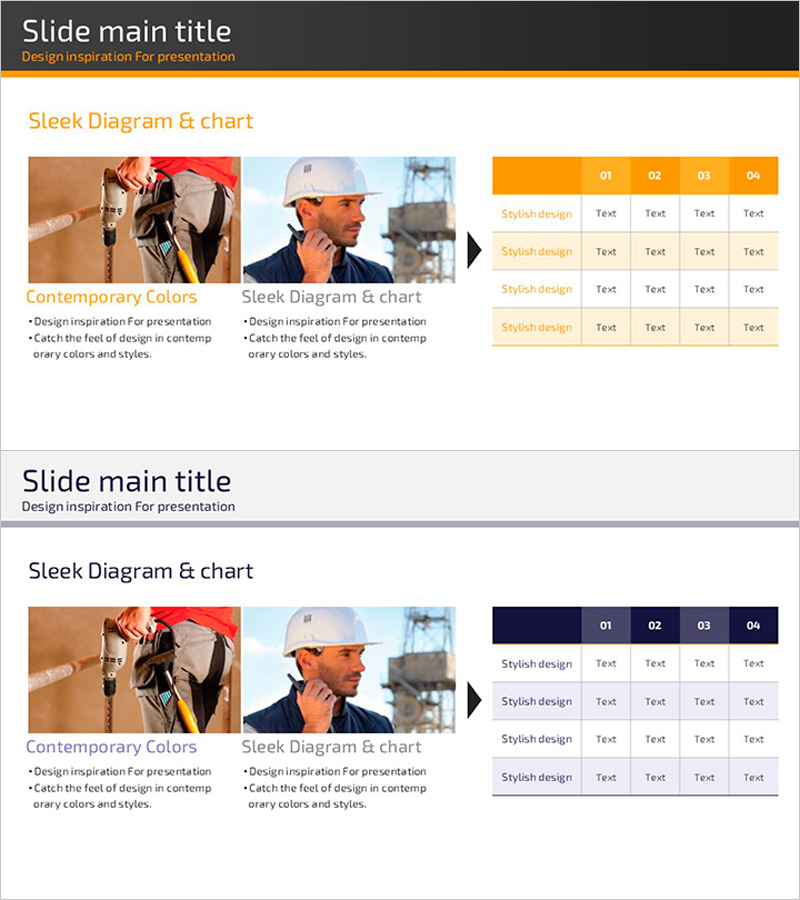
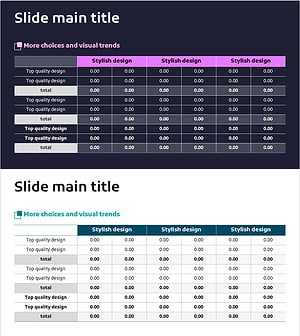
A table-format PowerPoint slide that displays organizational structure and facility status at a glance. The orange header and gray background provide clear color contrast for optimal data readability. With four input columns and multiple rows, you can efficiently represent various information such as organizational charts, facility inventory, and departmental status. Two slide layouts (orange header and navy header versions) allow you to match your document tone, and you can immediately edit and use them in business reports, company profiles, and business plans.
Usage Points
-
Main Usage
Systematically organize and compare multiple information such as organizational structure, facility status, departmental assignments, and staffing in table format. Clearly communicate business status through numbers and text to support decision-making.
-
How to Use
Use in the business management or organizational overview sections of business reports, company profiles, and business plans to organize current status data in table format. Enter department names, headcount, facility names, and status in each cell to present organizational structure and operational status clearly.
-
Recommended For
Business managers, executives, organizational development specialists, and business report writers benefit from this slide when systematically organizing and presenting organizational and facility information. Particularly effective for internal reporting, investor presentations, and partner meetings requiring credible information delivery.
-
Slide Structure
Two-slide set featuring orange header version (numbered 01-04) and navy header version. Each slide contains four columns and four rows of input areas, with a 'Stylish design' label area on the left for easy category distinction.
Related Products
-
Brown Orange Primary Table Chart – Business Management and Organizational Planning
#Business Management #Operational Plan #Diagram
-
Process Management Checklist Table – Efficient Task Allocation
#Business Management #Diagram #Project Organization and Roles and Responsibilities
-
Safety Management Check Box – Project Management Review
#Business Management #Operational Plan #Diagram
-
Total Table Chart – Operations Planning and Business Management
#Business Management #Operational Plan #Diagram
