




Two-arrow Rotation Diagram – Operational Planning and Risk Management
RJ0900001_14
- Last Update 08/15/2025
- File Size 0.3MB
- # of Slides 2
- File Format PPTX
- Slide Ratio 16:9
- Color
Keywords
- #Content-Based Slides
- #Design-Based Slides
- #Operational Plan
- #Technical Approach
- #Diagram
- #Risk Management
- #Service Implementation Plan
- #Flow
- #Circular Flow
- #16:9
- #circular diagram PowerPoint
- #two-stage cycle diagram
- #operational planning slide
- #risk management diagram
- #bidirectional arrow PowerPoint slide
- #process cycle diagram template
About the Product
A two-arrow circular diagram PowerPoint slide designed to visualize operational planning and risk management processes. The diagram features four circular nodes in yellow, gray, and navy tones connected by bidirectional arrows, clearly expressing cyclical workflows and mutual relationships. Each node includes a construction worker icon and text area for role assignment and feedback loop communication. Provided in 16:9 widescreen format with two slide variations—light background and dark background versions—both fully editable in PPTX format for immediate customization.
Usage Points
-
Main Usage
Visualizes the cyclical relationship between operational planning and risk management, clearly communicating bidirectional feedback loops and interdependencies. Effectively expresses continuous workflows requiring process improvement, quality control, and ongoing monitoring, while enabling teams to understand role distribution and accountability structures at a glance.
-
How to Use
Use at the beginning of presentations to introduce operational process overview, or during strategy development to emphasize the cyclical structure of planning and execution. Customize node text and icons with your organization's actual roles and department names for tailored presentations. Choose between light or dark background versions based on presentation venue lighting conditions.
-
Recommended For
Operations managers, project managers, quality assurance teams, risk management specialists, and executive leadership. Ideal for operational efficiency improvement initiatives, process innovation presentations, continuous improvement (CI) program rollouts, and enterprise-wide training sessions.
-
Slide Structure
Two-slide set with four nodes (01–04) arranged in circular formation using yellow, gray, and navy color tones, connected by bidirectional arrows representing cyclical flow. Each node features a construction worker icon at center with surrounding text input areas. Construction site skyline illustration at slide bottom reinforces operational context.
Related Products
-

Sailing Travel Business Vision Diagram – Capturing Future Vision
#Operational Plan #Technical Approach #Diagram
-

Tree Circulation Connection Diagram
#Operational Plan #Technical Approach #Diagram
-
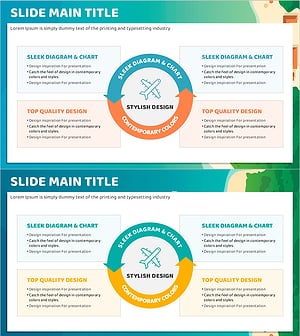
Airplane Circulation Diagram – Efficient Operation Planning
#Operational Plan #Technical Approach #Diagram
-

Introducing SUV Features – Enhancing Ride Quality in Operations Planning
#Operational Plan #Technical Approach #Diagram
