



Trials Conclusion Diagram – Understanding Emotions and Processes
RJ0800035_24
- Last Update 08/10/2025
- File Size 0.3MB
- # of Slides 2
- File Format PPTX
- Slide Ratio 16:9
- Color
Keywords
- #Content-Based Slides
- #Design-Based Slides
- #Product/Service Introduction
- #Business Management
- #Text Box
- #Program Introduction
- #Reporting and Review Plan
- #Sticky Note
- #16:9
- #sticky note diagram PowerPoint
- #sticky note slide design
- #two-column comparison slide
- #PowerPoint sticky note layout
- #information organization presentation
About the Product
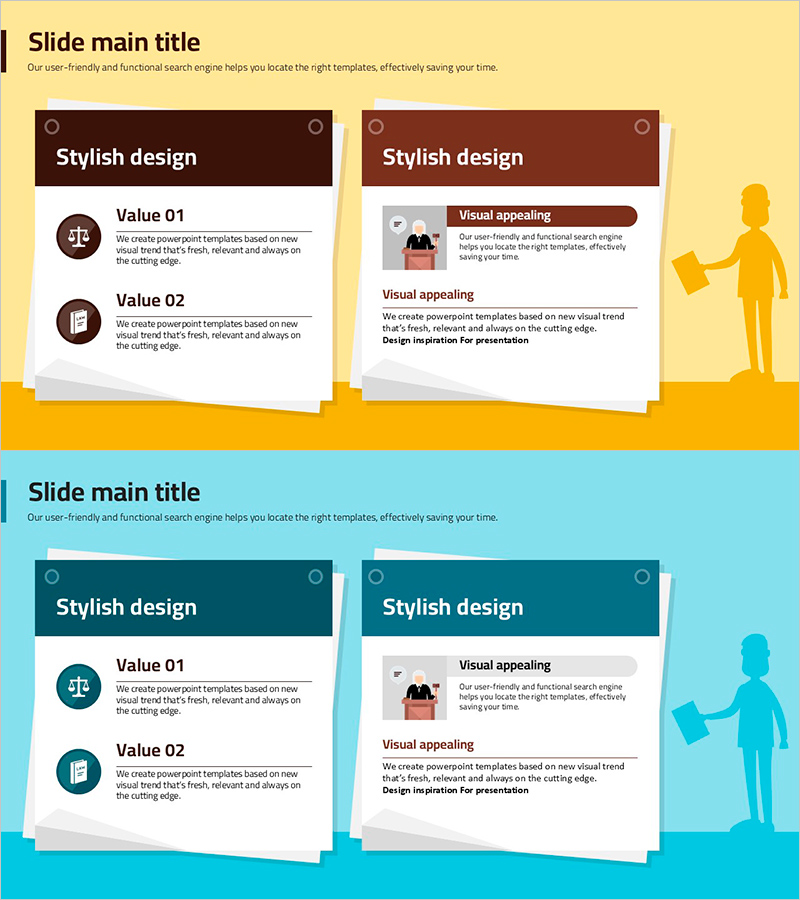
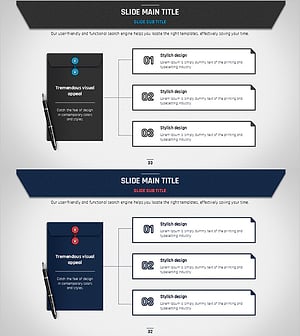
A 2-slide PowerPoint presentation featuring a sticky note-style design for visual comparison and information organization. The layout uses yellow and blue backgrounds with white sticky note-shaped text boxes. The left side displays two value items with icons, while the right side includes an image area and descriptive text. This design effectively highlights key concepts or contrasts different ideas in presentations. Available in 16:9 PPTX format, fully editable and ready for company profiles, product introductions, business management reports, and various presentation scenarios.
Usage Points
-
Main Usage
The sticky note-style layout intuitively presents two contrasting concepts or values side by side. The left side uses icon-based item listings while the right side focuses on image-driven explanations, creating clear information hierarchy for emphasizing key messages during presentations.
-
How to Use
Use in company profile slides to compare two core business values, or in product presentations to contrast features and benefits. Apply in business management reports to distinguish between current status and goals, or problems and solutions, enhancing audience comprehension through visual differentiation.
-
Recommended For
Ideal for corporate employees, marketing and sales teams, business planners, and educators who need to explain contrasting concepts. Suitable for investor pitches, client proposals, internal reports, and various presentation contexts requiring efficient information delivery.
-
Slide Structure
Both slides share the same sticky note layout. Each slide contains two text input areas on the left (icon + title + description) and one image area on the right, with a header section at the top for slide titles.
Related Products
-
Program Introduction and Review Report – Efficient Presentation with Contemporary Design
#Product/Service Introduction #Business Management #Other
-
Rainbow Paper Presentation Template Image Box – Innovative Business Vision Introduction
#Product/Service Introduction #Business Vision and Strategy #Text Box
-
Rainbow Paper Presentation Template Text Box
#Product/Service Introduction #Operational Plan #Text Box
-
Business Plan Presentation Template Sequence Diagram – Effective Operations Slide
#Business Management #Operational Plan #Diagram
