



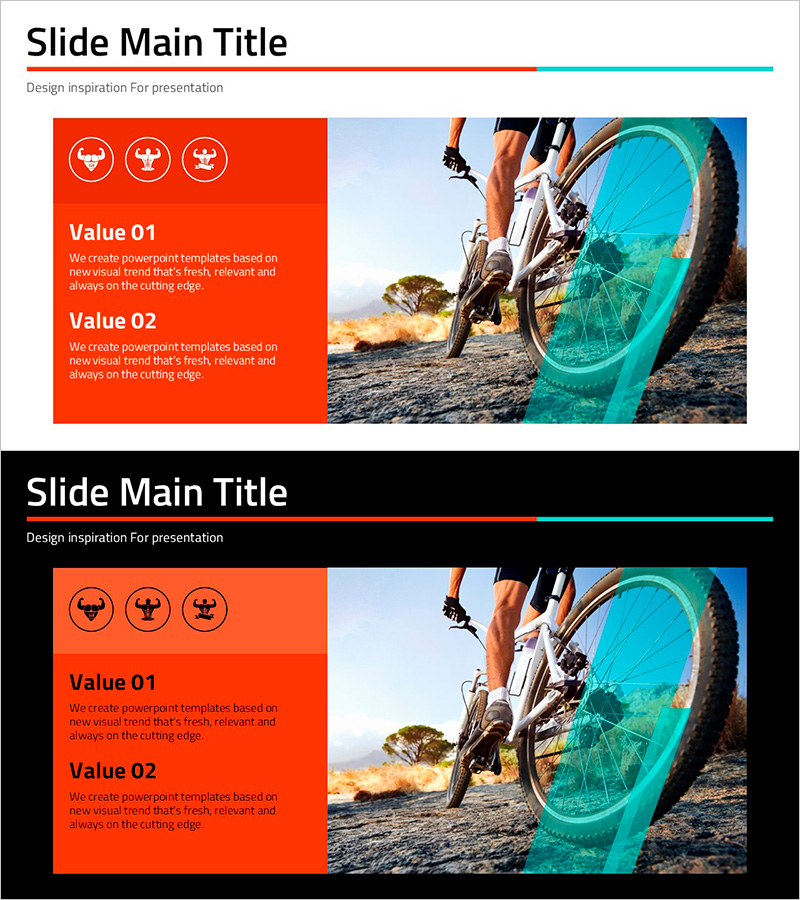
A Bicycle Muscle Workout Program Introduction – Innovative Training Techniques
RJ0800021_6
- Last Update 08/05/2025
- File Size 0.9MB
- # of Slides 2
- File Format PPTX
- Slide Ratio 16:9
- Color
Keywords
About the Product
A 2-slide PowerPoint presentation designed to visually communicate business execution plans and program introductions. The left section features a red-orange background with three circular icons and two text input areas labeled Value 01 and Value 02, while the right section accommodates a large image for visual impact. Formatted in 16:9 widescreen PPTX, this slide deck is ready for immediate use in presentations, business reports, and project briefings. Ideal for conveying core values, strategic objectives, and operational plans across various professional contexts.
Usage Points
-
Main Usage
Visualize business execution plans, program introductions, and operational objectives using a clear 2-section structure. The left color block with icons and text emphasizes information hierarchy, while the right image area maximizes visual impact and audience engagement.
-
How to Use
Enter business goals, strategic initiatives, and key competencies in the Value 01 and Value 02 text fields on the left. Insert relevant images or graphics in the right section to reinforce your message. Customize the three circular icons to represent specific aspects of your plan or program.
-
Recommended For
Suited for business plan presentations, program introduction sessions, operational briefings, and strategy meetings. Effective for executives, planners, and project managers who need to communicate core values and objectives. Also applicable for investor pitches, partnership proposals, and internal status reports.
-
Slide Structure
Consists of 2 slides: a title slide and a content slide. The content slide is divided into left section (60% with red-orange background, 3 icons, and 2 text input areas) and right section (40% for images), with title and subtitle input space at the top.
Related Products
-
Infant Content Introduction Infographic – Clear Presentation Slide
#Product/Service Introduction #Business Management #Diagram
-
Execution Plan for Maximizing Asset Returns – Cluster and Connection Diagram
#Product/Service Introduction #Business Management #Diagram
-
Diagram Slide for Automobile Management System
#Product/Service Introduction #Business Management #Program Introduction
-

Warm-Up Exercise Guide Slide Template - Effective Program Introduction
#Product/Service Introduction #Business Management #Program Introduction
