



Diagram Slide for Automobile Management System
RJ0800023_7
- Last Update 08/06/2025
- File Size 0.4MB
- # of Slides 2
- File Format PPTX
- Slide Ratio 16:9
- Color
Keywords
- #Content-Based Slides
- #Product/Service Introduction
- #Business Management
- #Program Introduction
- #Execution Plan
- #16:9
- #automobile management system PowerPoint slide
- #process flow diagram PPT
- #4-step system architecture slide
- #service introduction presentation
- #how to create a process flow in PowerPoint
About the Product
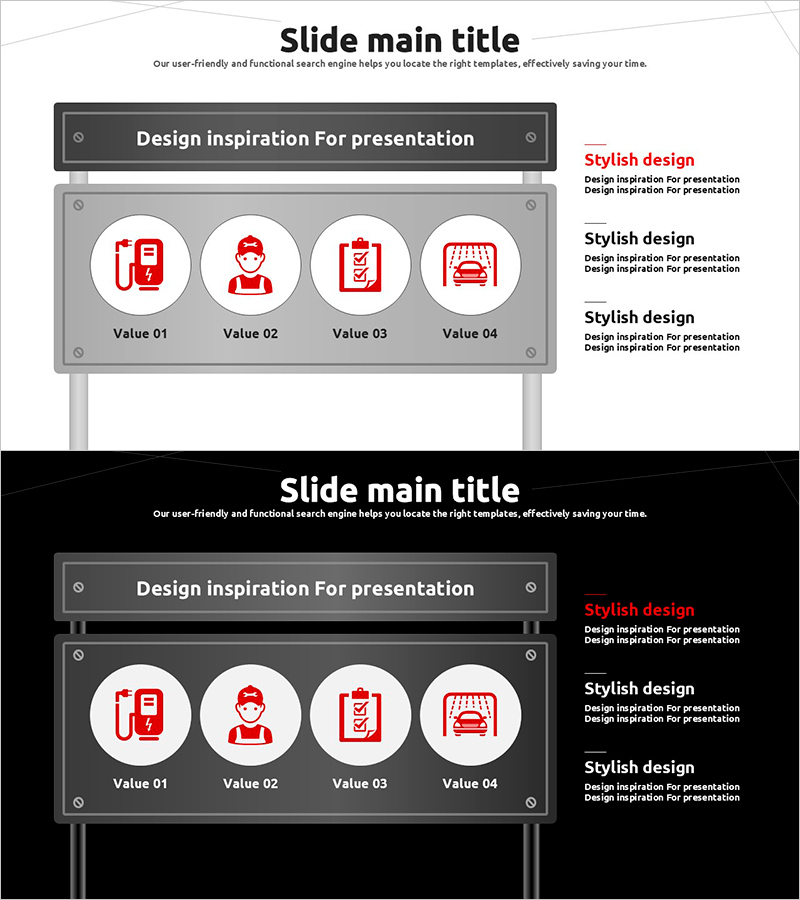
A PowerPoint slide presenting a four-stage process flow for automobile management systems. Featuring a gray background with red icons, this slide clearly visualizes each operational step in the system. Ideal for service introduction presentations, system architecture explanations, and operational process demonstrations. The 2-slide set in 16:9 widescreen format is optimized for modern projectors and online presentations, allowing immediate use in business meetings and investor pitches.
Usage Points
-
Main Usage
This slide breaks down the automobile management system into four distinct operational stages, each represented by a visual icon. It enables audiences to quickly grasp the system workflow and understand how each component functions within the overall process architecture.
-
How to Use
Deploy this slide in the system architecture section of service introduction presentations or use it as a technical explanation resource. Customize the text under each stage to adapt the slide for different process flows. It works effectively in investor presentations, partner meetings, and stakeholder briefings where system operations need clear visualization.
-
Recommended For
Technology managers, service planning teams, sales and marketing professionals in the automotive industry will find this slide valuable for system explanations. It is also well-suited for IT companies and startups offering automobile management solutions during investor pitches and business development presentations.
-
Slide Structure
The slide features a title area at the top and four circular icon areas at the bottom. Each icon has a text input space labeled Value 01-04 for adding stage descriptions. An additional text explanation area is positioned on the right side for supplementary information.
Related Products
-
A Bicycle Muscle Workout Program Introduction – Innovative Training Techniques
#Product/Service Introduction #Business Management #Program Introduction
-
Collaboration Project Progress Information – Harmony of Business and Design
#Product/Service Introduction #Business Management #Diagram
-

Warm-Up Exercise Guide Slide Template - Effective Program Introduction
#Product/Service Introduction #Business Management #Program Introduction
-
Infant Content Introduction Infographic – Clear Presentation Slide
#Product/Service Introduction #Business Management #Diagram
