



Key Points List Slide | Icon-based Information Diagram PPT
RJ0800021_15
- Last Update 08/05/2025
- File Size 2.2MB
- # of Slides 2
- File Format PPTX
- Slide Ratio 16:9
- Color
Keywords
About the Product
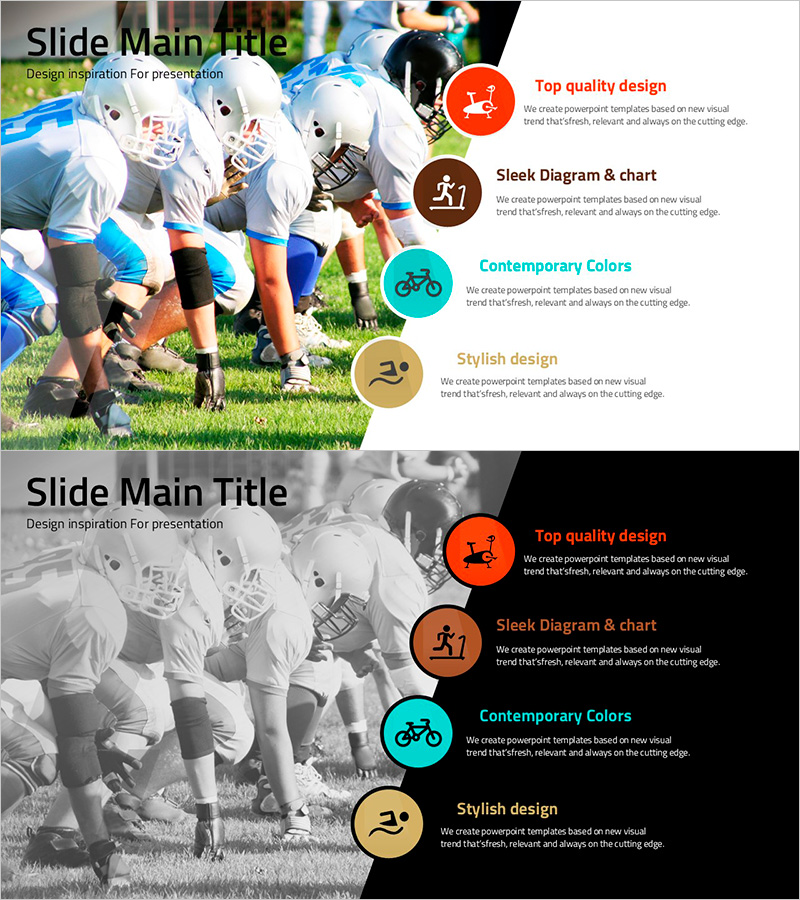
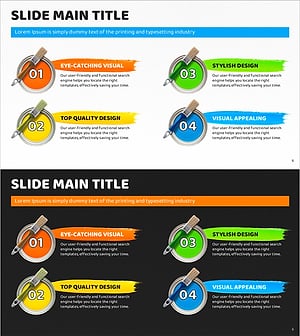
A professional icon-based information diagram PowerPoint slide designed to present business processes and service features with clarity and impact. Four colored circular elements are arranged vertically on the right side, each containing an icon, title, and descriptive text, allowing audiences to grasp key points at a glance. Two design versions are included: a light version with a colorful background and a dark version with a black background, enabling you to match your presentation style and brand identity. Each circular area provides ample text space for product descriptions, brand values, process steps, and other critical information, making this an ideal PPT template for diverse business presentations.
Usage Points
-
Main Usage
This slide effectively communicates 4 core points about a product, service, or brand value to your audience. By combining icons, colored circles, and text descriptions, it creates strong visual distinction and allows you to add detailed information for each point, ensuring your message resonates clearly.
-
How to Use
Replace the icons with ones matching your content, then input your title and descriptive text in each circular area. Use the light version for bright presentation venues and the dark version for sophisticated or dimly-lit settings. This layout works well for product features, service highlights, core competencies, process steps, and strategic initiatives.
-
Recommended For
Marketing professionals, product managers, sales teams, and executives delivering presentations that require clear, impactful messaging. Particularly valuable for product launches, service introductions, corporate vision statements, business proposals, and strategic presentations where key points must stand out.
-
Slide Structure
The slide features a large image or background photo on the left side, with 4 colored circular elements arranged vertically on the right. Each circle contains three layers: an icon at the top, a title in the middle, and descriptive text at the bottom, creating an efficient 3-tier hierarchy for organizing and presenting information.
Related Products
-
Cluster Diagram Slide Explaining Characteristics of Each Pet
#Product/Service Introduction #Diagram #Product/Service Introduction
-
Sensuous Cloud Presentation Template Diagram – Product/Service Introduction
#Product/Service Introduction #Diagram #Product/Service Introduction
-
Product/Service Introduction Presentation Template Using Arrow Diagram
#Product/Service Introduction #Other #Product/Service Introduction
-
Color Paint and Text Boxes – Eye-Catching Slide for Product Introduction
#Product/Service Introduction #Diagram #Product/Service Introduction
