



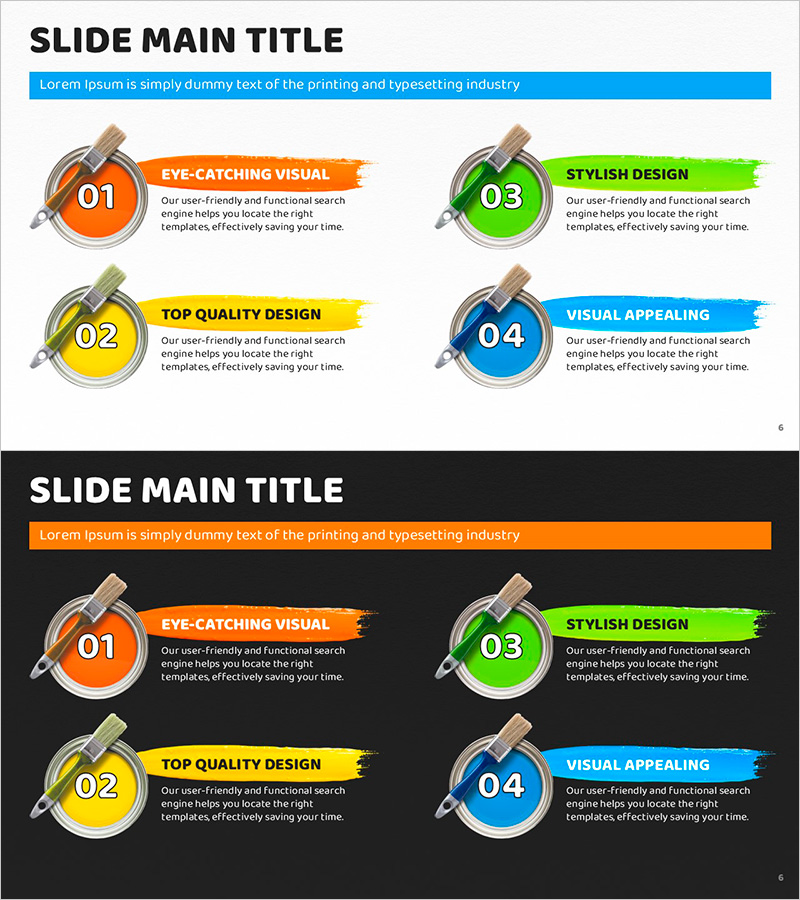
Color Paint and Text Boxes – Eye-Catching Slide for Product Introduction
RJ0500031_5
- Last Update 06/15/2025
- File Size 3.2MB
- # of Slides 2
- File Format PPTX
- Slide Ratio 16:9
- Color
Keywords
- #Content-Based Slides
- #Design-Based Slides
- #Product/Service Introduction
- #Diagram
- #Product/Service Introduction
- #Features
- #Cluster
- #Closed Cluster Diagram
- #16:9
- #circular text box PowerPoint
- #4-item emphasis slide
- #product introduction presentation
- #color-coded slide template
- #PowerPoint text box design
About the Product
A PowerPoint slide featuring four circular text boxes designed for product introduction presentations. Each item is highlighted with distinct colors—orange, yellow, green, and blue—with numbered badges, titles, and descriptive text arranged in a circular layout. Two background versions are provided: light and dark, allowing you to choose based on your presentation context. This slide template effectively organizes product features, benefits, differentiators, and value propositions while capturing audience attention through visual hierarchy and color coding.
Usage Points
-
Main Usage
Organize and communicate four key product features, benefits, or differentiators clearly to your audience. The color-coded circular badges enhance visual focus and make your product introduction section more impactful and memorable.
-
How to Use
Enter your four key product features or benefits into each circular text box. Customize the titles and descriptions to match your product information, then select either the light or dark background version based on your presentation theme. Colors can be retained or modified as needed.
-
Recommended For
Ideal for product managers, sales teams, and marketing professionals presenting new products, product upgrades, or client-facing pitches. Use this template whenever you need to visually highlight product strengths, competitive advantages, or core value propositions in a clear, engaging format.
-
Slide Structure
Two-slide set with four circular text boxes arranged in a 2×2 grid on each slide. Each circle contains a numbered badge (01–04), title, and description text, color-coded in orange, yellow, green, and blue. First slide features a light background; second slide uses a dark background for versatility.
Related Products
-
Introduction to Furniture Product Services – Information Delivery with Cluster Diagram
#Product/Service Introduction #Diagram #Product/Service Introduction
-
Interior Service Overview Presentation Template - Innovation and Trust
#Product/Service Introduction #Diagram #Product/Service Introduction
-
Cluster Slide Visualizing Characteristics of Grass
#Product/Service Introduction #Diagram #Product/Service Introduction
-
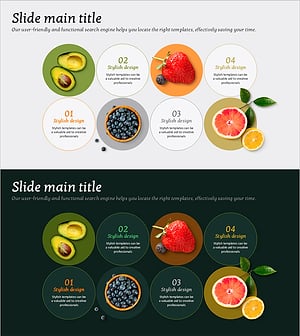
Diagram Slide for Introducing Main Fruits – Symbol of Freshness
#Product/Service Introduction #Operational Plan #Diagram
