



Creative Connection Diagram – Product and Service Differentiation Strategy
RJ0800020_10
- Last Update 08/05/2025
- File Size 0.2MB
- # of Slides 2
- File Format PPTX
- Slide Ratio 16:9
- Color
Keywords
- #Content-Based Slides
- #Design-Based Slides
- #Product/Service Introduction
- #Operational Plan
- #Diagram
- #Differentiation Strategy for Products/Services
- #Business Processes
- #Flow
- #Cluster
- #Circular Flow
- #Chain Diagram
- #16:9
- #connection diagram PowerPoint
- #infinite connection slide
- #4-node diagram presentation
- #cluster diagram template
- #product differentiation strategy slide
- #PowerPoint diagram slide design
- #business relationship visualization
About the Product
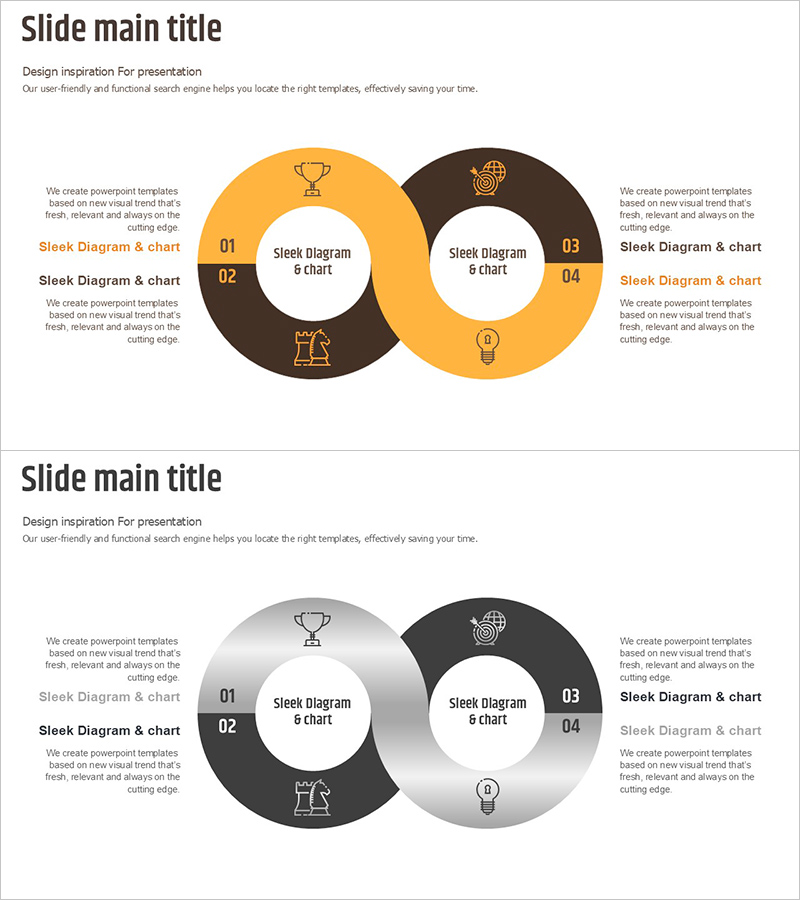
A visually compelling infinite connection diagram PowerPoint slide designed to illustrate product and service differentiation strategies. Four nodes in orange and brown dual-tone are symmetrically arranged around a central white circular space, clearly conveying interconnected relationships. Each node includes an icon placeholder and text area for effective message delivery. Formatted in 16:9 widescreen ratio with 2 slides, this presentation template is ready for immediate use in operational planning, product introductions, and business process documentation. Colors and node arrangements are fully editable, allowing seamless customization to match your corporate brand identity.
Usage Points
-
Main Usage
Visualizes interconnected relationships and differentiation points across four distinct areas, with a central focal message surrounded by supporting elements. This cluster structure intuitively communicates complex business strategies and competitive advantages through a balanced, symmetrical design.
-
How to Use
Ideal for company presentations, product launch decks, marketing strategy documents, and operational reports. Replace node text and icons to represent organizational structures, process stages, competitive advantages, or any multi-element relationship framework.
-
Recommended For
Marketing and strategy professionals, product development teams, executives preparing board reports, consulting firms, and startup founders presenting investment pitches who need to clearly articulate differentiation and interconnected business elements.
-
Slide Structure
Two-slide template featuring a central white circular space with four symmetrically positioned nodes in orange and brown tones. Slide 1 emphasizes orange accents while Slide 2 highlights brown tones, providing design variation. Each node contains icon and text input areas for customization.
Related Products
-
Visualizing Logistics Business Process with Diagram Slide
#Product/Service Introduction #Operational Plan #Diagram
-
Business Process Visualization Diagram Slide
#Operational Plan #Technical Approach #Diagram
-
Successful Global Marketing Strategy Diagram
#Product/Service Introduction #Marketing Plan and Strategy #Diagram
-
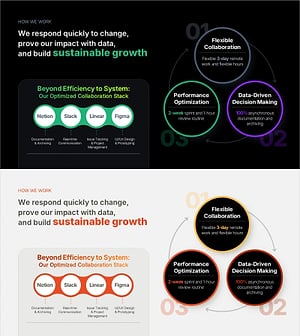
Work Principles & Collaboration Stack Slide – Dark & Light
#Business Strategy #Operational Plan #Diagram
