



Basic Steps of Cosmetics PowerPoint Template – Product Planning
RJ0800008_9
- Last Update 08/02/2025
- File Size 0.6MB
- # of Slides 2
- File Format PPTX
- Slide Ratio 16:9
- Color
Keywords
- #Content-Based Slides
- #Design-Based Slides
- #Business Strategy
- #Operational Plan
- #Diagram
- #Production Plan
- #Business Processes
- #Flow
- #Linear Flow
- #16:9
- #linear diagram PowerPoint
- #5-step process slide
- #cosmetics product development presentation
- #step-by-step flowchart slide
- #process diagram PowerPoint template
About the Product
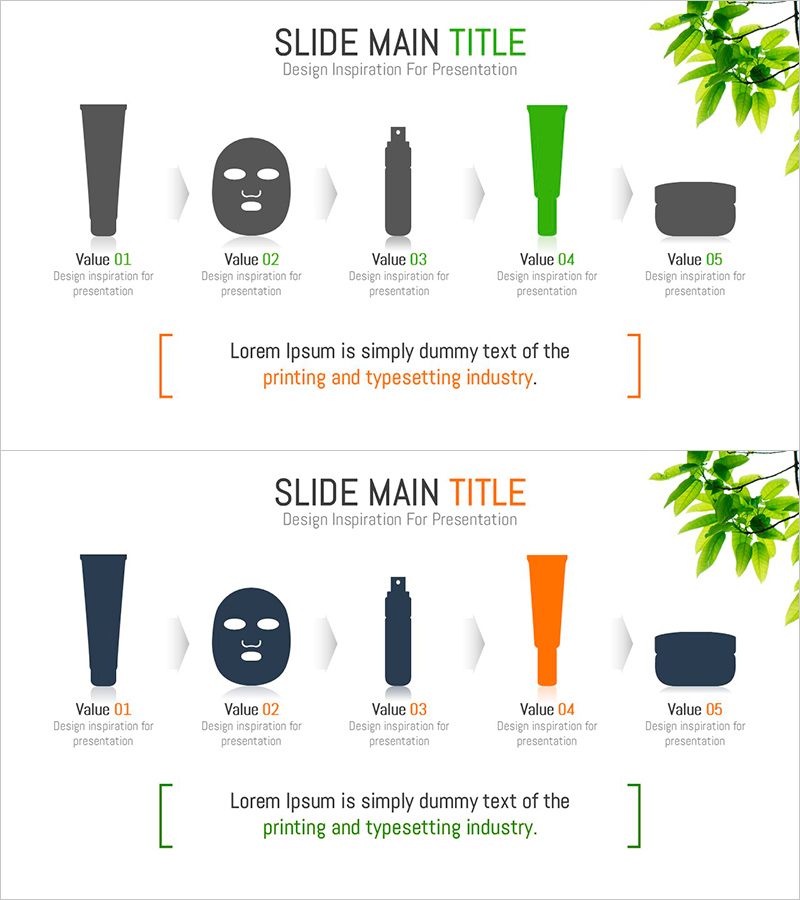
A PowerPoint slide that visualizes the five-stage linear flow from cosmetics foundation to final product completion. Each stage is represented by distinct shapes—gray trapezoid, circular face icon, black column, green rectangle, and gray circle—connected by arrows to show sequential progression. Orange accent brackets and descriptive text highlight key information at the bottom. This presentation slide is ready to use for product planning, operational planning, and business strategy presentations. Provided in 16:9 PPTX format with 2 slides featuring color variations (green and orange versions).
Usage Points
-
Main Usage
Presents product development, production, and operational processes through a 5-step linear flow, making each stage's role and sequence clear to audiences. Enables intuitive explanation of product planning through completion in cosmetics, beauty, and consumer goods industries.
-
How to Use
Use in business plans, product introduction presentations, and operational planning slides when explaining product development stages. Modify the text above each shape to match your stage names and fill in detailed content for each stage in the description area below. Customize colors using the provided color variations to match your corporate brand identity.
-
Recommended For
Recommended for product planners, marketing teams, and sales teams in cosmetics, beauty, pharmaceutical, and consumer goods companies presenting product development processes. Also applicable for manufacturing, food, and technology companies illustrating production stages, quality control phases, and market launch processes.
-
Slide Structure
Five shapes (trapezoid, circle, column, rectangle, circle) progress left to right, connected by arrows in linear sequence. Each shape has 'Value 01–05' labels with description text areas below, and an orange or green accent bracket with core message input field at the bottom. Two-slide set with color variations (green and orange versions) provided.
Related Products
-
Circular Process Strategy – Vision and Achievement
#Business Strategy #Business Management #Operational Plan
-
Diagram Slide for Ship Operating System
#Business Strategy #Operational Plan #Marketing Plan and Strategy
-
Sofa Cushion and Flow Text Box
#Business Strategy #Operational Plan #Diagram
-
Four Color Infographic Flow Linear Diagram – Visualizing Business Strategy
#Business Strategy #Operational Plan #Diagram
