



Medical Diffusion Diagram – Effective Visual of Business Areas
RJ0700007_16
- Last Update 07/23/2025
- File Size 0.3MB
- # of Slides 2
- File Format PPTX
- Slide Ratio 16:9
- Color
Keywords
- #Content-Based Slides
- #Design-Based Slides
- #Company Introduction
- #Business Introduction
- #Diagram
- #Business Areas
- #Business Areas
- #Spread
- #Decentralized Diagram
- #16:9
- #radial diagram PowerPoint
- #medical business areas presentation
- #3-node diffusion diagram slide
- #healthcare organization chart
- #how to create diffusion diagram in PowerPoint
About the Product
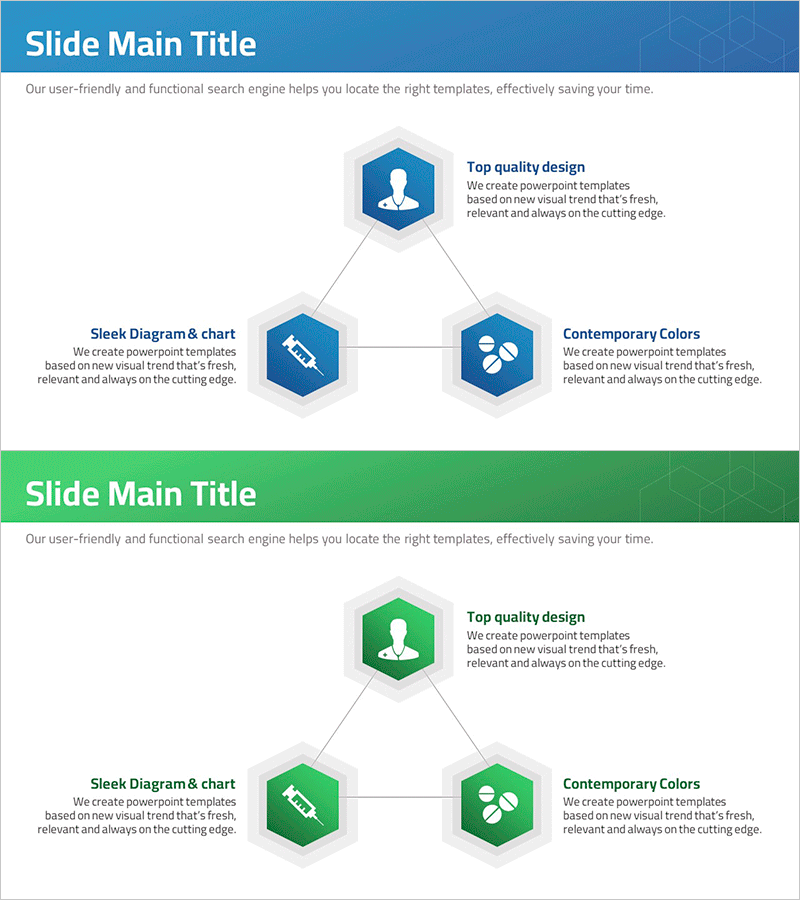
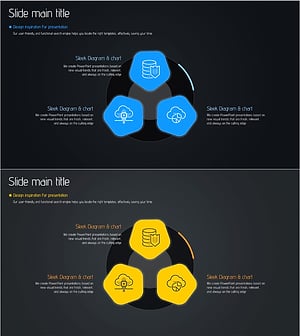
A PowerPoint slide template that visualizes medical business areas using a radial diffusion structure with three nodes extending from a central hub. The center node connects to left, right, and bottom nodes through connecting lines, with each node featuring a hexagonal icon and text area. The design uses a blue color palette with white icons on hexagonal shapes, clearly expressing hierarchical relationships. This presentation slide is ready to use for medical institutions, hospitals, and healthcare consulting firms presenting business strategies, medical service portfolios, and organizational role distribution.
Usage Points
-
Main Usage
Visualizes core medical business areas through a radial diffusion structure, effectively communicating organizational roles and service portfolios. Ideal for expressing multiple healthcare service divisions (clinical care, research, education) simultaneously.
-
How to Use
Enter the main topic (e.g., hospital name or core value) in the center node, then add three business areas in the left, right, and bottom nodes. Edit text and icons in each node to customize according to your organization's characteristics.
-
Recommended For
Recommended for hospital executives, healthcare consultants, medical marketing professionals, and healthcare service company staff presenting business strategies, organizational structures, and service portfolios. Also suitable for academic presentations and educational seminars in the medical field.
-
Slide Structure
Two-slide layout: First slide features a blue header background with three hexagonal nodes arranged radially from center, each containing icon, title, and description text areas. Second slide repeats the same structure with a green header background, allowing multiple topics to be presented.
Related Products
-
Snow Mountain Theme Business Sector Diagram – Attractive Business Presentation
#Company Introduction #Business Introduction #Diagram
-
Business Area Connection Diagram – Exploring Business Domains
#Company Introduction #Business Introduction #Diagram
-
Main Business Areas Triangle Diagram
#Company Introduction #Business Introduction #Diagram
-
Soft Power Sector Diagram – Optimized for Business Introduction
#Company Introduction #Business Introduction #Diagram
