



Camping Isometric Project Service Operation Plan
RJ0600078_4
- Last Update 07/11/2025
- File Size 0.7MB
- # of Slides 2
- File Format PPTX
- Slide Ratio 16:9
- Color
Keywords
- #Content-Based Slides
- #Design-Based Slides
- #Technical Approach
- #Diagram
- #Service Operation Plan
- #Service Implementation Plan
- #Structure
- #Spread
- #Tree Diagram
- #Radial Diagram
- #16:9
- #radial diagram PowerPoint
- #PowerPoint slide diagram
- #service operation plan PPT
- #project strategy presentation
- #business model diagram slide
- #how to create radial diagram in PowerPoint
About the Product
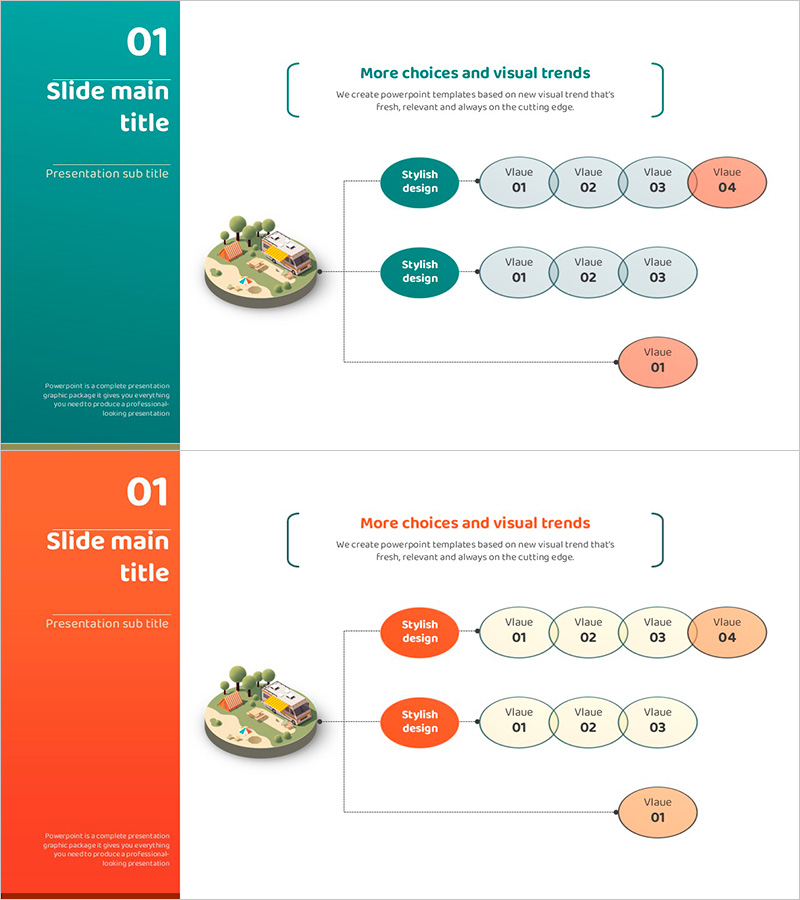
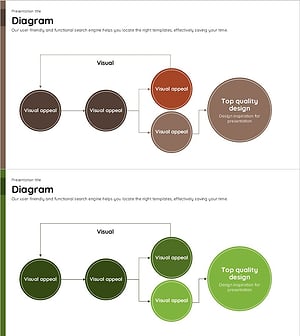
A PowerPoint slide combining camping-themed isometric illustration with radial diagram structure. This presentation template visualizes service operation plans, project strategies, and business models through a central concept that branches outward in multiple directions. Provided in two color styles—teal and coral—with each slide featuring 1 central node and 4–5 surrounding nodes. Available in 16:9 widescreen PPTX format for immediate editing. Ideal for marketing presentations, business plan explanations, service introductions, and strategic planning sessions.
Usage Points
-
Main Usage
Expresses ideas, strategies, and service elements that radiate from a central concept in a single view. The structure emphasizes hierarchical relationships and interconnectedness by placing the core message at the center and arranging supporting details around it. Optimized for service operation plans, business models, marketing strategies, and organizational structure explanations.
-
How to Use
Enter your core concept in the central 'Stylish design' text area and add supporting details to surrounding nodes. Each node is independently editable, allowing you to adjust colors and text size. Add animations to match your presentation flow or use as static images for printing.
-
Recommended For
Marketing professionals, business planners, consultants, educators, startup founders, and project managers presenting strategies, business plans, service overviews, and team meeting materials. Particularly effective for presentations in camping, tourism, hospitality, and service industries.
-
Slide Structure
2-slide set with each slide containing 1 central oval node and 4–5 surrounding circular nodes. First slide uses teal color scheme; second uses coral. Each node includes text input areas and is connected to the center via arrows or lines for clear visual hierarchy.
Related Products
-
Medical Network System Structure Diagram – Blue and Purple
#Technical Approach #Diagram #Other
-
Business Operations Plan Diagram – Visualization for Innovation and Efficiency
#Technical Approach #Diagram #Service Development Plan
-
Orange & Blue Structure Diagram
#Technical Approach #Diagram #Service Architecture Diagram
-
Circular Flowchart – Systematic Representation for Technical Services
#Technical Approach #Diagram #Service Implementation Plan
