



Visualizing Work Process Operation Plan – Adventure and Strategy
RJ0600055_7
- Last Update 07/05/2025
- File Size 4.3MB
- # of Slides 2
- File Format PPTX
- Slide Ratio 16:9
- Color
Keywords
- #Content-Based Slides
- #Design-Based Slides
- #Business Vision and Strategy
- #Business Strategy
- #Diagram
- #Business Goals
- #Step-by-Step Schedule Plan
- #Cluster
- #Chain Diagram
- #16:9
- #4-stage process diagram PowerPoint
- #linear workflow slide template
- #business process visualization
- #step-by-step planning diagram
- #process flow PowerPoint slide design
About the Product
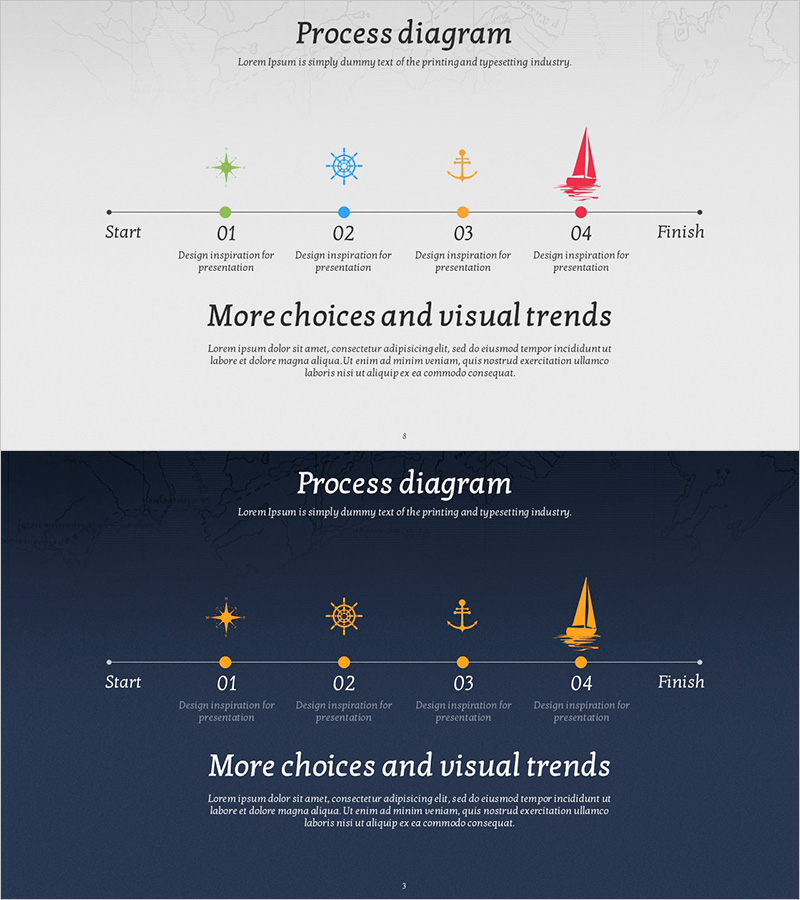
A 4-stage linear process diagram PowerPoint slide that visualizes business operations and strategic execution plans. The workflow progresses from Start to Finish through four sequential stages, each marked with a colored node and connected by directional arrows. Maritime-themed icons (compass, ship wheel, anchor, sailboat) reinforce an adventurous and strategic business approach. Two design versions are included: a light background for optimistic presentations and a dark background for professional emphasis. Each stage features a dedicated text area for entering project milestones, timelines, execution strategies, or departmental responsibilities.
Usage Points
-
Main Usage
Effectively communicate project timelines, business milestones, operational workflows, and strategic execution plans through a clear four-stage progression. The diagram structure enables detailed explanation of each phase's objectives and deliverables to stakeholders.
-
How to Use
Insert project names, milestones, execution strategies, or department assignments into the text areas for stages 01–04. The maritime icons convey innovation and strategic ambition, making this ideal for new business launches, strategic planning, and change management presentations. Choose the light background for positive, forward-looking messaging or the dark background to emphasize professionalism and authority.
-
Recommended For
New business initiatives, strategic planning presentations, project management reports, organizational change communications, marketing campaign timelines, product launch roadmaps, executive briefings, and investor pitch decks. Ideal for business strategists, project managers, marketing professionals, and executives who need to illustrate phased execution clearly.
-
Slide Structure
2-slide set. Slide 1: Light gray background with 4 colored nodes (green, blue, orange, red) connected by linear arrows. Maritime icons positioned above each node; stage numbers (01–04) and text input fields below. Slide 2: Identical structure on dark navy background with orange icons and nodes for high-contrast emphasis.
Related Products
-
Science Experiment Goal Diagram – Effective Strategy Formulation
#Business Introduction #Business Vision and Strategy #Business Strategy
-
Business Goal Setting Diagram – Vision and Strategy
#Business Vision and Strategy #Business Strategy #Diagram
-
The Climbing Journey of a Growing Professional
#Business Vision and Strategy #Business Strategy #Diagram
-
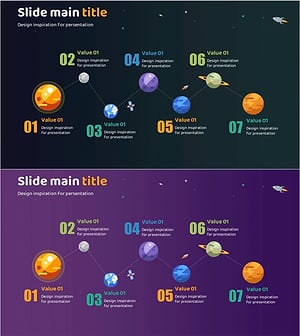
Planet Illustration Plan Diagram – Connecting Vision and Steps with Cluster
#Business Vision and Strategy #Business Strategy #Diagram
