



Planet Illustration Plan Diagram – Connecting Vision and Steps with Cluster
RJ0700013_11
- Last Update 07/25/2025
- File Size 1.5MB
- # of Slides 2
- File Format PPTX
- Slide Ratio 16:9
- Color
Keywords
- #Content-Based Slides
- #Design-Based Slides
- #Business Vision and Strategy
- #Business Strategy
- #Diagram
- #Business Goals
- #Step-by-Step Schedule Plan
- #Cluster
- #Chain Diagram
- #16:9
- #cluster diagram PowerPoint
- #radial diagram slide template
- #planet illustration presentation
- #vision strategy connection diagram
- #business plan PPT slide
About the Product
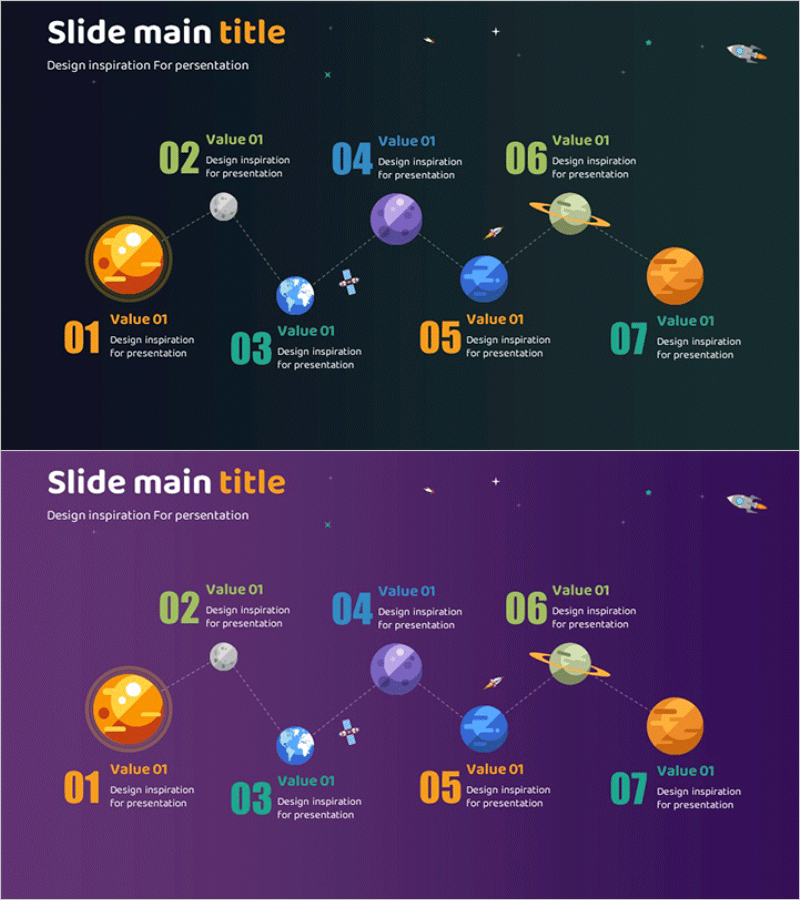
A 7-node radial cluster diagram PowerPoint slide featuring cosmic planet illustrations. Set against dark navy and purple backgrounds, the orange, green, and blue planet nodes radiate outward from a central core, visually connecting vision, strategy, and phased implementation plans. Dotted arrow lines express relationships between nodes, with text input areas positioned below each node for detailed descriptions. The 2-slide set offers both dark navy and purple background options to match your presentation tone. Ideal for business vision planning, strategic roadmap presentations, and implementation phase communications where interconnected elements need clear visual hierarchy.
Usage Points
-
Main Usage
Express core business elements—vision, strategy, and implementation plans—in a radial structure emanating from a central hub, clarifying relationships and hierarchy among components. The cosmic planet illustration creates visual impact and transforms abstract concepts into concrete imagery that resonates with audiences.
-
How to Use
Populate each planet node with key items such as vision, objectives, strategies, execution tasks, and performance metrics. Set the central node as the top-level concept (e.g., business goal) and arrange the six surrounding nodes as detailed strategies, phases, or departmental roles. Use the dark navy background for formal corporate presentations and the purple background for innovation-focused or creative strategy sessions.
-
Recommended For
Executives, business planners, strategy teams, project leaders, and marketing professionals presenting business plans, strategic roadmaps, investment pitches, or organizational restructuring proposals. Particularly effective when unifying multiple departments or teams under a single vision.
-
Slide Structure
2-slide set. Each slide features a 7-node radial cluster: 1 central core node and 6 surrounding nodes (all planet illustrations). Dotted arrow lines connect nodes to show relationships. Text input areas are positioned below each node. Background colors differentiate slides: dark navy (Slide 1) and purple (Slide 2).
Related Products
-
Planet Illustration Diagram – Visualizing Business Strategy
#Business Vision and Strategy #Business Strategy #Diagram
-

Fashion Business Planning and Target Strategy – Diagram Utilization
#Business Vision and Strategy #Business Strategy #Diagram
-
Step-by-step Schedule Planning 3D Diagram – Business Vision and Strategy
#Business Vision and Strategy #Business Strategy #Diagram
-
Step-by-step Plan for Cosmetics Production – Business Vision and Goals
#Business Vision and Strategy #Business Strategy #Diagram
