



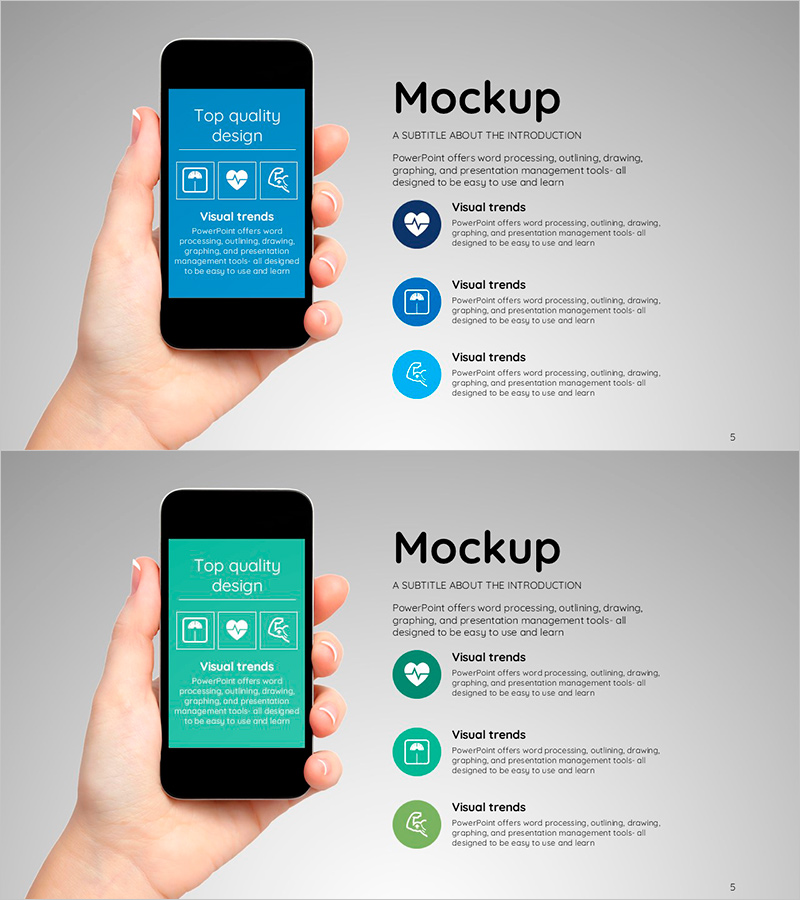
Smart Health App Introduction Slide – Top Design and Features
RJ0600017_4
- Last Update 06/25/2025
- File Size 0.5MB
- # of Slides 2
- File Format PPTX
- Slide Ratio 16:9
- Color
Keywords
About the Product
A professional PowerPoint slide set for introducing smart health apps and mobile services. Features a three-icon comparison layout in blue and teal tones, designed to highlight key app features and benefits at a glance. Perfect for product introduction sections in investor pitches, healthcare service presentations, and app marketing decks. Delivered in 16:9 widescreen PPTX format with fully editable text and icon areas. Ideal for startups, healthcare companies, and app developers presenting to investors, partners, or customers.
Usage Points
-
Main Usage
Visually communicate three core app features or benefits using color-coded circular icons, making complex product information accessible to investors, partners, and end users. The balanced icon-text layout ensures clear information hierarchy and audience engagement.
-
How to Use
Insert as the centerpiece of your product introduction section, or use in app marketing presentations, investor pitch decks, and service overview materials. Simply replace placeholder text under each icon with your actual app features, benefits, or use cases.
-
Recommended For
Startup founders, healthcare app developers, mobile app marketing teams, product managers, investor relations professionals, and business development teams presenting app solutions to stakeholders.
-
Slide Structure
Two-slide set with identical layouts in different color schemes: blue-dominant version and teal-green variant. Each slide contains three circular icon placeholders with corresponding text input areas below, allowing flexible customization for different app features or service categories.
Related Products
-
Plotting Paper Presentation Template Mockup1 – Creative Visual Material Production
#Product/Service Introduction #Other #Features
-
Smart Health App Mockup and How to Use – Digital Innovation
#Product/Service Introduction #Other #Features
-
Simple Car Presentation Mockup – Product and Service Introduction
#Product/Service Introduction #Other #Features
-
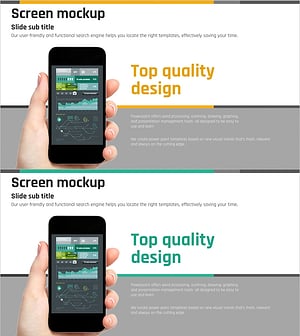
Technical Service Introduction Mockup – Harmonious Yellow and Bluegreen
#Product/Service Introduction #Other #Features
