



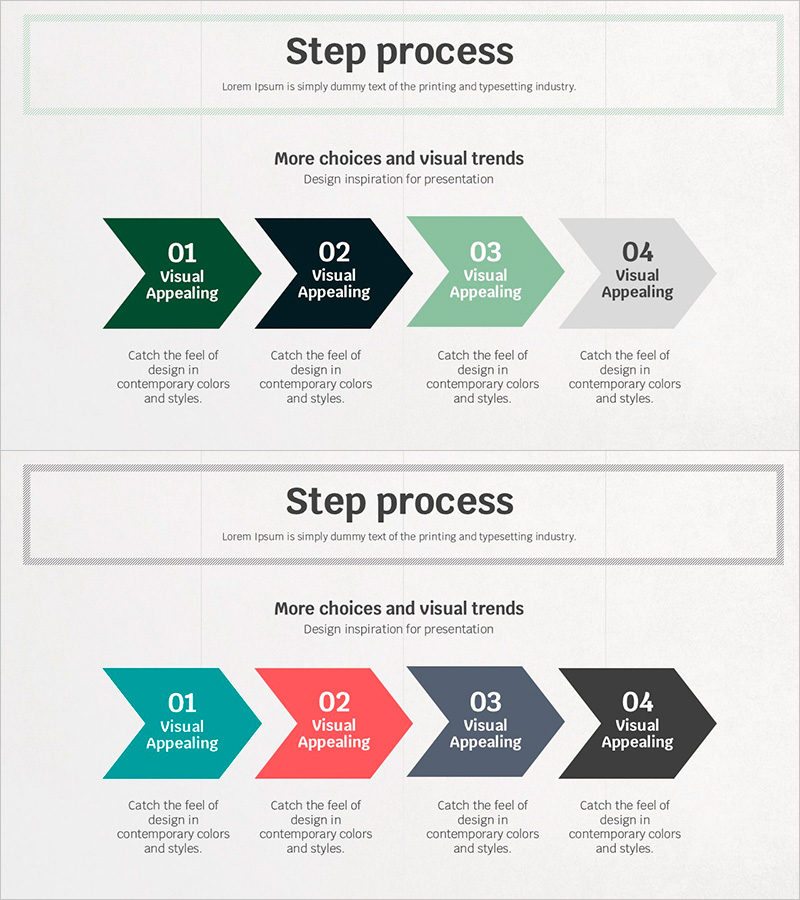
Visual Slide of 4-Step Process
RJ0500024_16
- Last Update 06/13/2025
- File Size 1.8MB
- # of Slides 2
- File Format PPTX
- Slide Ratio 16:9
- Color
Keywords
- #Content-Based Slides
- #Design-Based Slides
- #Business Strategy
- #Business Management
- #Diagram
- #Implementation Framework
- #Implementation Plan
- #Flow
- #Linear Flow
- #16:9
- #4-step process diagram PowerPoint
- #arrow flow chart template
- #sequential process slide
- #business strategy diagram
- #step-by-step workflow PPT template
About the Product
A 4-step arrow process diagram PowerPoint slide that clearly visualizes business strategy and sequential workflows. Four arrow-shaped nodes progress from left to right, creating an intuitive representation of step-by-step progression. Each stage is distinguished by distinct colors—dark green, black, light mint, and light gray—enhancing visual clarity and audience comprehension. Each node includes editable fields for step number, title, and description text, making it immediately applicable to business planning, project management, strategy execution, and operational timelines. The set includes 2 slide layouts with different color combinations to provide design flexibility and variation options.
Usage Points
-
Main Usage
Visualize business strategies, project phases, marketing campaign timelines, product development processes, and organizational change management. The diagram clearly differentiates each stage and communicates progression direction to stakeholders and team members.
-
How to Use
Edit the number, title, and description text in each arrow node with your specific content. Select from the 4 provided color combinations or customize colors to match your corporate brand identity. Insert into business plans, strategy reports, proposals, and presentations to enhance audience understanding of sequential processes.
-
Recommended For
Executives, business managers, project managers, marketing strategists, and consultants who need to explain stage-by-stage strategies and timelines. Ideal for business plans, strategic reports, proposals, investor pitch decks, organizational restructuring announcements, and operational roadmaps.
-
Slide Structure
2-slide set with left-to-right arrow progression. Each slide features 4 arrow nodes with editable fields for step number, title, and description. First slide uses dark green, black, light mint, and light gray; second slide provides variation with teal, coral, and charcoal tones for design flexibility.
Related Products
-
Triangle Pattern Template Diagram – Visualizing Business Strategy
#Business Strategy #Business Management #Diagram
-
Summer Vacation Template Linear Diagram
#Business Strategy #Business Management #Diagram
-
Step Process Diagram - Clear Flow for Business Strategy
#Business Strategy #Business Management #Diagram
-
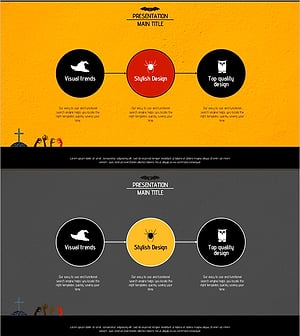
Halloween Template Flow Diagram – Business Strategy
#Business Strategy #Diagram #Implementation Framework
