



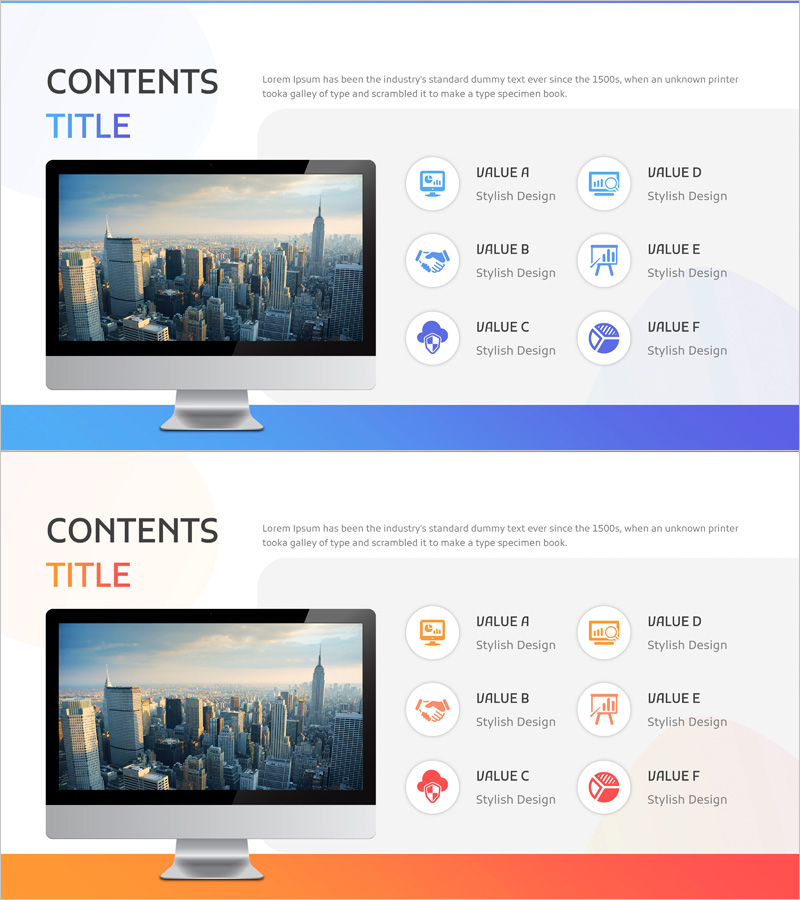
Data Analysis Components Slide – Cluster Design for Business Impact
RJ0400063_28
- Last Update 06/04/2025
- File Size 1.4MB
- # of Slides 2
- File Format PPTX
- Slide Ratio 16:9
- Color
Keywords
- #Content-Based Slides
- #Design-Based Slides
- #Product/Service Introduction
- #Diagram
- #Features
- #Composition
- #Cluster
- #Closed Cluster Diagram
- #16:9
- #closed cluster diagram
- #data analysis PowerPoint slide
- #6-element circular diagram
- #business components presentation
- #relationship visualization slide
- #cluster diagram template PowerPoint
About the Product
A closed-form cluster diagram PowerPoint slide designed to visualize data analysis and business components. Six related elements are arranged in a circular pattern around a central concept, intuitively expressing mutual relationships and impact levels. The consistent blue color scheme and icon usage clearly differentiate each component's role, making it ideal for business presentations explaining data analysis results, organizational structures, and process interactions. The 16:9 widescreen format with 2-slide composition is ready for immediate editing and customization.
Usage Points
-
Main Usage
Visualizes data analysis components and their mutual relationships at a glance. Expresses the impact and connectivity of six surrounding elements centered on a core concept, enabling intuitive explanation of complex business structures and interdependencies.
-
How to Use
Use in executive reports, business analysis presentations, and marketing strategy development phases to explain core elements and their interactions. Edit the text and icons in each element to match your organization's actual data or processes for immediate deployment.
-
Recommended For
Data analysts, business consultants, marketing professionals, and executives responsible for reporting complex data structures and relationships. Ideal for explaining organizational hierarchies, process flows, and system interactions in presentations.
-
Slide Structure
Two-slide composition featuring a closed-form circular arrangement with six elements surrounding a central concept on the first slide, and a variant layout on the second. Each element includes icon and text input areas for customization based on your data characteristics.
Related Products
-
VR Service System Characteristics – Engaging Diagram
#Product/Service Introduction #Diagram #Features
-
Pegboard Illustration Diagram – Product Characteristics and Composition Introduction
#Product/Service Introduction #Diagram #Features
-
A Representative Plant of Autumn - Cluster Diagram Slide
#Product/Service Introduction #Diagram #Features
-
Online Shopping Mall Composition Diagram – Data Visualization
#Product/Service Introduction #Diagram #Other
