



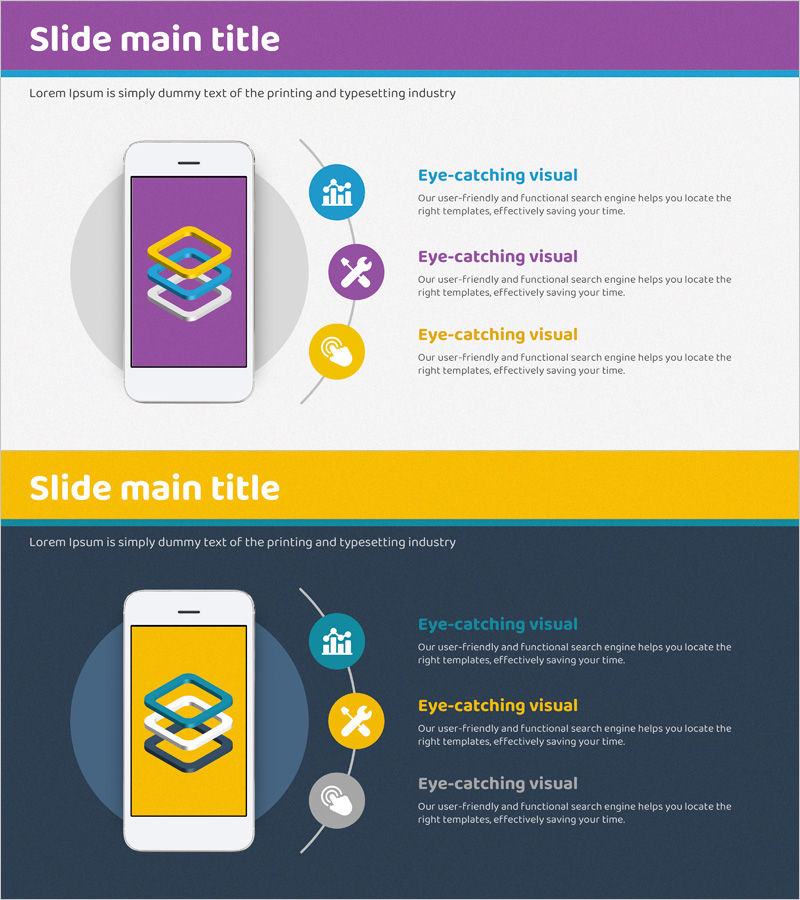
Mobile App Service Sector Diagram – Visualizing Business Components
RJ0400055_15
- Last Update 06/01/2025
- File Size 15.2MB
- # of Slides 2
- File Format PPTX
- Slide Ratio 16:9
- Color
Keywords
- #Content-Based Slides
- #Design-Based Slides
- #Company Introduction
- #Technical Approach
- #Diagram
- #Other
- #Business Areas
- #Service Components
- #Cluster
- #Chain Diagram
- #16:9
- #mobile app diagram PowerPoint
- #service structure presentation slide
- #3-element connection diagram
- #business component visualization
- #app service introduction PPT
About the Product
A PowerPoint slide that visualizes the three core components of a mobile app service using circular icons and connecting lines. The design features a purple background with teal, purple, and yellow accent icons, each paired with a text description area. This presentation template is ideal for startup pitches, service introductions, business model explanations, and feature architecture presentations. The 2-slide set includes both purple and yellow background versions, allowing you to choose the color scheme that best matches your brand. All text, icons, and layout elements are fully editable for customization.
Usage Points
-
Main Usage
This diagram is designed to clearly explain three key components of a mobile app or digital service and illustrate the relationships between them. It effectively communicates business models, service architecture, and functional structures in a visually engaging format.
-
How to Use
Place this slide in the 'Service Overview' or 'Core Value' section of startup pitch decks, service introduction presentations, and business planning documents. Replace the placeholder text with specific component names and descriptions to enhance audience understanding and engagement.
-
Recommended For
Startup founders, product managers, marketing professionals, IT project managers, and business development specialists presenting service structures. Ideal for investor pitches, internal planning meetings, and client proposal presentations.
-
Slide Structure
The 2-slide set includes a purple background version and a yellow background version. Each slide features a mobile device mockup on the left side, three circular icons (teal, purple, yellow) with connecting lines on the right, and text description areas next to each icon for customizable content.
Related Products
-
Chemical Experiment Research Analysis Diagram – Innovation and Progress
#Company Introduction #Product/Service Introduction #Diagram
-
AI-Based Data Analytics System for Health Fitness Experts
#Technical Approach #Diagram #Other
-
Global Business Services Area – Cluster Diagram
#Company Introduction #Business Introduction #Diagram
-
Visualizing Business Strategy with Construction Stage Map
#Business Strategy #Diagram #Other
