



Visualizing Business Strategy with Construction Stage Map
RJ0900019_28
- Last Update 08/21/2025
- File Size 1.7MB
- # of Slides 2
- File Format PPTX
- Slide Ratio 16:9
- Color
Keywords
- #Content-Based Slides
- #Design-Based Slides
- #Business Strategy
- #Diagram
- #Other
- #Step-by-Step Schedule Plan
- #Roadmap
- #Cluster
- #Chain Diagram
- #Mockup
- #16:9
- #construction roadmap PowerPoint
- #6-stage diagram slide template
- #business strategy visualization
- #laptop mockup PPT
- #project timeline presentation
- #how to create roadmap in PowerPoint
About the Product
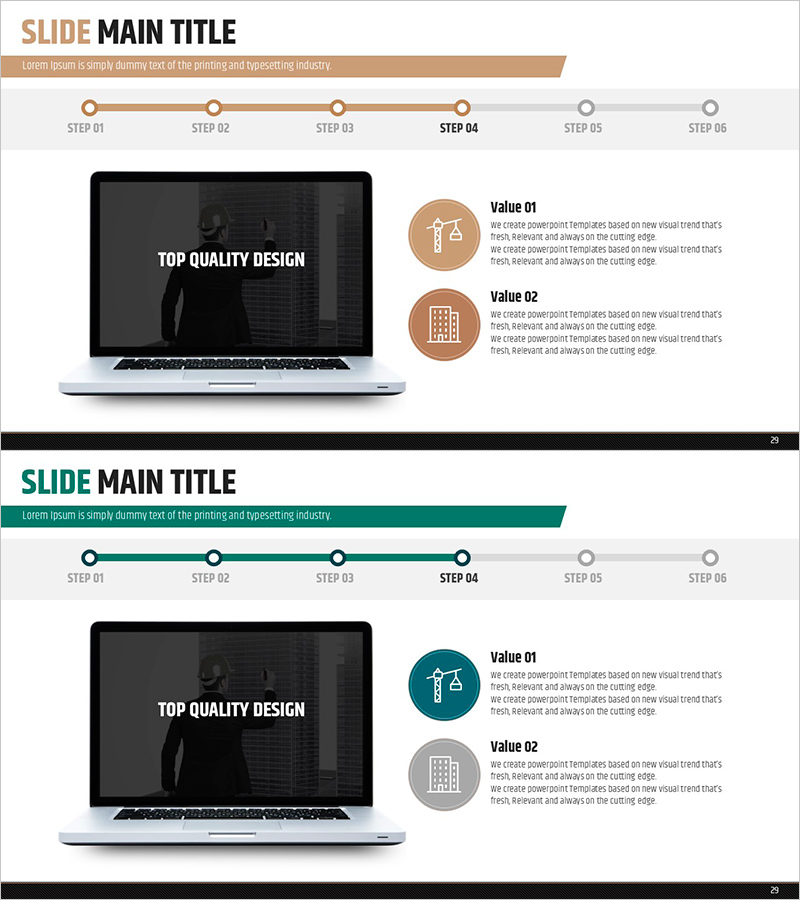
A PowerPoint slide that visualizes business strategy through a 6-stage construction roadmap displayed on a laptop device mockup. Each stage features icons and text areas to clearly communicate project timelines and milestones. The two-tone color scheme of beige and black creates a professional business presentation atmosphere, optimized for 16:9 widescreen format in a 2-slide set. This presentation template is ready to use immediately in pitch decks, strategic plans, and project reports.
Usage Points
-
Main Usage
Communicate project timelines and milestone achievements through visual representation, increasing audience comprehension. The laptop mockup effectively conveys digital solutions, IT projects, and business transformation strategies with persuasive impact. Clear stage differentiation maintains audience engagement and focus throughout the presentation.
-
How to Use
Enter project names, timeframes, and key activities into the 6 stage areas to create a customized roadmap. Modify stage icons and colors to distinguish priorities or categories. Insert into business plans, strategic reports, and investor pitch decks within the strategy section.
-
Recommended For
Ideal for IT companies, software development teams, digital marketing professionals, project managers, and executives presenting business updates. Applicable to new business launches, system implementations, organizational restructuring, and marketing campaigns requiring phased execution.
-
Slide Structure
Two-slide set featuring a laptop mockup with a linear 6-node diagram connected by directional arrows. First slide uses beige accent color, second slide features teal accent, providing color variation options. Each node includes dedicated text and icon input areas for customization.
Related Products
-
A Plan for the Provision of Real Estate – Step-by-Step Roadmap
#Business Strategy #Diagram #Step-by-Step Schedule Plan
-
Business Promotion Strategy Diagram Slide – Teal and Yellow
#Business Strategy #Diagram #Step-by-Step Schedule Plan
-
Business Procedure Orange Yellow Diagram
#Business Strategy #Diagram #Step-by-Step Schedule Plan
-
Natural Environment Step-by-step Schedule Plan Infographic
#Business Strategy #Diagram #Step-by-Step Schedule Plan
