



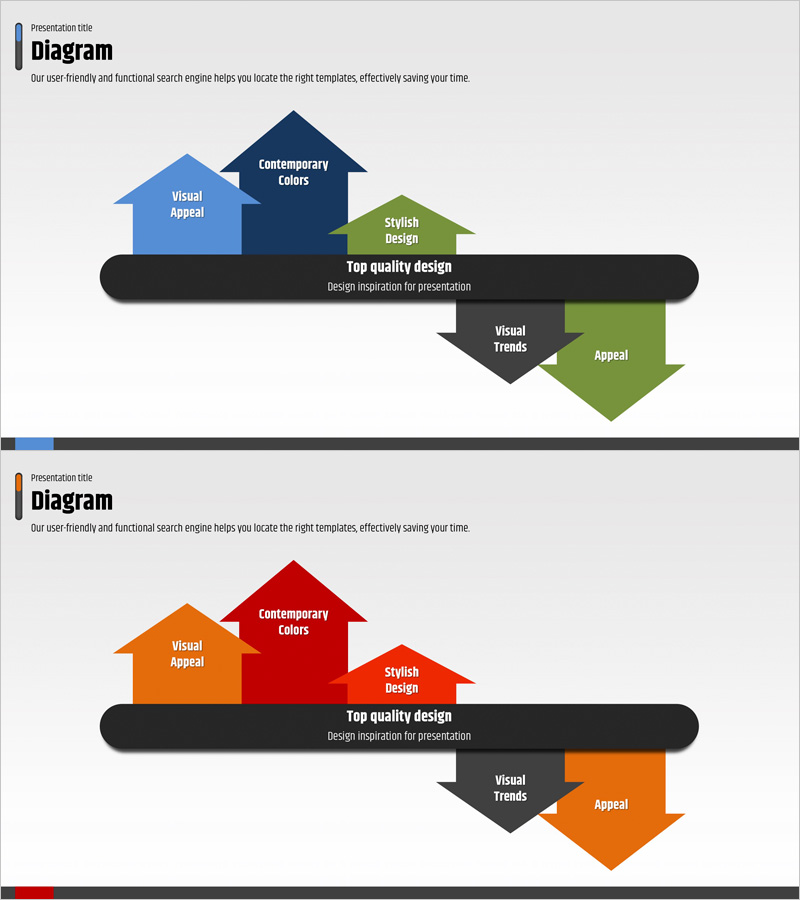
Key Achievements and Service Differentiation Strategies – Blue and Red
RJ0400020_27
- Last Update 05/23/2025
- File Size 0.1MB
- # of Slides 2
- File Format PPTX
- Slide Ratio 16:9
- Color
Keywords
- #Content-Based Slides
- #Design-Based Slides
- #Company Introduction
- #Product/Service Introduction
- #Text Box
- #Key Achievements
- #Differentiation Strategy for Products/Services
- #Arrow
- #16:9
- #arrow diagram PowerPoint
- #arrow slide design
- #two-tone comparison diagram
- #business strategy arrow slide
- #how to make comparison diagrams in PowerPoint
About the Product
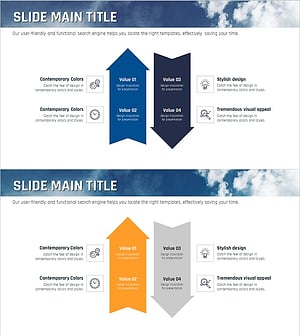
A PowerPoint arrow diagram slide featuring blue and red two-tone color scheme with a horizontal central axis design. Arrow elements are positioned above and below the axis, each with editable text labels for contrasting concepts or directional strategies. This layout is ideal for visualizing key achievements, service differentiation, business strategies, and comparative analysis in presentations. The structure supports clear communication of strategic choices, competitive positioning, and opposing relationships. Available in 16:9 widescreen PPTX format, fully editable and ready to use immediately.
Usage Points
-
Main Usage
Designed to visually represent two contrasting concepts, strategic alternatives, or opposing relationships. Perfect for emphasizing key achievements alongside service differentiation points, or comparing current state versus target state in executive presentations.
-
How to Use
Position the first concept (e.g., blue strategy) in the upper arrows and the second concept (e.g., red strategy) in the lower arrows along the horizontal axis. Double-click each arrow text box to edit titles and descriptions. Customize colors and text to match your presentation theme.
-
Recommended For
Ideal for executive reports, strategic presentations, investment pitch decks, business proposals, and marketing plans. Use when highlighting core strategies, competitive differentiation, market positioning, or comparative analysis between two business approaches.
-
Slide Structure
Two-slide set with horizontal central axis design. Each slide features 3-4 arrow elements positioned above and below the axis. First slide emphasizes blue tones, second emphasizes red tones with color variations. Total of 6-8 editable text input areas, one per arrow element, supporting multi-level information hierarchy.
Related Products
-
Highlighting Business Strategy with Arrow Diagram
#Product/Service Introduction #Business Strategy #Text Box
-
Pros and Cons Arrow Text Box – Data Visualization
#Product/Service Introduction #Operational Plan #Diagram
-
Construction Design Flow Diagram – Business Strategy and Differentiation
#Product/Service Introduction #Business Vision and Strategy #Diagram
-
Sea Lighthouse Business Strategy Arrow – Toward Vision and Goals
#Product/Service Introduction #Business Vision and Strategy #Diagram
