



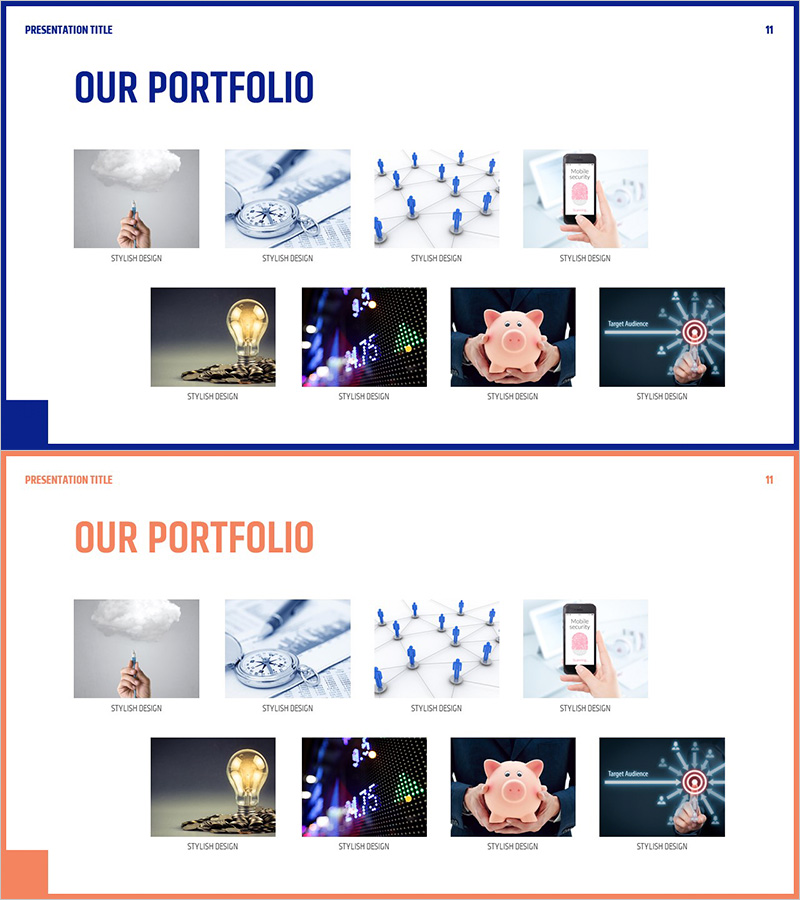
Introduction to Ongoing Business Areas - Stylish Diagram
RJ0300086_11
- Last Update 05/13/2025
- File Size 1.9MB
- # of Slides 2
- File Format PPTX
- Slide Ratio 16:9
- Color
Keywords
- #Content-Based Slides
- #Design-Based Slides
- #Product/Service Introduction
- #Diagram
- #Product/Service Introduction
- #Program Introduction
- #Cluster
- #Closed Cluster Diagram
- #16:9
- #closed cluster diagram PowerPoint
- #circular diagram slide template
- #business area introduction slide
- #portfolio PowerPoint template
- #how to create cluster diagram in PowerPoint
About the Product
A closed cluster diagram PowerPoint slide optimized for business area introductions and portfolio presentations. This slide deck features a central concept surrounded by eight related items arranged in a circular formation, with each node maintaining independence while clearly expressing its relationship to the center. The design uses a navy blue border and white background for a minimalist, professional aesthetic suitable for business presentations. The 2-slide set is ready to use immediately, with fully editable text and image areas in each node for customization.
Usage Points
-
Main Usage
Visually represents the relationship between a central concept and related items, such as business areas, portfolio categories, organizational structure, or service divisions. The closed structure ensures complete information delivery, making it suitable for business presentations, company introductions, and proposal documents.
-
How to Use
Enter your core concept (company name, brand, main business) in the central circular area, then place detailed items (business divisions, services, products, capabilities) in the eight surrounding nodes. Edit text, icons, and images in each node to match your presentation content. Color changes can be applied easily throughout the design.
-
Recommended For
Recommended for executive team portfolio presentations, new business area introductions, organizational structure explanations, and product/service category classifications. Particularly effective for B2B presentations where clarifying relationships between central and peripheral elements is essential.
-
Slide Structure
2-slide set with consistent navy blue border frames and white backgrounds. Each slide features a central circular node for the main concept and eight equally-sized rectangular nodes arranged in a circular pattern around it. All nodes include editable text input areas and image insertion zones.
Related Products
-
Architectural Design and Text Box – Creative Presentation Solutions
#Product/Service Introduction #Diagram #Product/Service Introduction
-
Introducing a Challenging Company Program – Innovation and Collaboration
#Product/Service Introduction #Diagram #Product/Service Introduction
-
Introduction to Trade Business Transportation – Cluster Diagram
#Product/Service Introduction #Diagram #Product/Service Introduction
-
A Tourist Attraction Record Photo – Capturing Stylish Design
#Product/Service Introduction #Diagram #Product/Service Introduction
