



Introducing a Challenging Company Program – Innovation and Collaboration
RM0300011_15
- Last Update 02/09/2025
- File Size 0.8MB
- # of Slides 2
- File Format PPTX
- Slide Ratio 16:9
- Color
Keywords
- #Content-Based Slides
- #Design-Based Slides
- #Product/Service Introduction
- #Diagram
- #Product/Service Introduction
- #Program Introduction
- #Cluster
- #Closed Cluster Diagram
- #16:9
- #cluster diagram PowerPoint
- #3-section connection slide
- #organizational capability diagram
- #innovation collaboration presentation
- #corporate program introduction PPT
About the Product
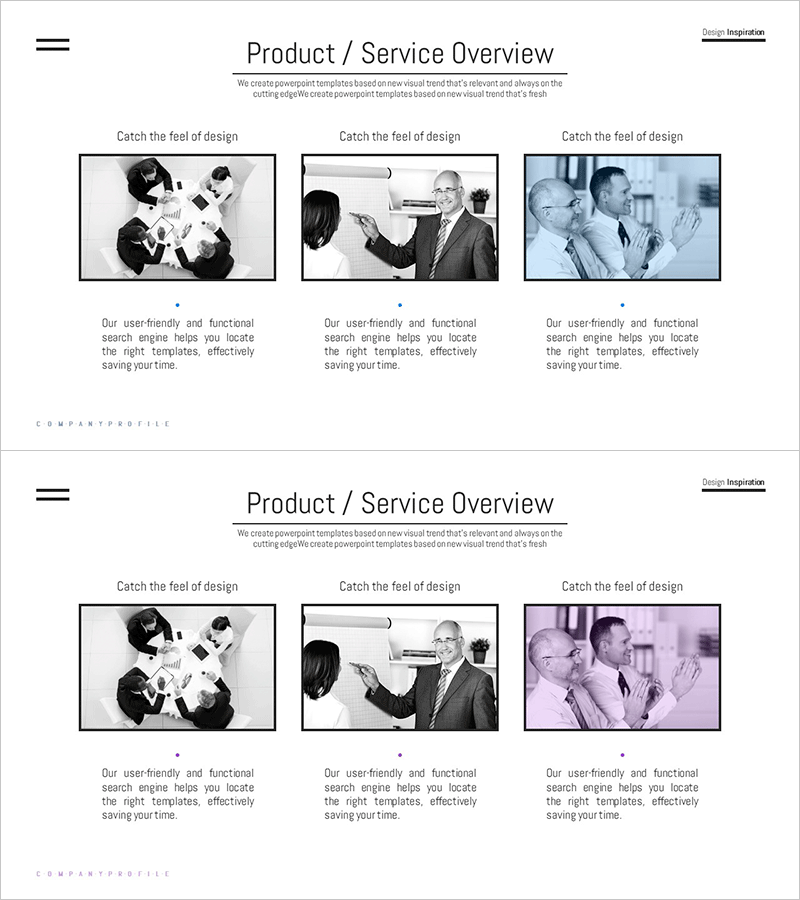
A three-section cluster diagram PowerPoint slide designed to present corporate programs and organizational capabilities. The structure radiates from a central concept to three distinct areas: team collaboration on the left, innovation strategy in the center, and challenge spirit on the right. Black-and-white business photography combined with color overlays (blue, pink) emphasizes the differentiation of each section. The 2-slide set includes a variant layout, making it immediately applicable to presentation decks, company profiles, and product introduction materials.
Usage Points
-
Main Usage
Visualizes core company values, strategies, and capabilities by categorizing them into three interconnected sections. Ideal for program introductions, organizational culture explanations, and strategic direction presentations.
-
How to Use
Customize each section's text with your company's core values (innovation, collaboration, challenge) or department names (marketing, development, sales). Present each section sequentially during your talk to emphasize the interconnected relationships and create narrative flow.
-
Recommended For
Executive presentations on organizational culture, new employee onboarding materials, investor pitches on company capabilities, marketing team strategy sessions, and cross-functional team alignment meetings. Particularly effective for explaining multi-layered organizational structures or interconnected business domains.
-
Slide Structure
2-slide set with identical cluster layout. Each slide features a central circular node radiating to three directional sections. Black-and-white business photography with color overlays (blue, pink, and additional colors) applied to left, center, and right areas. Text input fields positioned below each section for easy customization.
Related Products
-
Introduction to Business Key Programs – Impactful Cluster Diagram
#Product/Service Introduction #Diagram #Product/Service Introduction
-
Introduction to Artificial Intelligence Robot Business Services – Innovative Solutions
#Product/Service Introduction #Diagram #Product/Service Introduction
-
Key Details Slide - Elegant Diagram Utilization
#Product/Service Introduction #Diagram #Product/Service Introduction
-
Daily Diagrams with Exercise – Healthy Lifestyle
#Product/Service Introduction #Diagram #Product/Service Introduction
