



Introduction to Trade Business Transportation – Cluster Diagram
RJ0300017_17
- Last Update 04/22/2025
- File Size 0.3MB
- # of Slides 2
- File Format PPTX
- Slide Ratio 16:9
- Color
Keywords
- #Content-Based Slides
- #Design-Based Slides
- #Product/Service Introduction
- #Diagram
- #Product/Service Introduction
- #Program Introduction
- #Cluster
- #Closed Cluster Diagram
- #16:9
- #table diagram PowerPoint
- #image text hybrid slide
- #comparison chart template
- #trade logistics presentation
- #3-row 2-column diagram PowerPoint
About the Product
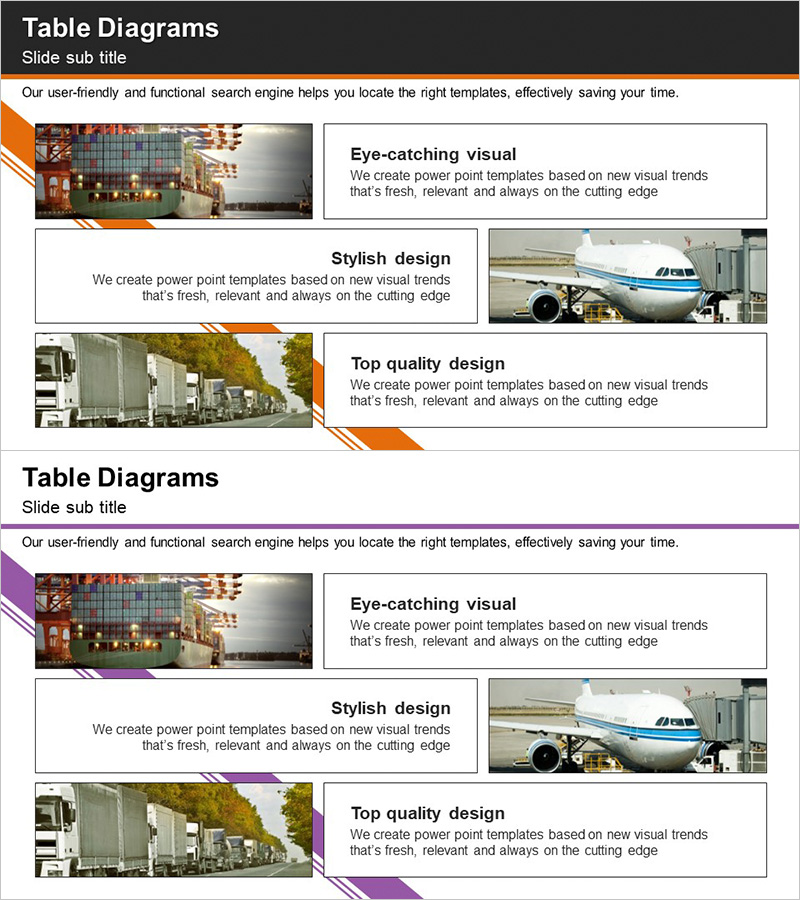
A table diagram PowerPoint slide optimized for trade, logistics, and transportation business presentations. The layout combines left-side image areas with right-side text boxes in a 3-row 2-column grid, enabling visual comparison of products, services, and key features. Orange accent lines and dark headers establish clear information hierarchy. The 16:9 widescreen format includes 2 slides ready for immediate editing. Ideal for business presentations, company introductions, proposals, and pitch decks across various industries.
Usage Points
-
Main Usage
Enhance audience comprehension by comparing core trade and logistics elements through parallel image and text presentation. Position actual product, transportation, or facility photos on the left while aligning descriptive text on the right to strengthen visual credibility and information retention.
-
How to Use
Insert product, service, or feature photos in each row's image area and enter descriptions, benefits, and metrics in the right-side text boxes. Use orange accent lines for section division and emphasis, and modify header text to match your category names. All text is fully editable.
-
Recommended For
Recommended for trade companies, logistics firms, and transportation businesses presenting business overviews, product catalogs, proposals, investment pitches, and company introductions. Suitable for marketing teams, sales departments, and executive presentations.
-
Slide Structure
2-slide set. Each slide features a 3-row 2-column table layout with left image areas (approximately 40%) and right text boxes (approximately 60%). Headers use dark backgrounds with white text, and orange dividing lines maintain consistent visual hierarchy throughout.
Related Products
-
Architectural Design and Text Box – Creative Presentation Solutions
#Product/Service Introduction #Diagram #Product/Service Introduction
-
Introducing a Challenging Company Program – Innovation and Collaboration
#Product/Service Introduction #Diagram #Product/Service Introduction
-

Introducing Differentiated Product Services – Infographic Slide to Enhance Business Efficiency
#Product/Service Introduction #Diagram #Product/Service Introduction
-
Daily Diagrams with Exercise – Healthy Lifestyle
#Product/Service Introduction #Diagram #Product/Service Introduction
