



Visualizing Marketing Strategy with Circular Diagram – Effective Product Presentation
RJ0300063_27
- Last Update 05/05/2025
- File Size 4.5MB
- # of Slides 2
- File Format PPTX
- Slide Ratio 16:9
- Color
Keywords
- #Content-Based Slides
- #Design-Based Slides
- #Product/Service Introduction
- #Marketing Plan and Strategy
- #Diagram
- #Differentiation Strategy for Products/Services
- #Marketing Strategy
- #Flow
- #Circular Flow
- #16:9
- #circular diagram PowerPoint
- #bidirectional arrow presentation
- #marketing strategy slide
- #cyclical process diagram
- #2-stage circular PowerPoint slide template
About the Product
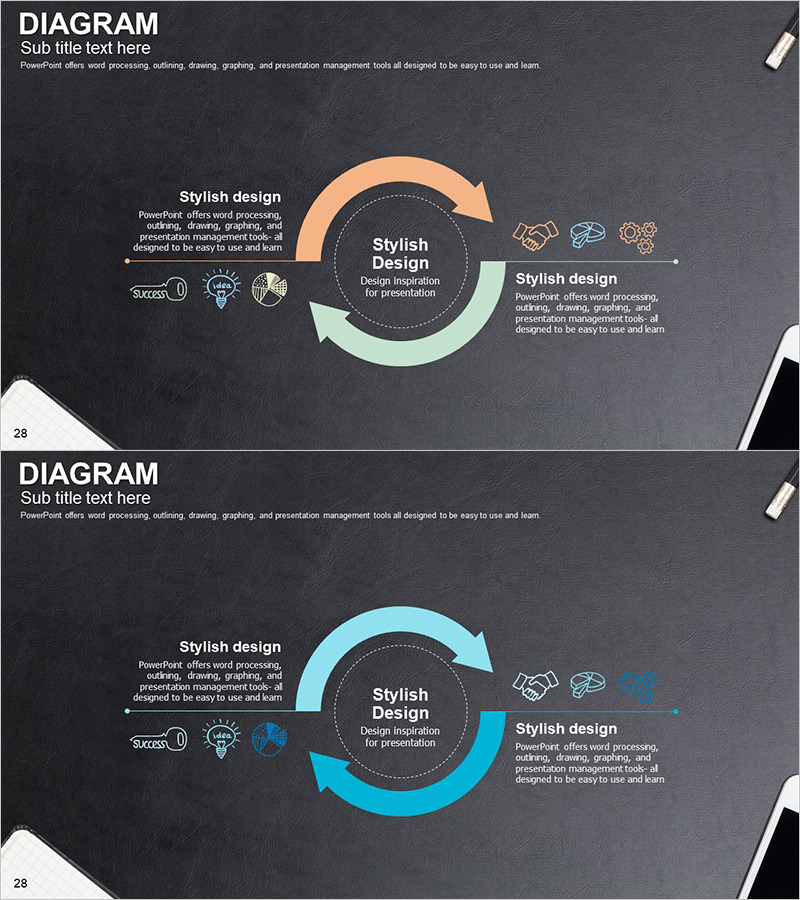
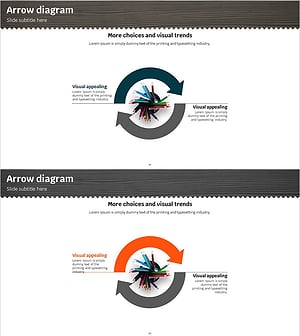
A 2-slide circular diagram PowerPoint presentation designed to visualize marketing strategies and product introductions. The design features a central circular node with bidirectional arrows extending left and right, effectively representing reciprocal relationships and cyclical processes. Set against a charcoal background, the orange, mint, and blue arrows create strong visual contrast and emphasis. Each section includes icon placeholders and text areas for describing strategy phases, product features, and customer value propositions. This PowerPoint slide template is ideal for presentations and planning documents that need to communicate circular relationships and two-way interactions in business contexts.
Usage Points
-
Main Usage
Visualizes marketing strategies, product development cycles, customer journeys, and business processes involving two-way interactions and circular relationships. The central concept node with left-right elements effectively demonstrates mutual influence, making it suitable for strategy presentations and business proposals.
-
How to Use
Enter your core concept (strategy name, product name, or objective) in the central circular node. Add descriptions and icons to the left and right arrow sections. The charcoal background provides excellent contrast for both projector presentations and online sharing. Colors can be customized to match different topics and brand guidelines.
-
Recommended For
Marketing professionals, strategy planning teams, product development departments, and executives preparing reports. Ideal for marketing strategy presentations, product introduction decks, business plans, consulting proposals, and internal strategy alignment meetings where circular relationships need emphasis.
-
Slide Structure
2-slide layout. Each slide features a central circular node (text input area) with bidirectional arrows extending to the left and right. Each arrow section includes 3 icon placeholders and text description areas, accommodating up to 6 elements per slide. Slide 1 uses orange and mint arrows; Slide 2 uses blue and mint arrows for topic differentiation.
Related Products
-
Gradient Color Cycle Diagram – Product and Service Strategy
#Product/Service Introduction #Marketing Plan and Strategy #Diagram
-
Successful Global Marketing Strategy Diagram
#Product/Service Introduction #Marketing Plan and Strategy #Diagram
-
Service Differentiation Strategy Circular Diagram
#Product/Service Introduction #Marketing Plan and Strategy #Diagram
-
Visualizing Marketing Strategies with Circular Arrow Diagram
#Product/Service Introduction #Marketing Plan and Strategy #Diagram
