



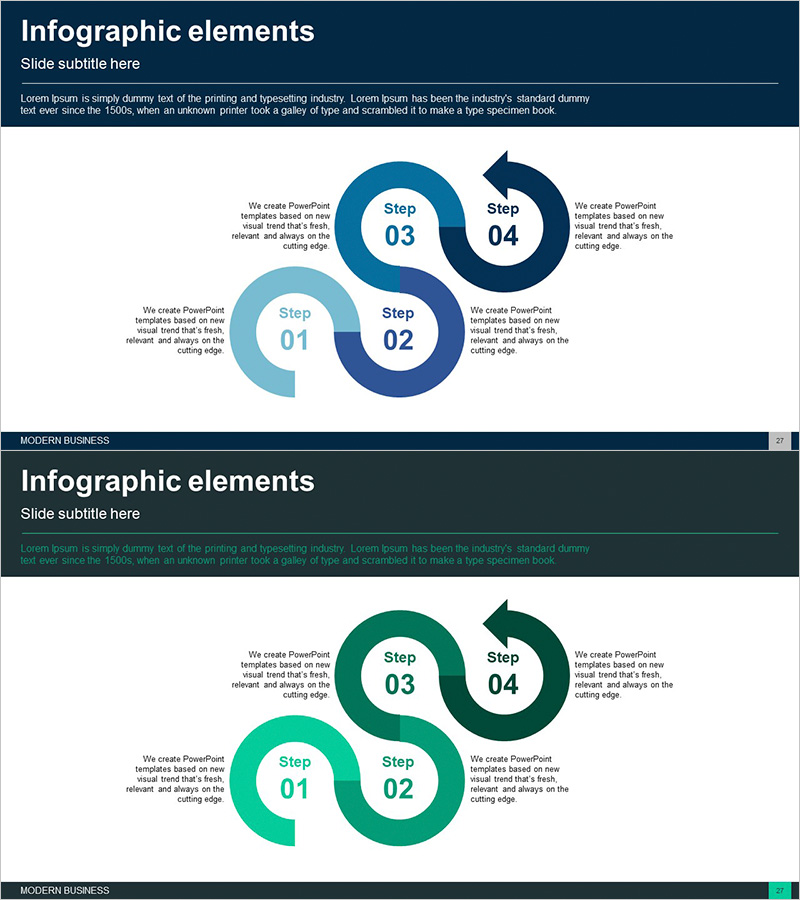
4STEP Circular Connection Diagram – Business Execution Strategy
RJ0300059_26
- Last Update 05/04/2025
- File Size 0.8MB
- # of Slides 2
- File Format PPTX
- Slide Ratio 16:9
- Color
Keywords
- #Content-Based Slides
- #Design-Based Slides
- #Business Strategy
- #Operational Plan
- #Diagram
- #Step-by-Step Schedule Plan
- #Business Processes
- #Cluster
- #Chain Diagram
- #16:9
- #4-step circular diagram PowerPoint
- #circular connection diagram template
- #business execution strategy slide
- #phased process diagram
- #operational planning PowerPoint template
About the Product
A 4-step circular connection diagram PowerPoint slide designed to visualize business execution strategy and operational planning. Dark blue, light blue, and green gradient circular nodes are connected by directional arrows, intuitively expressing cyclical processes and phased timelines. Each step includes dedicated text input areas for immediate application to project phases, operational cycles, strategic roadmaps, and other business contexts. The 2-slide set provides color variations (blue and green palettes) to match your presentation's tone and style.
Usage Points
-
Main Usage
Clearly communicate cyclical processes and phased timelines—such as business execution strategy, operational cycles, project phases, and strategic roadmaps—by structuring them into 4 interconnected steps. Circular nodes and directional arrows intuitively convey relationships and flow between stages.
-
How to Use
Enter phase names, objectives, timelines, and responsible parties into the text input areas of each circular node. Select either the blue palette (conveying trust and professionalism) or green palette (conveying growth and sustainability) based on your presentation context. Colors, text, and arrows are fully customizable.
-
Recommended For
Executives, project managers, and strategic planning teams use this diagram when explaining business plans, operational strategies, and change management initiatives. Ideal for vision and strategy sections in company profiles, execution strategy pages in business plans, and operational planning pages in reports.
-
Slide Structure
Four circular nodes (Step 01–04) are arranged clockwise and connected by directional arrows in a cyclical pattern. Each node contains a phase name input area and descriptive text field. Additional explanation text boxes are positioned in the upper left and right areas. The 2-slide set includes color variations.
Related Products
-
Business Processes by Business Hours Slide – Efficient Operations Planning
#Business Strategy #Operational Plan #Diagram
-
Business Connection 3D Diagram – Business Strategy
#Business Strategy #Operational Plan #Diagram
-
Business Process Diagram Slide Template – Business Strategy
#Business Strategy #Operational Plan #Diagram
-
Energy Business Process – Visualization of Strategic Operating Plan
#Business Strategy #Operational Plan #Diagram
